How to Detect Ad Creative Fatigue Before It Kills Your ROAS: A Media Buyer's Checklist
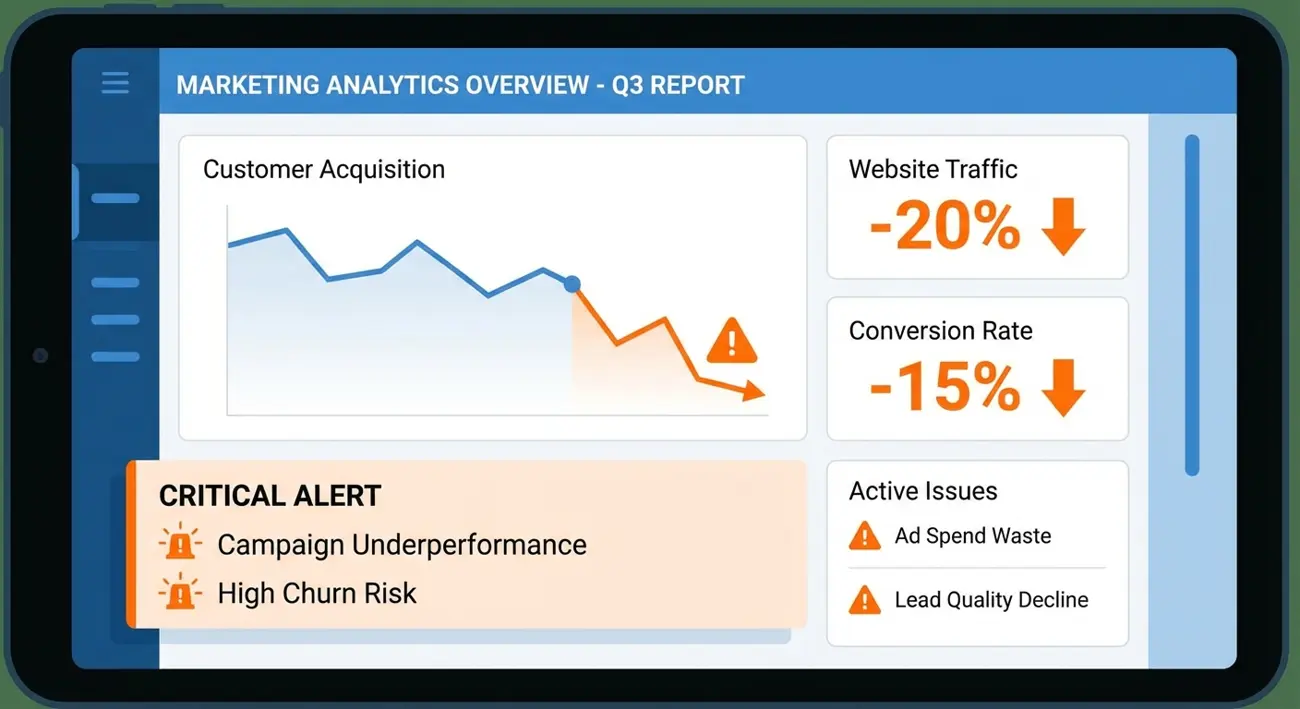
Creative fatigue is the silent ROAS killer. Your campaign is performing well — then, gradually, cost per acquisition creeps up, click-through rates decline, and by the time you notice, you've burned through budget on a creative that stopped working days ago.
The problem isn't that ad creative fatigue detection is complicated. It's that most media buyers detect fatigue after the damage is done instead of before it starts. They react to declining ROAS instead of anticipating it.
This guide gives you a systematic checklist for detecting creative fatigue early — using both internal campaign metrics and external competitor intelligence. Because the smartest signal that your creative is about to fatigue often comes from watching what's happening in your competitive landscape, not just your own Ads Manager.
What Is Ad Creative Fatigue (and Why It's Not Just Frequency)
Ad creative fatigue occurs when your target audience has seen your ad so many times that they stop responding to it. Engagement drops, CTR declines, CPA rises, and ROAS falls — even though nothing changed in your targeting, budget, or offer.
But here's the critical distinction most media buyers miss: fatigue is not the same as high frequency.
Frequency is a metric — the average number of times each person in your audience has seen your ad. High frequency correlates with fatigue but doesn't cause it. A compelling creative can sustain higher frequency than a mediocre one.
Fatigue is a behavioral response — your audience has mentally "filtered out" your ad. They've processed the message, decided it's not for them (or already acted on it), and their attention moves on.
Why this distinction matters:
- A creative at frequency 3.0 might be fatigued if CTR has dropped 40% from its peak
- A different creative at frequency 5.0 might still perform well if engagement remains stable
- Blindly killing ads at a frequency threshold wastes performing creatives and creates unnecessary work
The key is tracking performance degradation relative to the creative's own baseline, not arbitrary frequency cutoffs.
The fatigue timeline:
For most Facebook ad creatives in competitive verticals:
- Days 1-3: Learning phase. Metrics are unstable. Don't judge yet.
- Days 4-7: Peak performance. The algorithm has optimized delivery. This is your baseline.
- Days 7-14: Watch period. Performance is typically stable but early fatigue signals may appear.
- Days 14-21: Fatigue zone for high-spend campaigns. Most creatives in narrow audiences start declining.
- Days 21-30+: Extended fatigue. Only broad audiences with moderate spend sustain this long.
Your detection system should trigger alerts in the "watch period" — not after performance has already collapsed.
The 5 Early Warning Signals of Creative Fatigue
These signals appear in a predictable sequence. The earlier you catch them, the less budget you waste.
Signal 1: CTR Decline (First to Drop)
Click-through rate is the canary in the coal mine. When your audience starts ignoring your creative, they stop clicking first.
Detection rule: If CTR drops 20%+ from its 7-day peak average over a 3-day rolling window, fatigue is beginning.
Example: Peak CTR was 2.4%. If it drops to 1.9% or below over 3 consecutive days, flag this creative.
Signal 2: CPM Increase (Algorithm Responds)
Meta's algorithm detects declining engagement and responds by showing your ad to less optimal segments of your audience — which costs more per impression. Rising CPMs with declining CTR is a strong fatigue confirmation.
Detection rule: If CPM increases 15%+ while CTR is declining, the algorithm is compensating for reduced creative effectiveness.
Signal 3: Frequency Acceleration
When your creative fatigues, the algorithm may increase frequency to maintain delivery targets. Watch for frequency climbing faster than usual — this accelerates fatigue into a death spiral.
Detection rule: If frequency increases by more than 0.5 per day while CTR is declining, the creative is in a fatigue spiral.
Signal 4: CPA Creep (Performance Impact)
Cost per acquisition starts rising as fewer people convert. This is where fatigue hits your bottom line.
Detection rule: If CPA increases 25%+ from baseline while CTR and CPM have already shifted, the creative needs immediate rotation.
Signal 5: Negative Feedback Increase
On Facebook, users can hide ads or report them as repetitive. If negative feedback rates increase, you're not just fatiguing your audience — you're annoying them, which can impact your account quality score.
Detection rule: Monitor "ad relevance diagnostics" in Ads Manager. If quality ranking or engagement rate ranking drops from "Above Average" to "Average" or "Below Average," take action.
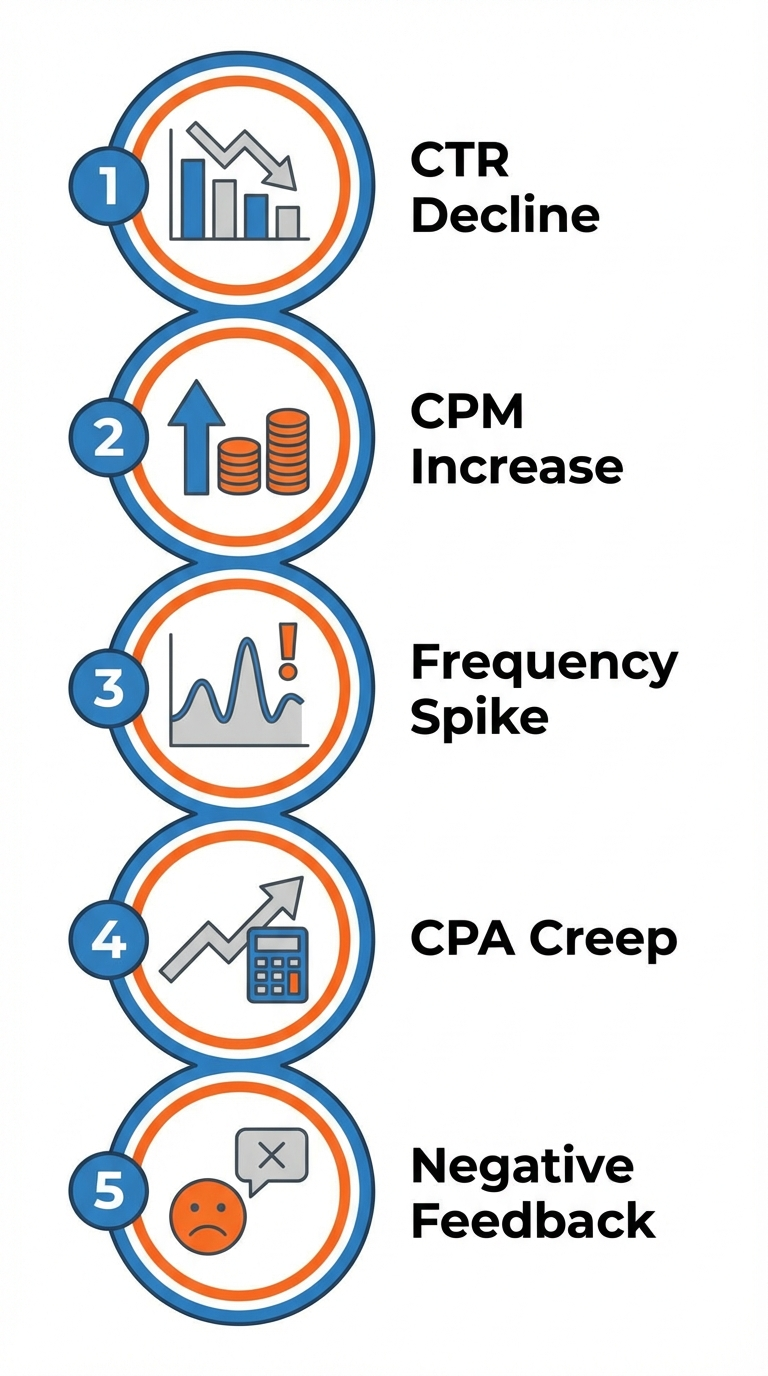 Catch these five signals early to rotate creatives before ROAS drops.
How to Set Up Fatigue Detection Alerts in Meta Ads Manager
Meta doesn't have built-in fatigue alerts, but you can approximate them with custom rules:
Step 1: Create Custom Rules
Go to Ads Manager → Automated Rules → Create Rule
Rule 1 — CTR Drop Alert:
- Apply to: Ads
- Condition: CTR (link click-through rate) is less than your threshold — e.g., 1.5%
- Time range: Last 3 days
- Action: Send notification only
- Frequency: Once daily
Rule 2 — CPA Spike Alert:
- Apply to: Ads
- Condition: Cost per result is greater than your break-even CPA × 1.25
- Time range: Last 3 days
- Action: Send notification only
- Frequency: Once daily
Rule 3 — Frequency Alert:
- Apply to: Ad Sets
- Condition: Frequency is greater than your threshold — e.g., 3.0 for narrow audiences, 5.0 for broad
- Time range: Last 7 days
- Action: Send notification only
- Frequency: Once daily
Step 2: Build a Monitoring Dashboard
Create a custom column preset in Ads Manager with these columns:
- CTR (link)
- CPM
- Frequency
- Cost per Result
- Results
- Relevance Score / Quality Ranking
- Engagement Rate Ranking
Sort by "Date started" to compare older creatives against newer ones. Creatives running longer should be monitored more closely.
Step 3: Set a Weekly Review Cadence
Automated rules catch acute fatigue. But weekly reviews catch gradual decline. Every Monday, review:
- Which creatives have been running 14+ days?
- Which ones show any Signal 1-5 patterns?
- Which ones need immediate rotation vs. continued monitoring?
Using Competitor Intelligence to Stay Ahead of Fatigue
Here's where most fatigue detection guides stop — at your own metrics. But there's a powerful external signal most media buyers ignore: competitor creative rotation patterns.
Why competitor signals predict your fatigue:
When you and your competitors target the same audience, you're all contributing to that audience's ad fatigue. If three competitors refresh their creatives in the same week, your audience just saw a flood of new ads — making your unchanged creative feel stale by comparison.
What to monitor:
Competitor creative lifespan. How long do competitors typically run a creative before replacing it? If the average in your niche is 14 days, budget for similar rotation frequency.
Format trends. When competitors shift from static to video (or vice versa), format fatigue is likely driving the change. If three competitors all move to UGC video in the same month, the audience is telling the market something.
Seasonal creative spikes. Before major sales events (Black Friday, New Year, Valentine's Day), competitors launch fresh creatives. If you're still running pre-season creative while everyone else has refreshed, you'll fatigue faster.
New competitor entries. When a new competitor enters your niche with aggressive spend, they're adding ad volume to your shared audience. This accelerates fatigue across the category.
Monitor competitor creative rotation with Adligator — spot fatigue patterns
How to build competitor fatigue signals:
- Set up live trackers in Adligator for your top 5 competitors + your primary keywords
- Note when competitors refresh creatives (new ads appearing while old ones disappear)
- Track the average creative lifespan in your niche
- When you see a cluster of competitors refreshing simultaneously, prepare your own rotation
The Creative Refresh Playbook: When and How to Rotate
Detecting fatigue is only half the battle. You need a rotation system ready to deploy.
The 3-Tier Creative Pipeline:
Tier 1 — Active (3-5 creatives): Currently running. Monitored for fatigue signals daily.
Tier 2 — Ready (5-10 concepts): Fully produced, approved, and ready to launch. These are your instant replacements when Tier 1 fatigues.
Tier 3 — In Development (ongoing): Concepts and storyboards being developed. Fed by competitor analysis and performance data from Tier 1.
Rotation Rules:
- Kill immediately when CPA exceeds break-even by 30%+ for 3 consecutive days
- Replace and test when CTR drops 25%+ from peak
- Scale back budget (not kill) when signals are mixed — reduce by 50% and monitor for 48 hours
- Iterate, don't reinvent when a creative fatigues. If the hook worked but the format fatigued, try the same hook with a different visual approach
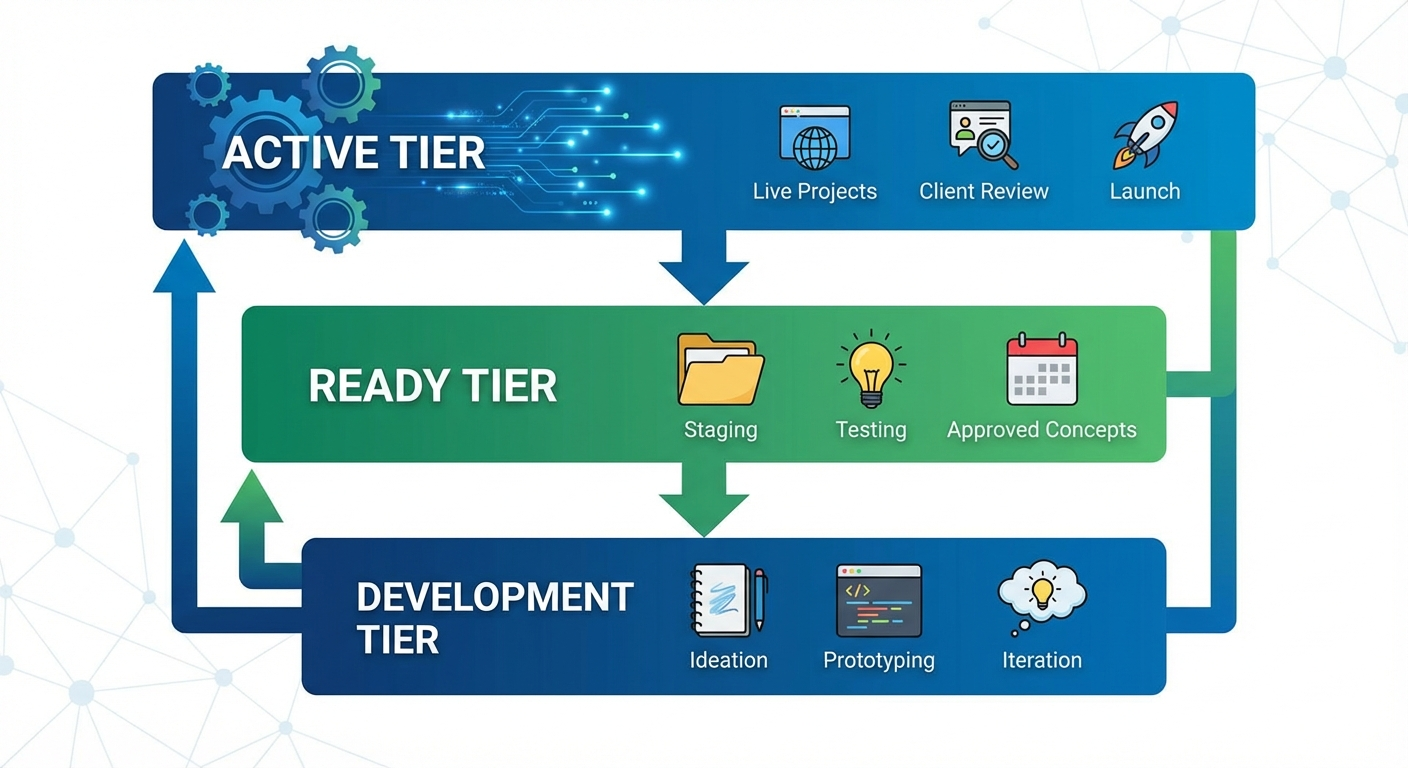 A structured rotation playbook prevents reactive firefighting.
Format Rotation Strategy:
Rotating within format types extends creative lifespan:
- Static → Carousel → Video → UGC → Back to Static (each format feels fresh to the audience)
- Same message, different delivery
- Each format change buys you another 7-14 day window
How Ad Spy Tools Help You Predict Fatigue Before It Hits
Ad spy tools add a predictive layer to your fatigue detection by showing you what's happening across your competitive landscape in real time.
Industry-level fatigue signals:
When you monitor your niche keyword in an ad spy tool like Adligator with the "days active" filter, you can see:
- Average creative lifespan in your niche. If most ads run 10-15 days, budget for that rotation frequency.
- When competitors cluster their refreshes. A wave of new ads from multiple competitors signals category-level fatigue.
- Which formats sustain longest. If UGC videos consistently run 30+ days while static images die at 10, that tells you where to invest creative production.
Building a fatigue prediction calendar:
Based on 4 weeks of competitor monitoring, you can build a prediction model:
- Track when your top 5 competitors launch new creatives
- Track when they kill old ones
- Calculate average creative lifespan per competitor
- Overlay this with your own creative calendar
- Plan your refreshes to land 2-3 days before predicted category fatigue peaks
This turns fatigue management from reactive to proactive.
Cross-niche fatigue patterns:
Some fatigue patterns are universal across niches:
- Post-holiday fatigue. After major shopping events (Black Friday, Christmas), audiences are ad-blind. Budget for 2-3 creative refreshes in January.
- Algorithm update recovery. When Meta rolls out algorithm changes, creative performance fluctuates. Don't confuse algorithm instability with creative fatigue — check if the pattern is industry-wide or creative-specific.
- Seasonal format shifts. Summer typically favors lighter, lifestyle-oriented creatives. Q4 demands direct-response urgency. Failing to match seasonal expectations accelerates perceived fatigue.
- Platform trend fatigue. When a creative format goes viral (like a specific TikTok trend adapted for Facebook), everyone copies it. The format itself fatigues across the platform, not just within your campaigns. Monitor when a trending format peaks and plan to be among the first to move to the next format.
Checklist: Weekly Creative Health Audit
Run this checklist every Monday morning. Takes 15-20 minutes.
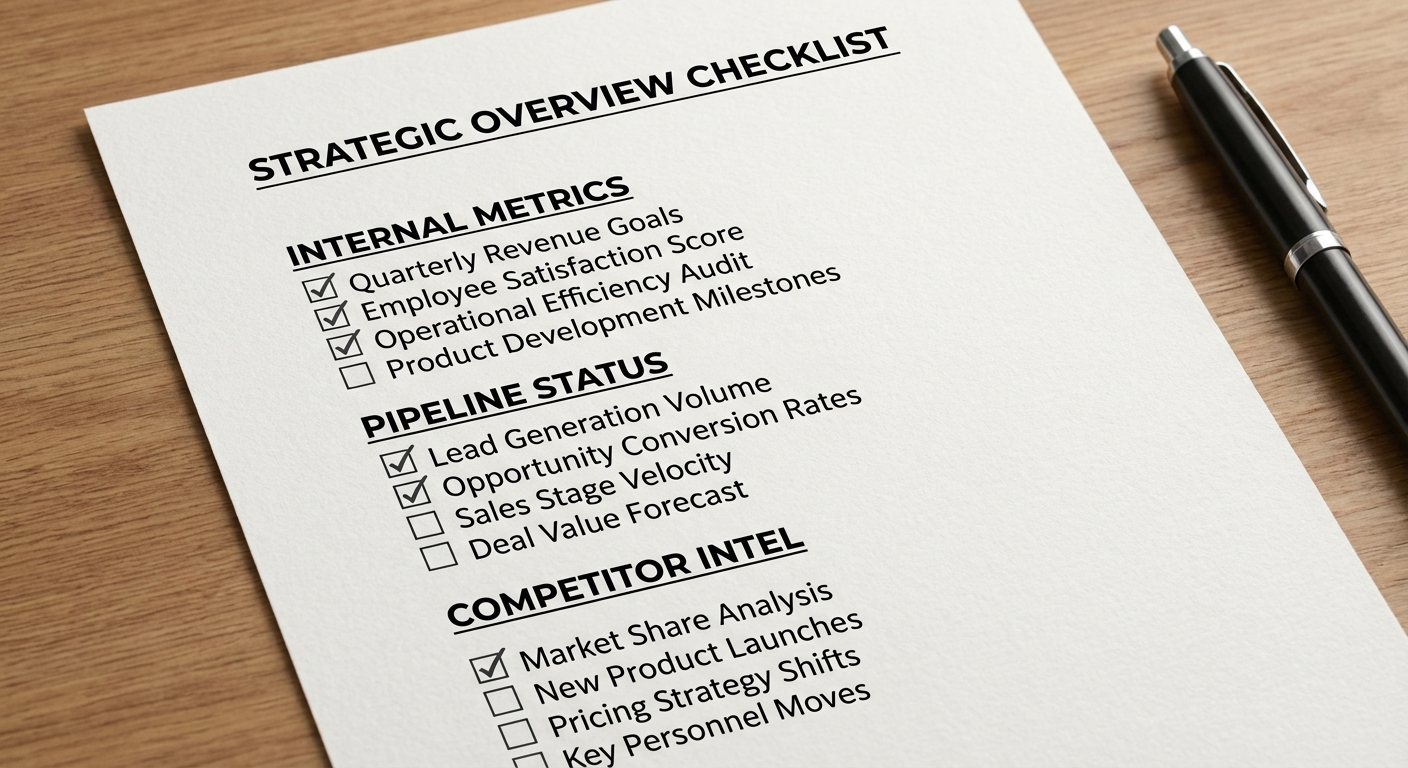 Run this checklist every Monday to catch fatigue before it costs you.
Internal Metrics Review (10 minutes):
- Review CTR trend for all active creatives (7-day view)
- Flag any creative with CTR down 20%+ from peak
- Check frequency for all ad sets — flag any above your threshold
- Review CPA trend — flag any creative above break-even × 1.25
- Check relevance diagnostics for quality drops
- Review automated rule notifications from the past week
Creative Pipeline Status (3 minutes):
- Count active Tier 1 creatives — minimum 3 per ad set
- Confirm Tier 2 replacements are ready to deploy
- Check Tier 3 development pipeline — any gaps?
Competitor Intelligence (5 minutes):
- Check Adligator trackers for new competitor creatives
- Note any competitors who refreshed this week
- Flag any new format trends in your niche
- Update your creative rotation calendar based on competitor activity
Actions:
- Kill or scale back fatigued creatives (Signal 4-5 confirmed)
- Monitor closely any creatives with Signal 1-2
- Launch replacement creatives from Tier 2 as needed
- Brief new concepts for Tier 3 based on this week's intelligence
FAQ
How long before a Facebook ad creative fatigues?
Most Facebook ad creatives begin showing fatigue signals between 7-21 days, depending on audience size, budget, and frequency. High-spend campaigns in narrow audiences can fatigue in 3-5 days. Broad audiences with moderate budgets may sustain 30+ days. The key variable is the overlap between your audience and your competitors' audiences — more competition means faster fatigue.
What's the difference between ad fatigue and audience saturation?
Ad fatigue means the creative has been seen too many times by the same people — refresh the creative and performance recovers. Audience saturation means you've reached most of the available audience — no creative refresh will fix this. You need to expand targeting or accept diminishing returns. Test by launching a completely new creative: if it performs well initially then declines quickly, it's audience saturation; if it sustains, the previous issue was creative fatigue.
How many creative variations should I have ready to rotate?
Maintain a pipeline of 3-5 active creatives per ad set with 5-10 additional concepts in development (Tier 2 ready to deploy). This ensures you can rotate immediately when fatigue signals appear without scrambling for new content. For high-spend accounts, increase this to 5-8 active and 10-15 in pipeline. The cost of having too many ready creatives is far lower than the cost of fatiguing without a replacement.
Conclusion
Ad creative fatigue detection isn't optional for serious media buyers — it's a core competency that directly protects your ROAS. The five-signal framework (CTR decline → CPM increase → frequency acceleration → CPA creep → negative feedback) gives you early warning before performance collapses.
But the real competitive advantage comes from combining internal metrics with external competitor intelligence. When you can see how long competitor creatives survive, when they rotate, and what formats they shift to, you're not just reacting to fatigue — you're predicting it.
Build the weekly audit habit, maintain a three-tier creative pipeline, and use competitor monitoring to stay one step ahead of your niche's fatigue cycles.
Ready to monitor competitor creative rotation? Try Adligator free
Related Reading
- Facebook Ads Frequency Benchmarks by Vertical: When Creative Fatigue Hits and What to Do (2026)
- How to Analyze Facebook Ad Creatives by GEO and Vertical: A Data-Driven Approach for Media Buyers
- How to Build a Creative Brief from Ad Spy Data: A Reusable Template for Media Buying Teams
- Facebook Ad Performance Benchmarks by Vertical in 2026: CPM, CTR, and Creative Lifespan Data for Media Buyers
