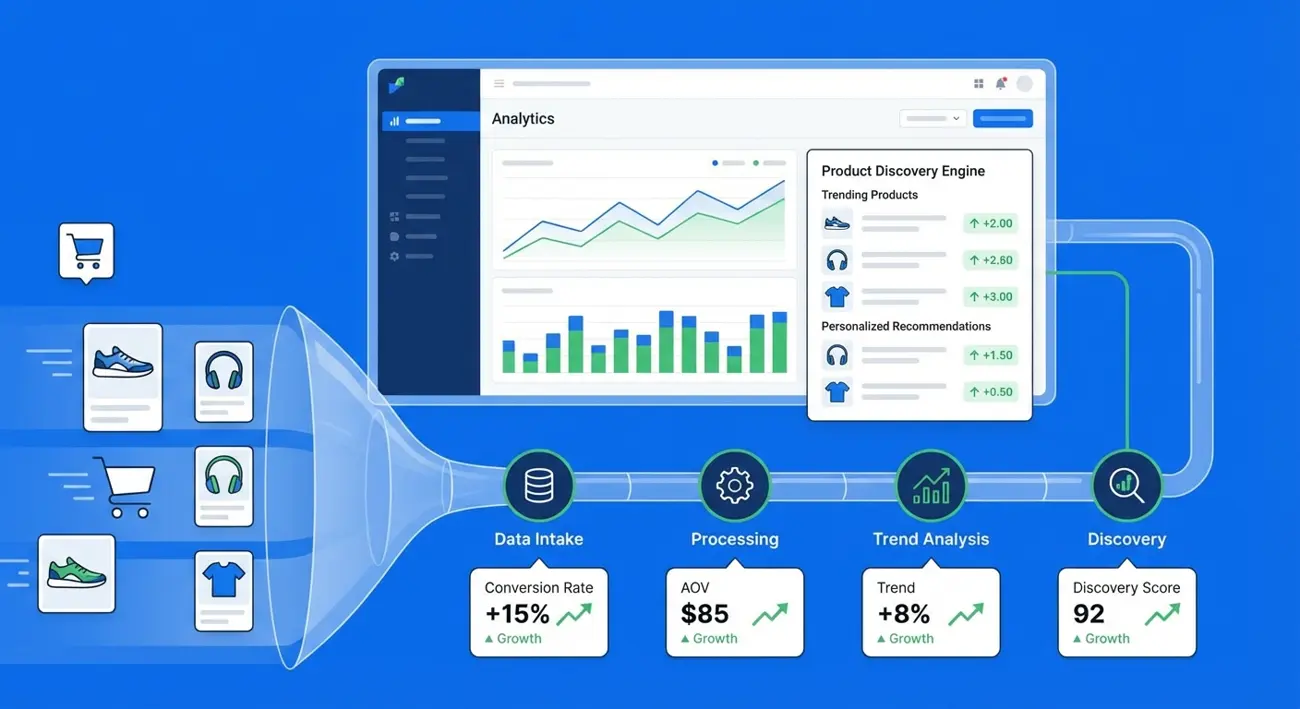
How to Use Ad Spy Tools for eCommerce: Find Winning Products and Scale Facebook Campaigns Faster
The eCommerce brands scaling fastest on Facebook in 2026 aren't the ones with the biggest creative teams or the most testing budget. They're the ones using ad spy tools for eCommerce to systematically find winning products, reverse-engineer competitor strategies, and launch campaigns with proven angles instead of blind guesses.
Every ad running profitably on Facebook right now is a data point. When an eCommerce competitor runs the same product ad for 20+ days, that's a validated signal: the product sells, the creative works, and the unit economics pencil out. Ad intelligence tools make these signals searchable, filterable, and actionable.
This guide walks through the complete workflow: from using spy tools to discover winning products, to analyzing competitor creative strategies, to building a repeatable process that takes you from product discovery to campaign launch with data at every step.
Why eCommerce Brands Need Ad Intelligence (Not Just A/B Testing)
A/B testing is essential, but it's slow and expensive when you're starting from zero. Every test that doesn't work costs money — and in eCommerce, where margins are already thin, wasted test spend can kill profitability.
The math problem with blind testing:
- Average eCommerce business tests 5-10 product angles before finding a winner
- Each test requires $200-500+ in ad spend to get meaningful data
- That's $1,000-5,000 per product just to validate whether it's worth scaling
- Multiply by multiple products per month, and testing costs eat your margin
What ad intelligence changes:
- See which products competitors are actively scaling (ads running 10+ days = likely profitable)
- See the exact creative angles, hooks, and offers they're using
- See which formats perform (video vs. static vs. carousel for your vertical)
- Skip the products that nobody is advertising (often means the market isn't there)
This doesn't replace testing — it makes testing dramatically more efficient. Instead of testing 10 products blind, you test 3-5 products that already have market validation signals. Your hit rate goes up, and your cost per winning product goes down.
The competitive intelligence advantage: Beyond product discovery, ad spy tools show you the competitive landscape in real time. You can see how many advertisers are selling similar products, how saturated the market is, and whether there's still room to enter profitably. This market-level awareness is impossible to get from your own campaign data alone.
The eCommerce Ad Spy Landscape: Key Tools Compared
Several ad spy tools serve the eCommerce market. They differ in database size, filtering capabilities, and pricing.
What to evaluate for eCommerce use:
| Feature | Why It Matters for eCommerce |
|---|---|
| CTA button filtering | Filter for "Shop Now" to isolate eCommerce ads |
| Domain filtering | Find ads from specific stores or domains |
| Days active metric | The key signal for identifying profitable products |
| Format filtering | See if video or image works better in your niche |
| GEO filtering | Identify which markets products are scaling in |
| Landing page data | See where ads link (product page, collection, etc.) |
| Search volume | More daily searches = more research capacity |
Key differentiators for eCommerce researchers:
- Database breadth: Larger databases surface more niche products. Tools with limited crawling miss smaller advertisers.
- Filter depth: Being able to combine CTA type + days active + GEO + format in a single query saves hours of manual sorting.
- Update frequency: eCommerce moves fast. Tools that crawl daily catch trending products before they saturate; weekly crawls miss the window.
- Price per search: eCommerce product research requires high search volume. Calculate the cost per search across tools to find the best ROI.
The right tool depends on your volume and depth requirements. For serious eCommerce product research at scale, you need at minimum: CTA filtering, days active data, and 50+ daily searches.
How to Find Winning Products Using Ad Spy Data
Product discovery through ad spy data is a systematic process. Here's the workflow that consistently surfaces profitable products.
Method 1: Long-running ad filtering
The simplest and most reliable method. Products advertised for 15+ days are almost certainly profitable — nobody sustains spending on losing products.
Steps:
- Search your spy tool with broad eCommerce keywords (e.g., "free shipping," "50% off," "limited time")
- Filter for CTA button type: "Shop Now"
- Set minimum days active to 15+
- Filter by your target GEO
- Browse results — each long-running ad represents a validated product
Method 2: Domain pattern analysis
Identify successful eCommerce domains and study their entire ad portfolio.
Steps:
- Search for common eCommerce domain extensions (.myshopify.com, .store, .shop)
- Filter for ads with 10+ days active
- Identify stores running multiple long-lived ads (signals a successful operation)
- Analyze their full product catalog through their ad history
Method 3: Trending product tracking
Catch products early in their scaling phase.
Steps:
- Search for broad category keywords (skincare, fitness, pet products, etc.)
- Filter for creation date in the last 7 days
- Sort by most recent
- Look for the same product appearing from multiple advertisers (market validation)
- Track these products over 2 weeks — if they survive, they're winners
Method 4: Competitor reverse-engineering
If you know successful eCommerce stores in your niche:
- Find their Facebook page ID
- Search by page ID in your spy tool
- See every ad they've ever run
- Identify which products they keep advertising (their proven winners)
- Note their creative evolution over time (what they've learned)
Analyzing Competitor Creative Strategies for eCommerce
Finding the product is only half the equation. How competitors advertise it matters just as much.
Creative analysis checklist for each winning product:
Hook and headline:
- What's the first thing the audience sees or reads?
- Does the ad lead with a problem, a benefit, a discount, or social proof?
- How does the hook relate to the product's core value proposition?
Visual format and style:
- Is it a static image, video, or carousel?
- For video: how long? UGC-style or produced?
- Is the product shown in use or displayed on a white background?
- What's the visual tone — premium, casual, urgency-driven?
Copy structure:
- How long is the primary text?
- Does it use emojis, bullet points, or storytelling?
- Where does the product link appear?
- What objection handling is included?
Offer and CTA:
- What's the offer? (Percentage discount, free shipping, BOGO, limited time)
- Which CTA button is used? (Shop Now, Learn More, Get Offer)
- Does the ad mention pricing explicitly?
Social proof elements:
- Are there reviews or ratings mentioned?
- Does the copy reference number of customers or sales?
- Are there before/after comparisons?
Start finding winning eCommerce creatives — try Adligator free
Pattern recognition across competitors:
When multiple competitors sell similar products, compare their creative approaches:
- Which angles appear most frequently? (These are the proven hooks)
- Which approaches are unique to only one competitor? (Potential differentiators)
- What's missing from all competitors? (Your opportunity to stand out)
Building a Product Discovery and Validation Workflow
A one-off product search is useful. A repeatable workflow is a competitive advantage.
 The four-step product discovery to campaign launch workflow using ad spy tools.
Weekly product discovery cadence:
Monday: Broad research (1 hour)
- Run 3-5 keyword searches in your target verticals
- Filter for 15+ days active + "Shop Now" CTA
- Shortlist 10-15 interesting products
- Note which products are new versus previously seen
Tuesday-Wednesday: Deep analysis (2 hours)
- For each shortlisted product, analyze the top 3-5 ads
- Complete the creative analysis checklist
- Assess competitive density (how many advertisers sell this product?)
- Estimate margin potential based on typical pricing in the niche
Thursday: Validation (1 hour)
- Cross-reference shortlisted products with supplier pricing (AliExpress, CJDropshipping, etc. for dropshippers; manufacturer quotes for DTC)
- Calculate potential margin after ad spend
- Check for fulfillment complexity (weight, fragility, customs)
- Score each product: Market Signal + Margin + Competition Level
Friday: Decision and briefing (30 minutes)
- Select top 2-3 products for testing
- Write creative briefs based on competitor creative analysis
- Include reference ads (the competitor examples that inspired each angle)
- Queue for production
Validation signals to confirm before launching:
| Signal | What to check | Green light |
|---|---|---|
| Ad longevity | Days active of top ads | 15+ days = strong |
| Multi-advertiser | Number of competitors selling same product | 3+ advertisers = validated |
| Still active | Last seen active date | Active in last 3 days = still working |
| Scaling signals | New variations from same advertiser | Yes = they're doubling down |
| GEO expansion | Product appearing in new countries | Yes = untapped demand |
How Adligator Fits the eCommerce Ad Intelligence Stack
Adligator's filter set maps directly to the eCommerce product discovery workflow.
CTA button filtering: Filter specifically for "Shop Now" to isolate eCommerce ads from lead-gen, app installs, and other campaign types. Adligator supports 55+ CTA button types, so you can also find "Buy Now," "Order Now," and "Get Offer" ads that indicate direct sales.
Days active filtering: Set minimum days active (10, 15, 20+) to see only ads with proven longevity. This is the single most important filter for eCommerce product discovery — it separates tests from winners.
Domain zone filtering: Filter by domain extensions like .com, .store, .shop, or country-specific domains. This helps identify eCommerce-specific ads and can reveal landing page patterns.
GEO filtering: Search within specific country markets. Adligator supports 234 countries, so you can find products scaling in emerging markets before they hit Tier 1 competition.
Display format filtering: See whether video (format: 1), image (format: 0), or carousel (format: 3) dominates for your product category. This informs creative production decisions before you spend on production.
 Filtering by CTA type and ad longevity in Adligator reveals which eCommerce products are actually scaling.
Facebook pages tab: Browse by advertiser page to see a competitor's full ad portfolio. When you find a successful eCommerce store, this lets you see every product they've advertised and which ones they keep running.
Live filter trackers: Save your product discovery searches as persistent trackers (Pro: 7, Team: 14). Set up trackers for your key product categories with "Shop Now" + 15+ days active filters. The tracker monitors for new winning products automatically — no need to manually re-run searches.
Practical eCommerce research session with Adligator:
- Go to Creatives tab → Search "pet grooming" → Filter: CTA = "Shop Now", Days active = 15+
- Browse results → Identify 5-8 products with proven longevity
- For each promising product → Click "Open details" to see the full ad, landing page URL, and placement data
- Search competitor's Facebook page ID → See their entire product portfolio
- Save the search as a tracker → Get notified when new winning pet grooming products emerge
Scaling: From Product Discovery to Campaign Launch
Discovery without execution is just interesting reading. Here's how to move from spy tool insights to live campaigns efficiently.
Creative production based on spy data:
For each product you're launching, create creative that:
- Matches the dominant format in your vertical (if 60% of winners are video, lead with video)
- Uses a proven hook style (adapted, not copied, from competitor analysis)
- Addresses the same objections successful competitors handle in their copy
- Offers a competitive value proposition (same or better than what's working)
Testing structure for spy-validated products:
- Phase 1 (Days 1-3): Launch 3-4 creative variations per product, $20-50/day each
- Phase 2 (Days 4-7): Kill underperformers, scale winners to $50-100/day
- Phase 3 (Days 7-14): If ROAS is positive, scale to $200+/day and launch new creative variations
- Phase 4 (Days 14+): Establish monitoring — check competitor activity for the same product weekly
When to iterate vs. kill:
- Product gets 0 sales in 3 days with 1,000+ impressions → Kill (market signal was wrong or your execution needs work)
- Product gets sales but ROAS is below target → Iterate creative and offers
- Product gets profitable ROAS from Day 1 → Scale aggressively, the spy data was right
Ongoing monitoring:
- Set up trackers for your product category to catch new competitors entering
- Watch for creative fatigue signals in your own ads (declining CTR after 2-3 weeks)
- When competitors launch new angles for the same product, study them for inspiration
- Refresh your product discovery search monthly to find emerging opportunities
Common Pitfalls When Using Ad Spy for eCommerce
Pitfall 1: Copying instead of adapting Spy tools are for intelligence, not plagiarism. Copying a competitor's exact creative is both unethical and ineffective — their audience has already seen it. Use competitor ads as inspiration for your own creative direction.
Pitfall 2: Ignoring margin analysis A product with 50 competitor advertisers and $3 margin per unit is probably not worth entering. High competition plus low margin equals a race to zero. Always calculate unit economics before launching.
Pitfall 3: Chasing saturated products If a product has been running for 90+ days with 20+ advertisers, you're likely late. The opportunity window for eCommerce products is typically 3-6 months. Look for products in the 15-45 day range with fewer than 10 advertisers — that's the sweet spot.
Pitfall 4: Only looking at Tier 1 markets The US is the most competitive eCommerce ad market in the world. Products scaling in Tier 2 and Tier 3 markets (Eastern Europe, Southeast Asia, LATAM) often have less competition and better margins. Use GEO filters to explore beyond the obvious.
Pitfall 5: Neglecting creative quality Spy data gets you to the right product and angle. But if your creative execution is poor — bad video quality, weak copy, no social proof — you'll still lose. The data tells you what to sell and how to position it. Execution quality determines whether it actually converts.
Pitfall 6: Not tracking your wins and losses Keep a log of every product you research and every product you launch. Over time, you'll identify patterns in your hit rate — which product categories, price points, and markets work best for your operation.
FAQ
Can ad spy tools really help find winning eCommerce products?
Yes. Ad spy tools show you which products competitors are actively advertising and how long those ads have been running. An eCommerce ad running for 20+ days with the same product is almost certainly profitable — nobody keeps spending on losing ads. By filtering for long-running eCommerce ads with "Shop Now" CTAs, you can identify products with validated demand before spending a dollar on testing.
How do I know if a product I found through spy tools is still profitable?
Check three signals: is the ad still running (last seen active recently), has the advertiser launched new variations of the same product (indicating they're scaling, not just testing), and are multiple competitors advertising similar products (market validation). If all three are true, the product likely still has profit margin. Also check how many new advertisers have entered — a sudden spike in competitors can compress margins quickly.
What's the difference between ad spy tools and product research tools like Ecomhunt?
Product research tools curate trending products and often include supplier links. Ad spy tools show you the actual ads competitors are running — the creative angles, copy, CTAs, and targeting signals. Spy tools give you more actionable data for campaign creation because you see exactly how winning products are being marketed, not just that they exist. The best approach combines both: product research tools for initial discovery and spy tools for creative strategy and competitive analysis.
Conclusion
Using ad spy tools for eCommerce transforms product research and campaign planning from guesswork into a data-driven process. The workflow is clear: discover products through longevity and competition signals, analyze the creative strategies that make them sell, validate with margin analysis, and launch with proven angles.
The eCommerce brands winning on Facebook in 2026 aren't necessarily smarter or better funded — they're better informed. They start with intelligence instead of assumptions, test fewer products with higher confidence, and scale faster because their first creative iterations are built on competitive data.
Build the weekly discovery cadence. Start with 2-3 products per week. Track your results. Within a month, you'll have a product pipeline that consistently surfaces profitable opportunities.
Ready to find your next winning product? Start finding winning eCommerce creatives — try Adligator free
Discover winning products with ad intelligence
Related Reading
- How I Found 3 Winning Dropshipping Products in One Weekend Using Competitor Facebook Ads
- Best Ad Spy Tools for Dropshipping: Facebook, TikTok & Instagram Compared (2026)
- How to Use Ad Spy Tools for Affiliate Marketing: Find Winning Facebook Offers Before Your Competition
- Facebook Ad Spy for SaaS and B2B: How to Research Competitor Campaigns Beyond Ecommerce
- Influencer Whitelisting for Facebook Ads: How to Run Paid Campaigns Through Creator Accounts in 2026
