
AI Tools for Ad Creative Production: The Media Buyer's Tech Stack in 2026
Creative production has always been the bottleneck in paid advertising. You can scale budgets instantly, test new audiences in minutes, but producing fresh ad creatives? That takes designers, copywriters, video editors, and time.
AI tools for ad creatives are changing this equation. In 2026, a single media buyer with the right AI stack can produce more creative variations in a day than a traditional team could produce in a week.
This isn't about replacing creative teams — it's about augmenting them. The media buyers who understand how to integrate AI tools into their creative workflow are producing more tests, iterating faster, and finding winners before their competitors.
Here's a practical guide to the AI creative production landscape: what tools exist, how they fit together, and how to build a workflow that actually scales.
The AI Creative Production Landscape in 2026
The AI creative toolkit has matured significantly. What was experimental in 2024 is production-ready in 2026.
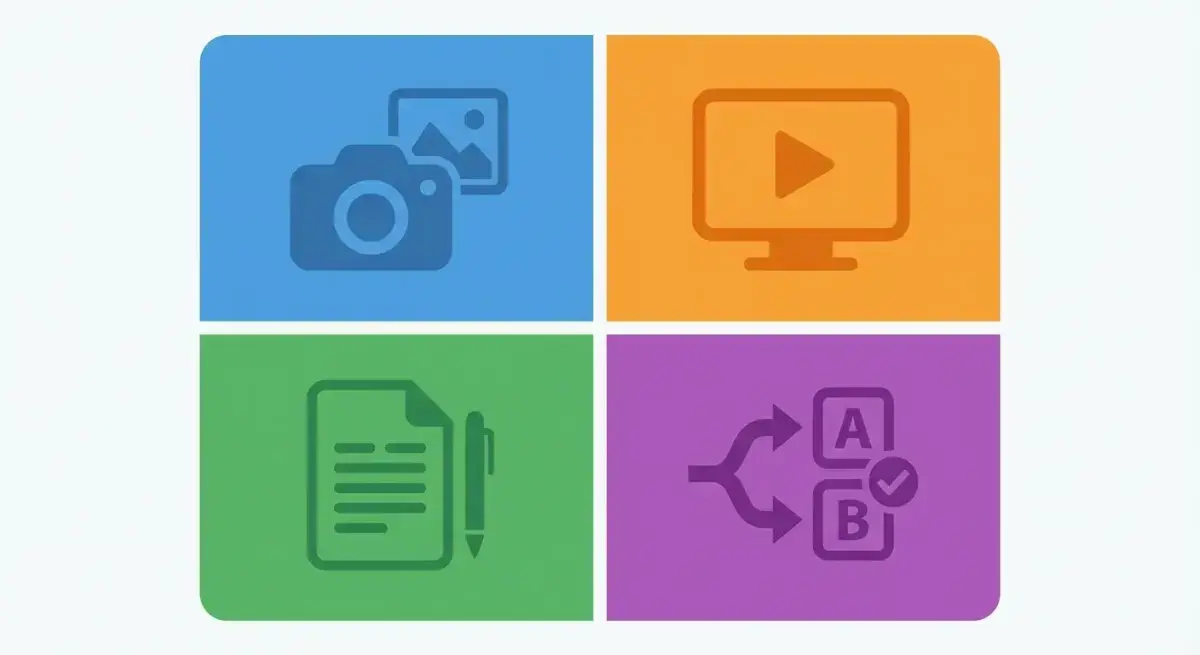 The four pillars of AI creative production for advertisers
The landscape breaks down into four categories:
- AI Image Generation — Creating static ad images, product shots, backgrounds, and illustrations.
- AI Video Creation — Generating video ads, animating static images, creating UGC-style content.
- AI Copywriting — Writing ad copy, headlines, hooks, and descriptions at scale.
- AI Creative Testing & Optimization — Predicting creative performance, automating A/B tests, optimizing in real-time.
Each category has tools ranging from general-purpose (Midjourney, ChatGPT) to advertising-specific (AdCreative.ai, Pencil). The right stack depends on your volume, budget, and creative needs.
AI Image Generation Tools for Ads
Top Tools for Ad Image Generation
Midjourney (Best Overall Quality)
- Highest image quality for photorealistic and stylized content.
- Excellent for lifestyle imagery, product contexts, and brand-style visuals.
- Pricing: $10-60/month depending on plan.
- Limitation: Runs through Discord (or web app), no API for automation.
- Best for: Hero images, lifestyle shots, brand-style creatives.
DALL-E 3 (via ChatGPT or API)
- Strong text rendering (useful for ads that include text overlays).
- API access enables automation and batch generation.
- Pricing: Included with ChatGPT Plus ($20/month) or pay-per-image via API.
- Best for: Automated workflows, text-heavy creatives, product mockups.
Adobe Firefly
- Integrated into Photoshop and Express for seamless editing.
- Commercially safe — trained on licensed content.
- Strong for extending backgrounds, removing objects, and generative fill.
- Best for: Post-production editing, background generation, product placement.
Photoroom / Canva AI
- One-click background removal and replacement.
- Product-focused: upload a product photo, get it placed in professional contexts automatically.
- Pricing: $13-30/month.
- Best for: eCommerce product ads, catalog images, quick iterations.
AdCreative.ai (Advertising-Specific)
- Generates complete ad creatives (image + text + format) optimized for advertising.
- Trained on high-performing ad data to predict what converts.
- Pricing: From $29/month.
- Best for: Teams that need ready-to-use ad formats without design skills.
Practical Workflow: AI Image Generation
- Research phase: Analyze competitor creatives in your niche using Adligator. Note winning formats, styles, and angles.
- Concept phase: Use ChatGPT to brainstorm 10-15 creative concepts based on your research.
- Generation phase: Create 3-5 variations of each concept in Midjourney or DALL-E.
- Refinement phase: Edit top candidates in Canva or Photoshop (add text overlays, CTAs, branding).
- Testing phase: Upload all variations to your ad platform and let the algorithm find winners.
This workflow produces 15-25 creative variations in 2-3 hours — work that traditionally takes a designer 2-3 days.
AI Video Creation and Editing Tools
Video ads consistently outperform static images on Meta platforms. AI video tools have made video production accessible without professional editing skills.
Top Tools
Runway Gen-3 Alpha (Best for Generation)
- Text-to-video and image-to-video generation.
- Produces 5-10 second clips with impressive quality.
- Strong motion control for product demos and lifestyle scenes.
- Pricing: From $15/month.
- Best for: Short-form video ads, product animations, creative hooks.
HeyGen (Best for UGC-Style)
- Creates AI avatar videos with realistic lip-sync and gestures.
- Supports 100+ languages and voice styles.
- Perfect for UGC-style testimonial ads without hiring creators.
- Pricing: From $29/month.
- Best for: UGC testimonial ads, multilingual campaigns, talking-head formats.
Synthesia (Best for Professional Presenters)
- AI-generated professional presenters in corporate settings.
- Strong for B2B, SaaS, and educational ad formats.
- Pricing: From $29/month.
- Best for: B2B ads, product explainers, corporate-style content.
CapCut (Best for Editing)
- Free video editor with AI features: auto-captions, background removal, AI effects.
- Mobile-first, designed for social media formats (9:16, 1:1).
- Best for: Post-production, adding captions, quick edits.
Pictory / InVideo AI (Best for Repurposing)
- Turns blog posts, scripts, or long-form content into video ads.
- Automatic scene selection, stock footage matching, and voiceover.
- Best for: Repurposing existing content into video ads.
Choosing Between AI Video Tools
The right tool depends on your ad format:
- Product demos: Runway Gen-3 for animating product images into short demos. Show the product in use, rotating, or in different contexts.
- Talking head / UGC: HeyGen for AI avatars or Synthesia for professional presenters. Choose based on whether you want casual (HeyGen) or corporate (Synthesia).
- Slideshow / montage: InVideo AI or Pictory for turning images and text into video montages with music and transitions.
- Short-form hooks: Runway for eye-catching 3-second attention grabbers that stop the scroll.
- Post-production: CapCut for adding captions, effects, transitions, and branding to any video source.
For most media buyers, a combination of Runway (generation) + HeyGen (UGC) + CapCut (editing) covers 90% of video ad needs.
Tips for AI Video That Converts
- First 3 seconds are everything. Generate multiple hook variations and test them. AI makes this cheap.
- Add captions always. 85% of social video is watched without sound. Use CapCut's auto-caption feature.
- Keep it short. 15-30 seconds for feed ads, 15 seconds max for Stories/Reels. AI enables you to create many short videos instead of one long one.
- Mix AI and real footage. Use AI for intros/hooks and real footage for product demonstrations. This hybrid approach often performs best.
- Test aspect ratios separately. A creative that works in 1:1 (Feed) may not work in 9:16 (Reels). Generate versions for each.
Video Ad Production Workflow
- Hook creation: Generate 5-10 different 3-second hooks using Runway or direct filming.
- Body content: Use HeyGen for UGC-style testimonials, Runway for product demonstrations.
- Editing: Combine elements in CapCut, add captions (mandatory for social ads), branding, and CTA.
- Format adaptation: Create versions for Feed (1:1), Stories/Reels (9:16), and landscape (16:9).
- Testing: Upload all hook × body × CTA combinations. A 5-hook × 3-body × 2-CTA matrix gives you 30 variations.
AI Copywriting for Ad Copy and Hooks
Good ad copy is the difference between a scroll-past and a click. AI copywriting tools have become remarkably effective at generating variations at scale.
Top Tools
ChatGPT / Claude (Best General Purpose)
- Versatile: ad copy, hooks, headlines, descriptions, scripts.
- Strong at following brand guidelines and tone of voice when prompted correctly.
- Pricing: $20/month (ChatGPT Plus) or $20/month (Claude Pro).
- Best for: Everything — the Swiss Army knife of ad copy.
Jasper (Best for Ad-Specific Templates)
- Pre-built templates for Facebook ads, Google ads, email subjects.
- Brand voice memory across campaigns.
- Pricing: From $49/month.
- Best for: Teams with brand consistency requirements.
Copy.ai
- Quick generation of multiple copy variations.
- Workflow automation for batch production.
- Pricing: Free tier available, pro from $49/month.
- Best for: High-volume copy generation.
How to Prompt AI for Ad Copy
The quality of AI-generated ad copy depends entirely on your prompt. Here's a framework:
Context: "You're writing Facebook ad copy for product targeting audience. The ad leads to landing page with X offer."
Constraints: "Write in tone. Keep primary text under 125 characters. Include a hook in the first line. Include a clear CTA."
Variations: "Generate 10 variations, each with a different angle: social proof, urgency, problem-solution, curiosity, statistics, comparison, transformation, fear of missing out, simplicity, authority."
This single prompt gives you 10 diverse ad copy variations in 30 seconds. Test all 10 — AI can't predict which will win, but generating volume is free.
Copy Testing Strategy
- Generate 20-30 copy variations for each ad concept.
- Pair each with 3-5 different images.
- Let Meta's AI (Advantage+ Creative) test combinations.
- After 1 week: kill bottom 50%, create new variations inspired by top performers.
- Repeat weekly.
Advanced Copy Techniques with AI
Hook Formula Library: Build a library of proven hook formulas and use AI to generate variations:
- Question hooks: "Are you still pain point?"
- Statistic hooks: "X% of audience don't know insight"
- Story hooks: "I was before state until I discovered/tried solution"
- Controversy hooks: "Unpopular opinion: contrarian take about industry"
- Results hooks: "From bad metric to good metric in timeframe"
Feed 5-10 hook formulas to ChatGPT with your product context, and you'll get 50-100 unique hooks in minutes. Test them systematically — hooks are the single biggest lever in ad performance.
Multilingual Ad Copy: AI excels at adapting ad copy across languages. Use ChatGPT or DeepL to create localized versions:
- Don't just translate — adapt. Cultural references, idioms, and CTAs differ by market.
- Always have a native speaker review AI translations before launch.
- Test country-specific pain points and benefits — what motivates buyers differs across cultures.
Dynamic Text Insertion: Use AI to create copy templates with dynamic elements:
- "City name, are you still paying too much for product?"
- "As a job title, you know how hard it is to pain point"
- These templates scale across audiences with personalized feel.
AI-Powered Creative Testing and Optimization
Predictive Creative Scoring
Tools that predict ad performance before you spend money:
Neurons (formerly Predict)
- Eye-tracking simulation: predicts where users will look.
- Attention heatmaps for ad creatives.
- Helps optimize visual hierarchy before launch.
CreativeX
- Scores creatives against best-practice rules (branding, text ratio, CTA visibility).
- Compliance checking at scale for agencies.
Dynamic Creative Optimization (DCO)
Meta's built-in Advantage+ Creative automatically:
- Tests different text/image/CTA combinations.
- Adapts creative for different placements (Feed vs Reels vs Stories).
- Adds enhancements (brightness, contrast, templates) automatically.
Enable Advantage+ Creative for every campaign — it's free and consistently improves performance.
Building an AI-Augmented Creative Workflow
Here's a complete weekly creative production workflow using AI tools:
Monday: Research & Planning
- Review last week's creative performance in Ads Manager.
- Analyze competitor creatives via Adligator: what new ads launched, which are longevity signals.
- Identify 3-5 creative concepts to test this week based on data.
- Write creative briefs for each concept.
Tuesday-Wednesday: Production
- Generate 10-15 image variations per concept using Midjourney/DALL-E.
- Create 3-5 video variations using Runway + HeyGen.
- Write 20-30 copy variations using ChatGPT.
- Assemble final creatives in Canva (add text, branding, CTA).
Thursday: Launch
- Upload all new creatives to campaigns.
- Set up proper naming conventions for tracking.
- Enable Advantage+ Creative for automated testing.
Friday: Analysis
- Review early performance signals (CTR, hook rate, thumb stop rate).
- Kill obvious losers (CTR < 0.3% after 1000+ impressions).
- Note early winners for next week's inspiration.
Tip: Combine AI-generated creatives with Adligator competitor insights to build data-informed ads
Quality Control: When AI Helps vs Hurts Performance
AI is powerful but not infallible. Here's when to trust it and when to override it.
Where AI Excels
- Volume generation. Creating 50 variations when you'd manually create 5.
- Background and product placement. AI product photography rivals studio shots.
- Copy variations. Generating hooks, headlines, and descriptions at scale.
- Format adaptation. Resizing and reformatting for different placements.
- Iteration speed. Going from concept to testable creative in hours, not days.
Where AI Falls Short
- Brand nuance. AI might capture your brand style, but miss the subtle "feel" that makes your brand unique.
- Cultural context. AI can generate culturally inappropriate content if not carefully prompted. Always review for market-specific sensitivities.
- Complex product demos. For products that require detailed explanation, human-directed video still outperforms.
- Legal compliance. AI doesn't understand advertising regulations. Always review for claims, disclaimers, and compliance before publishing.
- Emotional storytelling. The most powerful ad stories still come from human insight. AI can support but not replace narrative creativity.
Quality Checklist Before Publishing AI Creatives
- Brand guidelines followed (colors, fonts, logo placement)
- No AI artifacts (distorted hands, impossible text, weird backgrounds)
- Copy is accurate and free of false claims
- CTA is clear and visible
- Image/video format matches placement requirements
- Landing page matches creative promise
- Legal/compliance review passed
The Research-First Approach: Using Competitive Intelligence to Guide AI Creation
The biggest mistake with AI creative tools is generating content in a vacuum. Without knowing what's working in your market, you're just making pretty pictures that may not convert.
Why Research Comes Before Generation
Consider two approaches:
- Approach A: Open Midjourney, type "skincare ad", generate 20 images, hope something works.
- Approach B: Analyze the top 20 competitor ads in your niche that have been running 14+ days (proven performers), identify patterns (lifestyle vs product-focused, color schemes, emotional angles), then generate 20 images informed by those patterns.
Approach B consistently produces better results because it's data-informed rather than guesswork.
Using Adligator for Creative Research
Before any AI generation session:
- Search your niche keywords in Adligator. Filter by "Days active" 14+ to find proven winners.
- Analyze winning formats: Are static images or videos dominating? Carousel or single image? UGC-style or polished?
- Study the angles: What emotional triggers do winning ads use? Fear, aspiration, social proof, urgency?
- Note the visual style: Color palettes, image composition, text overlay patterns.
- Identify gaps: What aren't competitors doing that could differentiate your ads?
This 30-minute research session transforms your AI prompts from generic to strategic. Instead of "generate a skincare ad," you write "generate a lifestyle product shot in a minimalist bathroom setting with warm natural lighting and soft beige tones, similar to the aesthetic dominating skincare ads but with a more vibrant CTA area."
Building a Creative Brief from Competitive Data
Template for translating research into AI prompts:
- Format: static/video/carousel based on what's winning
- Style: UGC/polished/lifestyle/product-focused based on competitor analysis
- Color palette: specific colors observed in top performers
- Emotional angle: aspiration/problem-solution/social proof based on winning copy themes
- Differentiator: what competitors aren't doing for competitive advantage
This brief guides both AI image generation and copywriting, ensuring every creative has strategic intent behind it.
Scaling AI Creative Production Across Multiple Accounts
For agencies managing multiple clients, AI creative tools need to work at scale.
Systematizing Production
- Per-client prompt libraries. Save proven prompts for each client's brand style. When you find a prompt that produces on-brand results, document it.
- Brand style guides for AI. Create a document for each client that includes: brand colors (hex codes), tone of voice, product photography style, forbidden elements, competitor references.
- Batch production days. Dedicate specific days to creative production across all clients. Monday research, Tuesday-Wednesday production, Thursday upload.
- Template system. Build Canva templates for each client's ad formats. AI-generated images drop into templates with pre-set branding, fonts, and CTA styles.
Team Coordination
When multiple team members use AI tools:
- Shared asset library. All AI-generated assets go to a central location (Google Drive, Dropbox).
- Naming conventions.
[client]-[format]-[angle]-[version]e.g.,acme-static-social-proof-v3.png - Version control. Track which AI-generated assets were tested and their performance results.
- Quality gates. Before any AI creative goes live, it passes through a quality checklist (brand compliance, accuracy, no artifacts).
Cost Comparison: AI vs Traditional Creative Production
Traditional Creative Production Costs
- Freelance designer: $50-150/hour, or $500-2000 per set of ad creatives.
- In-house designer: $3,000-6,000/month (salary + tools + overhead).
- Video production: $500-5,000 per video ad (depending on complexity).
- Copywriter: $30-100/hour, or $200-500 per ad set.
- Total for 20 creatives/month: $2,000-10,000 depending on mix.
AI-Augmented Production Costs
- Midjourney Pro: $30/month (unlimited generations).
- ChatGPT Plus: $20/month.
- Runway Standard: $15/month.
- Canva Pro: $13/month.
- HeyGen: $29/month.
- Total tools: ~$110/month for a full stack.
- Time: 8-12 hours/week for one media buyer (vs 0 hours for external production, but adds to media buyer's workload).
The cost savings are dramatic, but the real value is speed: you can produce and test 50 creative variations in the time it takes to brief a designer on 5.
Hybrid Approach (Recommended)
The most effective approach combines AI and human creativity:
- AI handles: Volume generation, variations, format adaptation, copy iterations.
- Humans handle: Brand strategy, hero campaigns, complex video, quality control.
- Competitive intelligence: Use Adligator to understand what's working in your market before creating anything.
Case Examples: AI-Generated Ads That Performed
Example 1: eCommerce Product Ads
A DTC skincare brand used Midjourney to generate 40 lifestyle product images (product on bathroom shelf, in hand, in travel bag, etc.) and ChatGPT for 30 copy variations. Total production time: 4 hours. Result: found 3 winning creatives that outperformed their professional photo shoot by 22% in ROAS.
Example 2: UGC-Style Video Ads
A SaaS company used HeyGen to create 12 testimonial-style videos with AI avatars speaking in 4 languages. Cost: $50 vs their typical $2,000 for 3 real UGC videos. Result: AI testimonials performed within 10% of real UGC, at 1/40th the cost.
Example 3: Multilingual Campaign Scaling
A travel app running ads in 8 countries used ChatGPT to adapt copy from English to 7 other languages, and Midjourney to generate destination-specific imagery for each market. Instead of hiring 8 copywriters and sourcing 8 sets of stock photos, one media buyer produced the entire multilingual campaign in 2 days. CPA was 15% lower than previous campaigns that used professional localization services.
Example 4: High-Volume A/B Testing
An agency managing 20+ eCommerce accounts used AdCreative.ai to generate 100+ ad variations per client monthly. They found that AI-generated creatives won 35% of A/B tests against human-designed creatives. The key insight: AI wins on volume and iteration speed, not individual creative quality.
Future-Proofing Your Creative Process
What's Coming in 2026-2027
- Real-time creative generation. AI will generate personalized ad creatives per user in real-time based on their browsing history and preferences.
- Full video generation. Text-to-video quality will reach broadcast level, enabling any media buyer to produce TV-quality video ads.
- Creative-to-campaign automation. AI will generate creatives, launch campaigns, and optimize — all from a single brief.
- Brand-trained models. Fine-tune image models on your brand's visual style for consistent, on-brand generation without manual editing.
How to Prepare
- Start using AI tools now. Even basic usage builds intuition for what works.
- Build prompt libraries. Document prompts that produce good results for your brand. These become valuable IP.
- Invest in competitive intelligence. Understanding what works in your market is the foundation for any creative strategy, AI or human. Tools like Adligator provide this intelligence systematically.
- Train your team. AI tools are only as good as the people using them. Invest in training media buyers and creative strategists on AI workflows.
- Establish quality standards. Define what "good enough" looks like for AI creatives in your context.
FAQ
Can AI-generated ads perform as well as human-made creatives?
Yes, in many cases. AI-generated static images and copy variations frequently match or outperform human-only creatives in A/B tests, particularly for direct-response advertising. Video is catching up rapidly — AI UGC-style videos perform within 10-15% of real UGC. The best results come from AI-human collaboration: AI generates volume and variations, humans provide strategic direction and quality control.
What's the best AI tool for Facebook ad images?
Midjourney leads for overall image quality, especially lifestyle and product context imagery. DALL-E 3 (via ChatGPT) is best when you need text in images or API automation. For eCommerce product ads specifically, Photoroom and AdCreative.ai generate ready-to-use formats. Most teams use 2-3 tools depending on the creative type.
How much does an AI creative production stack cost?
A basic stack (Midjourney + ChatGPT + Canva) costs roughly $60-80/month. A full production stack adding video (Runway, HeyGen) and ad-specific tools (AdCreative.ai) runs $150-250/month. Compare this to a freelance designer ($1,500-3,000/month) or in-house hire ($4,000-6,000/month). The ROI is typically 10-20x within the first month.
Conclusion
AI tools for ad creatives aren't replacing creative teams — they're supercharging them. A media buyer armed with Midjourney, ChatGPT, Runway, and competitive intelligence from Adligator can produce more testable creative variations in a week than a traditional team could in a month.
The key is building a workflow, not just collecting tools. Start with research (what's working in your market), move to generation (AI-assisted production), then testing (Advantage+ optimization), and iterate weekly based on data.
The media buyers winning in 2026 aren't necessarily the best designers or copywriters. They're the ones who build the fastest creative testing loops — and AI tools make those loops dramatically faster.
Ready to inform your AI creative strategy with competitor data? See what ad creatives are winning in your vertical with Adligator
Start free — 5 searches per day
Related Reading
- How Many Ad Creatives Do You Need for Facebook Ads? A Data-Driven Framework by Budget Level (2026)
- How to Detect Ad Creative Fatigue Before It Kills Your ROAS: A Media Buyer's Checklist
- How to Analyze Facebook Ad Creatives by GEO and Vertical: A Data-Driven Approach for Media Buyers
- How to Use Ad Spy Tools for Agency Client Onboarding: Competitive Audit Workflow for Media Buyers
