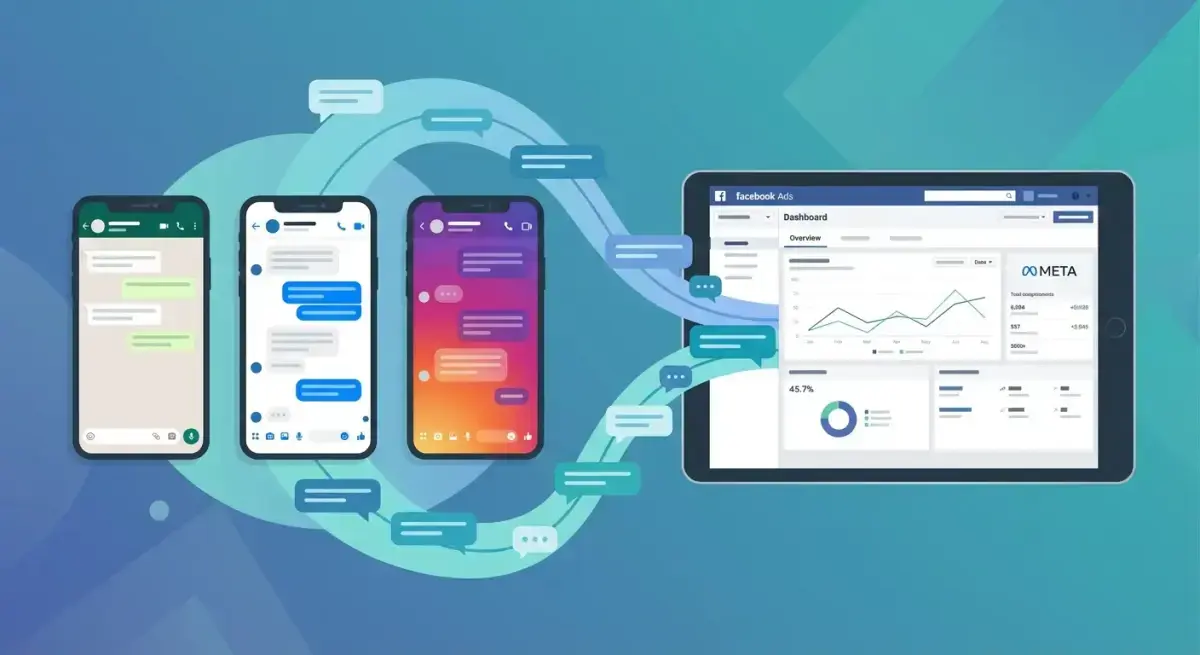
Click-to-Message Ads on Facebook and Instagram: WhatsApp, Messenger, and DM Campaign Strategy
Click-to-message ads on Facebook are Meta's fastest-growing ad format, and most media buyers still haven't adopted them. Instead of sending traffic to a landing page and hoping visitors fill out a form, these ads open a direct conversation in WhatsApp, Messenger, or Instagram DMs — where response rates crush email and conversion rates beat traditional lead forms.
The logic is simple: people are already in messaging apps for hours each day. Meeting them there removes friction. But the execution has nuances. Which messaging destination should you pick? How do you automate responses without sounding robotic? What does the campaign structure actually look like in Ads Manager?
This guide breaks down everything you need to set up, optimize, and scale click-to-message campaigns across all three Meta messaging channels. Whether you're running lead gen for local services or driving e-commerce sales, you'll walk away with a clear playbook.
What Are Click-to-Message Ads and Why They Convert
Click-to-message ads are Meta ad formats where the call-to-action button opens a conversation thread instead of directing to a website. When a user taps "Send WhatsApp Message," "Send Message" (Messenger), or "Send Message" (Instagram DM), they land directly in a chat with your business.
These ads use the Engagement objective in Meta Ads Manager, with "Messaging apps" selected as the conversion location. Meta then optimizes delivery toward people most likely to start a conversation.
Why do they convert better than traditional ads for many use cases?
- Lower friction. No landing page load time, no form fields. The user taps one button and they're talking to you.
- Higher intent signal. Someone who initiates a conversation is more engaged than someone who passively views a landing page.
- Real-time qualification. You can ask qualifying questions immediately and route prospects accordingly.
- Built-in remarketing. Once someone messages you, you have a messaging contact you can re-engage (within platform policies).
Meta reports that businesses using click-to-message ads see conversation rates 2-5x higher than traditional lead form campaigns in markets where messaging is the dominant communication channel. The format works especially well in regions where WhatsApp is the default communication tool — Latin America, Southeast Asia, the Middle East, and parts of Europe.
WhatsApp Ads: Setup, Automation, and Best Practices
Click-to-WhatsApp ads are the flagship of Meta's messaging ad strategy. They work on both Facebook and Instagram placements, but the conversation happens in WhatsApp.
 The click-to-message campaign setup follows four key stages from objective selection to launch
Prerequisites
Before creating your first campaign, you need:
- WhatsApp Business Account connected to your Meta Business Suite
- WhatsApp Business API access (through a BSP like Twilio, MessageBird, or Meta's Cloud API)
- Verified phone number that isn't already registered on regular WhatsApp
- Facebook Page linked to your WhatsApp Business Account
Campaign Setup in Ads Manager
Here's the exact workflow:
- Create a new campaign → Select "Engagement" as the objective
- Ad set level → Under "Conversion location," choose "Messaging apps"
- Select WhatsApp as the messaging app destination
- Configure your message template → Add a greeting message and optional ice-breaker questions
- Set targeting → Use location, interest, and lookalike audiences as usual
- Choose placements → Facebook Feed, Instagram Feed, Stories, and Reels all work
- Upload creative → Image, video, or carousel formats are supported
Ice-Breaker Questions
Ice-breakers are pre-set quick-reply buttons that appear when the user opens the WhatsApp conversation. They guide the user's first message and help you categorize intent immediately.
Good ice-breaker examples for e-commerce:
- "I want to see your latest products"
- "I need help choosing the right size"
- "What's your return policy?"
Good ice-breakers for lead gen:
- "I'd like a free quote"
- "Schedule a consultation"
- "What are your pricing plans?"
Best Practices
- Response time matters. Aim to reply within 5 minutes during business hours. After 24 hours, you can only send pre-approved template messages.
- Don't over-automate the opening. A quick greeting followed by a human handoff outperforms fully bot-driven conversations for high-ticket items.
- Use catalog messages for e-commerce. WhatsApp Business API lets you send product catalogs directly in the chat.
- Test creative hooks that specifically mention WhatsApp. "Chat with us on WhatsApp" performs differently than "Get a free quote."
Messenger Ads: Campaign Structure and Bot Integration
Messenger ads have been available longer than WhatsApp ads, and the platform offers deeper native automation. The setup mirrors WhatsApp ads with a few key differences.
Campaign Configuration
- Objective: Engagement → Messaging apps → Messenger
- Message type options: You can choose between "Start conversations" (new leads) and "Re-engage existing conversations" (remarketing)
- Automated flow: Messenger allows JSON-based automated flows directly in Ads Manager — no external bot required for basic qualification
Messenger-Specific Advantages
- Sponsored Messages: Re-engage people who have previously messaged your Page. This is a remarketing goldmine — you're reaching people who already showed interest.
- Native lead qualification: Build multi-step question flows directly in Ads Manager using the automated responses builder.
- Rich media in conversation: Send carousels, images, videos, quick replies, and buttons natively.
- Persistent menu: Add a navigation menu at the bottom of the Messenger thread for common actions.
Bot Integration Options
For advanced Messenger automation, connect an external chatbot:
- ManyChat — Drag-and-drop flow builder with strong Messenger integration. Best for e-commerce and local businesses.
- Chatfuel — Template-based bot builder optimized for Messenger. Good for restaurant, real estate, and service businesses.
- Custom webhook — For teams with developer resources, Meta's Send/Receive API lets you build fully custom conversation logic.
Messenger Strategy Tips
- Use the "Re-engage" campaign type for warm audiences. Cost per conversation is significantly lower when targeting people who've already messaged your Page.
- Set up a qualification flow. Ask 2-3 questions to route the prospect: budget range, timeline, specific need. Then hand off to a human agent.
- Avoid dead ends. Every bot message should include a button or quick reply. If the conversation stalls, you lose the lead.
- Monitor conversation quality, not just volume. A high number of conversations with zero follow-through wastes budget.
Instagram DM Ads: Driving Conversations from Stories and Feed
Instagram DM ads let you open conversations directly in Instagram Direct Messages. This format is particularly effective for brands with strong Instagram presence and younger audiences.
How IG DM Ads Differ
- Conversation happens inside Instagram — no app switching required
- Works from Stories, Feed, Explore, and Reels placements
- Users see your Instagram profile context alongside the conversation, building trust
- Instagram Shopping integration allows product tagging in the chat
Setup
The setup is identical to other messaging ads:
- Engagement objective → Messaging apps → Instagram
- Ensure your Instagram Business/Creator account is connected
- Add greeting text and optional ice-breakers
- Upload creative optimized for Instagram placements (square or vertical for Stories/Reels)
When to Choose Instagram DMs
- Your target audience is 18-34 and primarily engages on Instagram
- You sell visually-driven products (fashion, beauty, home decor, food)
- Your brand has an active Instagram presence with social proof (followers, content)
- You want conversations to feel more casual and brand-native
Creative Tips for IG DM Ads
- Stories ads with "Send Message" CTA see strong engagement because the swipe-up/tap-through motion feels natural
- Use UGC-style video creative that feels native to the Instagram feed
- Mention "DM us" in the ad copy to set expectations
- Show the conversation benefit: "DM us for your personalized skincare routine"
Choosing Between WhatsApp, Messenger, and Instagram DMs
This is the strategic decision that many advertisers get wrong. Each channel has different strengths depending on your audience, market, and business model.
 Each messaging channel has distinct strengths — your choice depends on audience geography and automation needs
Geographic Considerations
- WhatsApp dominates in Brazil, India, Mexico, Germany, Spain, Indonesia, Nigeria, Colombia, Argentina, Turkey, and most of the Middle East and Africa
- Messenger is strongest in the US, Canada, Australia, and France
- Instagram DMs work best for audiences already active on Instagram, regardless of geography
Functional Differences
- WhatsApp: Most trusted for business communication globally. Best for high-value conversations, customer support, and markets where WhatsApp is the default messaging app.
- Messenger: Deepest automation natively inside Ads Manager. Best for remarketing (Sponsored Messages), multi-step funnels, and US/Canadian audiences.
- Instagram DMs: Best for visual brands targeting younger demographics. Lowest friction for users already browsing Instagram.
The Multi-Destination Strategy
Meta now allows you to select multiple messaging destinations in a single ad set. When you enable this, Meta's algorithm decides which messaging app to show each user based on their behavior patterns.
This is the recommended approach for most advertisers:
- Enable WhatsApp + Messenger (+ Instagram if applicable)
- Let Meta optimize delivery
- After 500+ conversations, analyze which channel delivers lower cost-per-qualified-lead
- Shift budget toward the winning channel
Want to see which messaging hooks your competitors use in their click-to-message ads? Research competitor click-to-message ads with Adligator — start free
Creative Best Practices for Conversation Ads
The creative approach for click-to-message ads differs from conversion-focused ads. Your goal isn't an immediate purchase — it's starting a conversation.
What Works
- Question-based headlines: "Not sure which plan fits your business?" or "Struggling to find the right size?"
- Conversational CTAs: "Chat with us," "Ask us anything," "Get your free quote in 2 minutes"
- Problem-solution framing: Show the problem in the creative, promise the solution via conversation
- Social proof + chat: "Join 5,000+ businesses who got started through a quick chat"
- Video with conversation preview: Show a simulated chat exchange to set expectations
What Doesn't Work
- Generic "Learn More" CTAs — they don't set messaging expectations
- Hard-sell creatives — if someone expects a conversation, don't push an immediate purchase
- Long-form copy — keep it brief, the conversation continues in the messaging app
- Stock photography — use real team photos or product shots for trust
Creative Testing Framework
Run at least 3 creative variations per messaging channel:
- Hook variation: Different opening questions or value props
- Format variation: Image vs. video vs. carousel
- CTA variation: Different button text and messaging angle
Test for 3-5 days with at least 50 conversations per variation before deciding winners.
Automated Responses and Chatbot Integration
Automation is what makes click-to-message ads scalable. Without it, you need a team monitoring conversations 24/7. With it, you qualify leads automatically and route only the best ones to human agents.
 Automated responses handle initial qualification so your team focuses on high-intent conversations
Native Automation (No External Tools)
Meta Ads Manager provides basic automation directly:
- Greeting message: Sent automatically when the conversation starts
- Ice-breaker questions: Quick-reply buttons the user can tap
- Instant replies: Auto-responses to common keywords
- Away messages: Sent outside business hours
For many small businesses, this native automation is sufficient.
External Chatbot Platforms
For advanced flows, connect an external platform:
- ManyChat — Best for Messenger and Instagram DMs. Visual flow builder, e-commerce integrations (Shopify, WooCommerce), and keyword-triggered automations. Starting at $15/month.
- Respond.io — Best for WhatsApp Business API. Multi-channel inbox, team routing, and CRM integration. Starting at $79/month.
- Botpress — Open-source option for teams with developer resources. Full customization, self-hosted or cloud.
- Tidio — Good all-in-one solution for small teams. Combines live chat, chatbot, and Messenger in one dashboard.
Building an Effective Qualification Flow
A proven qualification flow for lead gen:
- Welcome message → Greet and set expectations ("Hi! I'll help you find the right plan in 60 seconds")
- Question 1 → Identify the need ("What are you looking for?" with quick-reply options)
- Question 2 → Qualify the budget or timeline ("When do you need this?")
- Question 3 → Capture contact info ("What's the best email to send details to?")
- Handoff → Route to a human agent or send a summary and next steps
Keep the flow under 5 messages before the human handoff. Every additional step increases drop-off.
Compliance Considerations
- WhatsApp 24-hour window: You can only send free-form messages within 24 hours of the user's last message. After that, you need pre-approved template messages (which cost money).
- Messenger 24-hour + 7-day rules: Standard messaging within 24 hours. After that, limited message tags are available for specific use cases (account updates, confirmed event reminders, post-purchase updates).
- Instagram DMs: Similar 24-hour window. No template message system available yet.
- GDPR/privacy: Ensure your chatbot flow includes appropriate consent language for data collection.
Measuring Click-to-Message Performance: Key Metrics
Traditional landing page metrics (bounce rate, time on page) don't apply here. Click-to-message campaigns have their own KPI framework.
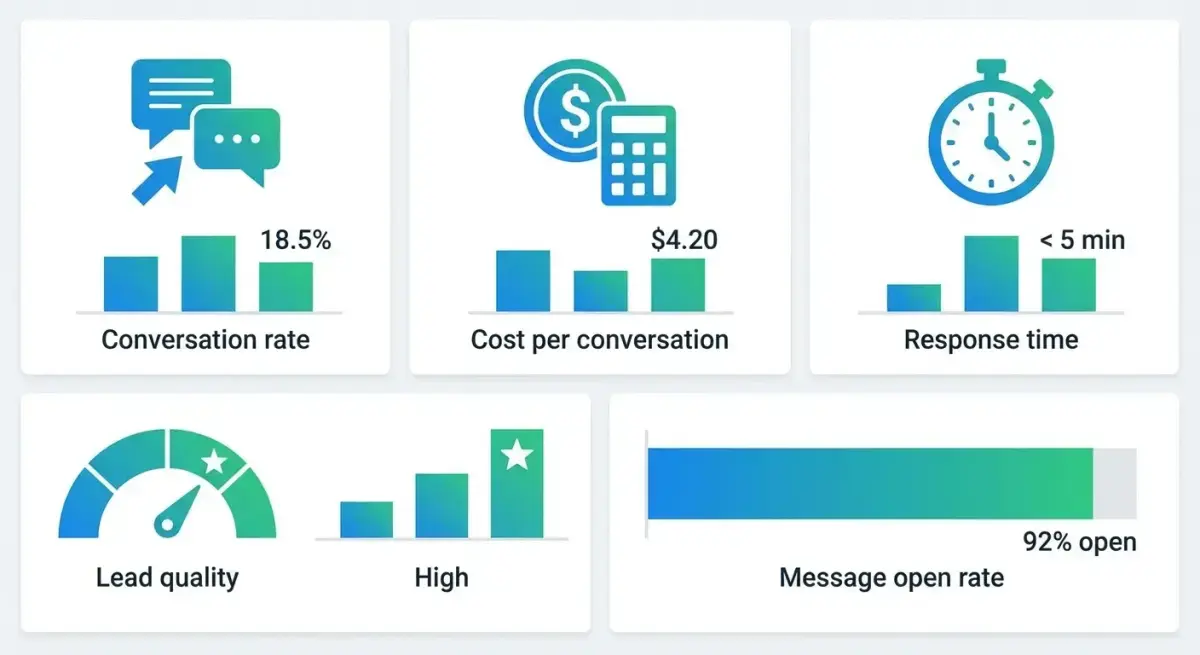 Track these five metrics to optimize your click-to-message campaign performance
Primary Metrics
- Cost per messaging conversation started — Your core efficiency metric. Track this like you'd track cost per lead.
- Messaging conversation rate — Percentage of ad clicks that result in a conversation. Benchmark: 40-70% for well-targeted campaigns.
- First response time — How quickly your team (or bot) replies. Under 5 minutes is ideal.
- Conversation-to-lead rate — Percentage of conversations that produce a qualified lead or sale.
- Revenue per conversation — Total revenue attributed to messaging divided by conversations started.
Secondary Metrics
- Message depth — Average number of messages per conversation. Deeper conversations usually indicate higher intent.
- Bot completion rate — Percentage of users who complete your automated qualification flow without dropping off.
- Human handoff rate — Percentage of conversations that require a human agent. Higher isn't always worse — it means prospects are engaged enough to have complex questions.
- 24-hour re-engagement rate — How often users respond to your follow-up template messages.
Optimization Tactics
- A/B test ice-breakers. Different opening questions dramatically affect conversation quality.
- Monitor drop-off points in your chatbot flow. If 60% drop after question 2, simplify or rephrase.
- Compare channels. If WhatsApp conversations cost $2 but convert at 15%, and Messenger costs $1 but converts at 5%, WhatsApp wins on ROI.
- Track by time of day. Conversation quality varies — messages started during business hours often convert better because real humans respond faster.
Industries and Use Cases Where Message Ads Excel
Click-to-message ads aren't for everyone. They work best when the purchase decision benefits from a conversation.
High-Performing Industries
- Real estate — Property inquiries, scheduling viewings, price negotiations. WhatsApp is the dominant channel in most markets.
- Automotive — Test drive scheduling, financing questions, inventory checks.
- Education — Course inquiries, enrollment guidance, campus tour scheduling.
- E-commerce (high-ticket) — Size guidance, product recommendations, bundle customization.
- Financial services — Loan inquiries, insurance quotes, investment consultations.
- Healthcare — Appointment scheduling, treatment information, pricing transparency.
- Local services — Plumbers, electricians, beauty salons — "Book now via WhatsApp" is extremely effective.
- B2B SaaS — Demo scheduling, pricing discussions, use-case qualification.
Use Case Patterns
- Lead qualification: Replace lead forms with conversational qualification. Higher completion rates, better data quality.
- Customer support as marketing: Route support inquiries through message ads to upsell or retain.
- Appointment booking: Integrate with calendar tools to let users book directly in the chat.
- Product consultation: For complex or configurable products, guide the buyer through options conversationally.
- Re-engagement: Use Sponsored Messages (Messenger) to bring back window shoppers.
Scaling Message Campaigns Without Losing Personalization
The biggest challenge with click-to-message ads is scaling. More conversations mean more resources needed to handle them. Here's how to scale without sacrificing quality.
Team Structure
- Under 50 conversations/day: One person can handle responses with bot support
- 50-200 conversations/day: Dedicated messaging team of 2-3 agents
- 200+ conversations/day: Full CRM integration with automated routing, tagging, and SLA monitoring
Automation + Human Hybrid
The optimal setup combines:
- Bot handles first touch — greeting, ice-breakers, basic qualification (first 2-3 questions)
- Smart routing — based on the bot's qualification, route to the right human agent (sales team for high-intent, support for questions)
- Human takes over — for negotiation, complex questions, and closing
- Bot handles follow-up — automated reminders, template messages for re-engagement
Scaling Checklist
- Set up automated greeting and ice-breakers in Ads Manager
- Connect a chatbot platform for multi-step qualification
- Create response templates for common questions (saves agent time)
- Implement CRM integration to log conversations and track pipeline
- Set up SLA alerts for response time (under 5 minutes)
- Build a knowledge base for agents handling product questions
- Schedule team coverage to match peak conversation hours
- Create escalation paths for complex or high-value prospects
Competitive Intelligence
Before scaling, research what messaging hooks your competitors use. Adligator lets you filter Meta ads by button type — including "Send WhatsApp Message," "Send Message," and other messaging CTAs. You can see which competitors run messaging ads, how long their creatives have been active (a signal of performance), and which creative angles they use to drive conversations.
This intelligence helps you:
- Identify proven messaging ad creative patterns in your industry
- Spot competitors who are investing heavily in conversational commerce
- Find gaps where you can differentiate your messaging approach
- Benchmark your creative against what's already working
FAQ
What are click-to-message ads on Facebook?
Click-to-message ads are Facebook and Instagram ad formats that include a CTA button directing users to start a conversation via WhatsApp, Messenger, or Instagram DMs. They use the Engagement objective with the messaging app destination in Meta Ads Manager. When a user taps the button, a conversation thread opens directly in the selected messaging app.
How much do WhatsApp ads cost?
WhatsApp ads (click-to-WhatsApp) use the same auction system as other Meta ads. CPMs vary by market but typically range from $5 to $25. The key metric is cost per conversation started, which often runs $0.50 to $5 depending on targeting, creative quality, and geographic market. Markets with high WhatsApp penetration tend to see lower costs.
Which is better for ads: WhatsApp or Messenger?
It depends on your market and audience. WhatsApp dominates in Latin America, Southeast Asia, Africa, and Europe — use it there. Messenger is stronger in the US and Canada. For global campaigns, enable both destinations and let Meta optimize delivery to the channel with higher engagement for each user.
How to set up automated responses for message ads?
In Meta Ads Manager, you can add instant replies and ice-breaker questions when configuring message ads. For advanced automation, connect your WhatsApp Business API or Messenger to a chatbot platform like ManyChat, Respond.io, or Botpress. Start with native automation, then upgrade to external tools as conversation volume grows.
What industries benefit most from click-to-message ads?
E-commerce, real estate, automotive, education, healthcare, financial services, and local services see the strongest results. Any business where purchase decisions benefit from a conversation — answering questions, providing quotes, or personalizing recommendations — is a strong fit for this ad format.
Conclusion
Click-to-message ads on Facebook represent a fundamental shift in how media buyers generate leads and drive sales. Instead of optimizing landing pages and fighting form abandonment, you're meeting prospects in the messaging apps they already use daily.
The strategic decision isn't whether to try messaging ads — Meta is clearly investing heavily in this direction. The decision is which messaging channel to prioritize (WhatsApp, Messenger, or Instagram DMs), how to structure your automation, and how to scale without losing the personal touch that makes conversations convert.
Start with a single channel, set up basic automation with ice-breakers and greeting messages, and measure cost per qualified conversation — not just cost per conversation started. As you scale, invest in chatbot platforms, CRM integration, and team coverage to maintain response times under 5 minutes.
Ready to see what click-to-message ad creatives your competitors are running? Research competitor click-to-message ads with Adligator — start free
Related Reading
- How to Run Facebook Ads for SaaS Products: Campaign Structure, Targeting, and Creative Strategy for B2B Marketers
- Facebook Ads Campaign Anatomy: Breaking Down 5 Winning Campaign Structures Across Different Verticals
- Facebook Lead Gen Ads Spy: How to Research Competitor Lead Generation Campaigns and Build Higher-Converting Funnels (2026)
- Short-Form Video Ads on Facebook and Instagram: Hook Patterns, Optimal Length, and Creative Frameworks That Convert in 2026
