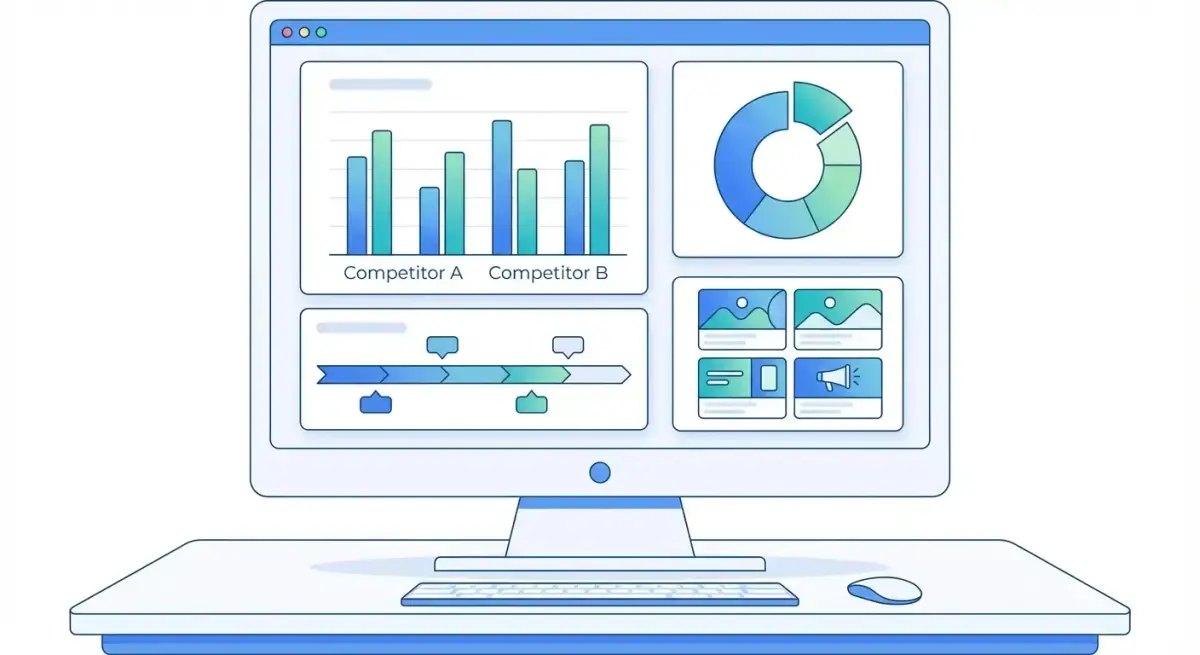
How to Build a Competitive Ad Intelligence Dashboard: Automated Reporting for Media Buying Teams
Every media buying team tracks competitor ads. Few do it systematically. The typical workflow looks like this: someone opens Meta Ad Library, scrolls through a competitor's page, screenshots a few creatives, and pastes them into a Slack thread that nobody reads again.
That approach works when you're monitoring two competitors in one market. It collapses when your team scales to multiple GEOs, dozens of advertisers, and weekly reporting requirements. The missing piece isn't effort — it's an ad intelligence dashboard that centralizes data, surfaces patterns, and generates reports your team actually uses.
This guide walks you through building that dashboard from scratch — starting with the metrics that matter, the data sources that feed them, and the automation layer that keeps everything current without manual labor.
Why You Need a Centralized Ad Intelligence Dashboard
Most media buying teams already collect competitive intelligence. The problem is where it lives.
Creative screenshots sit in Slack channels. Spreadsheet trackers go stale after two weeks. Ad library bookmarks disappear when someone clears their browser. The data exists, but it's scattered across tools and people with no single source of truth.
A centralized ad intelligence dashboard fixes this by solving three problems simultaneously:
Fragmentation. Instead of checking Meta Ad Library, AdSpy, and your own ad account separately, a dashboard pulls everything into one view. Your team sees the full competitive landscape without switching tabs.
Staleness. Manual tracking is inherently lagging. By the time someone updates a spreadsheet, the data is already a week old. Automated dashboards refresh on schedule — daily, weekly, or in real time depending on your data sources.
Actionability. Raw data isn't intelligence. A well-structured dashboard transforms ad observations into patterns: which creative formats are trending, which competitors increased spend, which CTAs are rotating in and out. These patterns drive decisions.
For teams spending $50K+ per month on Meta ads, the cost of missing a competitor trend is measured in thousands of wasted ad dollars. A dashboard that catches a winning creative format two weeks earlier than your manual process pays for itself immediately.
Essential Metrics to Track in Your Dashboard
Not every data point deserves dashboard real estate. The goal is signal density — tracking the metrics that actually change your media buying decisions.
Here are the five core pillars of competitive ad intelligence reporting:
Creative Volume and Velocity
Track how many new creatives each competitor launches per week. A sudden spike in creative volume usually signals a scaling push or a new product launch. A drop suggests budget cuts or creative fatigue.
Record this as a simple time series: competitor name, week number, new creatives count. Over 4-8 weeks, patterns emerge that predict competitive moves before they show up in auction pressure.
Format Mix Distribution
Break down each competitor's active ads by format: static image, video, carousel, DPA, and collection ads. Format shifts reveal strategic pivots.
If a competitor moves from 80% static to 60% video over two months, they've likely found that video outperforms in their vertical. That's a signal worth testing in your own campaigns.
Ad Copy and Messaging Themes
Categorize competitor ad copy into themes: price-focused, benefit-focused, urgency-driven, social proof, or educational. Track theme shifts over time.
This doesn't require NLP. A simple tagging system (even manual for the first few weeks) reveals which messaging angles competitors are doubling down on — and which they've abandoned.
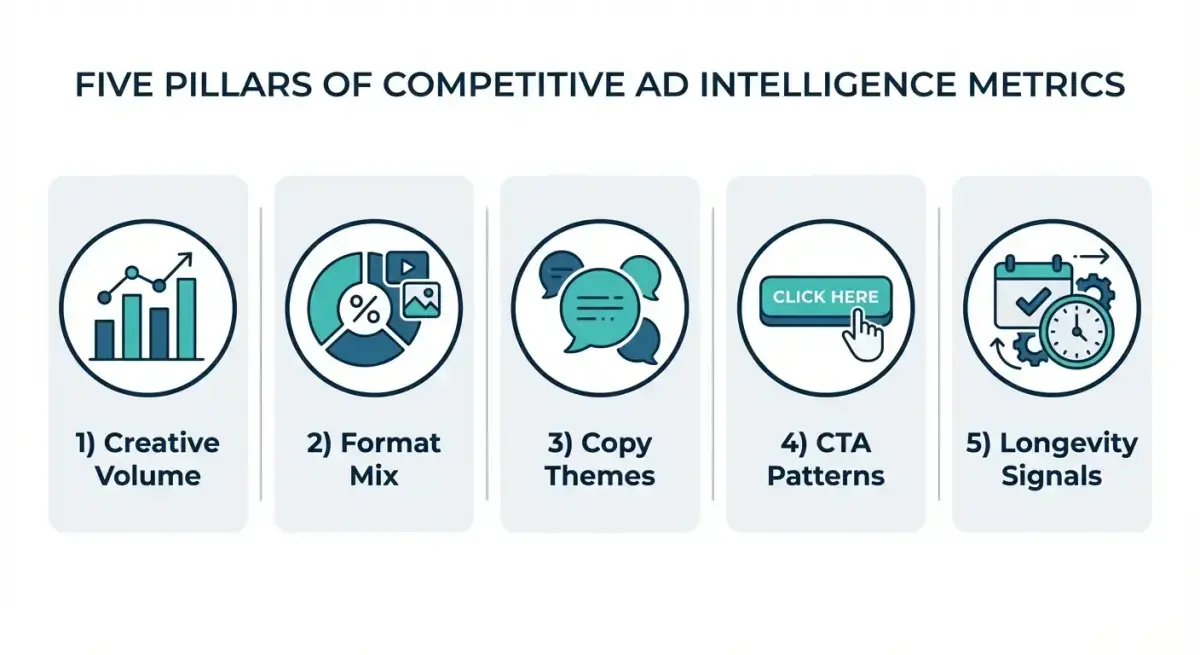 The five core metrics every ad intelligence dashboard should track.
CTA Button Patterns
Meta ads use specific CTA buttons: Shop Now, Learn More, Sign Up, Download, and dozens of others. Track which CTAs each competitor uses and whether they shift over time.
CTA choices correlate with funnel stage targeting. A competitor switching from "Learn More" to "Shop Now" is moving down-funnel — they've likely validated their audience and are pushing for conversions.
Ad Longevity (Days Active)
The single most valuable metric in competitive ad intelligence. Ads that run for 14+ days are almost certainly profitable. Ads that disappear after 3 days are likely losers.
Track the average and maximum days active for each competitor's top creatives. This gives you a curated shortlist of proven winners worth analyzing in depth.
Tools and Data Sources for Competitive Ad Reporting
Your dashboard is only as good as the data feeding it. Here's the stack most serious media buying teams use:
Free Sources
Meta Ad Library — The official source. Covers all active Facebook and Instagram ads. Limitations: no historical data once ads stop running, no filtering by performance proxies, and no bulk export capability. Good for spot checks, inadequate for systematic monitoring.
Manual screenshots and notes — The baseline approach every team starts with. Works for 2-3 competitors in a single market. Falls apart at scale because it depends on someone remembering to check consistently.
Paid Ad Intelligence Tools
Adligator — Covers the full Meta ecosystem (Facebook, Instagram, Messenger, Audience Network, Threads) across 234 countries. Key differentiator: advanced filtering by GEO, ad format, CTA button type, language, days active, and creation date. Saved trackers (up to 14 on Team plan) let you monitor specific competitors or keyword-based searches automatically.
AdSpy, BigSpy, PowerAdSpy — Alternative ad spy platforms with varying coverage and filter depth. Most focus on Facebook/Instagram with some TikTok or Google coverage. Useful for cross-platform intelligence but typically lack the filter granularity needed for automated reporting workflows.
Data Aggregation Layer
For an automated dashboard, you need a way to move data from spy tools into your reporting interface. Options include:
- Spreadsheets (Google Sheets / Excel) — Manual entry or CSV imports. Low setup cost, high maintenance.
- Airtable or Notion databases — Better structure than spreadsheets. Support automations and views but still require manual data input unless connected to APIs.
- Looker Studio / Power BI / Tableau — Professional BI tools that visualize data from connected sources. Ideal endpoint for your dashboard but require structured data feeds.
Ready to automate your competitive ad data? Start tracking competitor ads with Adligator — free account, no credit card required
Step-by-Step Dashboard Setup Guide
Here's a practical framework for building your ad intelligence dashboard in one afternoon. This approach works whether you're a solo media buyer or a team of ten.
Step 1: Define Your Competitor Set
List 5-10 direct competitors whose ad strategies are relevant to your campaigns. Prioritize by:
- Same vertical and target audience
- Similar spend level (check creative volume as a proxy)
- Same GEOs you're active in
Avoid monitoring too many competitors. Signal gets diluted. Start with 5, expand to 10 once your workflow is stable.
Step 2: Choose Your Metrics and Update Frequency
From the five pillars above, select the 3-4 metrics most relevant to your buying strategy. For most teams:
- Creative volume (weekly)
- Format mix (bi-weekly)
- Ad longevity / top performers (weekly)
Weekly updates are the sweet spot. Daily is overkill for most verticals. Monthly is too slow to catch trends.
Step 3: Set Up Your Data Collection System
This is where most teams either succeed or stall. The two paths:
Manual path: Create a Google Sheet with tabs for each competitor. Columns: date, creative count, top formats, notable creatives (links), CTA types, longest-running ads. Schedule 30 minutes every Monday to update.
Automated path: Use Adligator's saved trackers to monitor each competitor by Facebook page ID. Set up one tracker per competitor with relevant GEO and format filters. Check tracker results weekly and export key data points to your reporting layer.
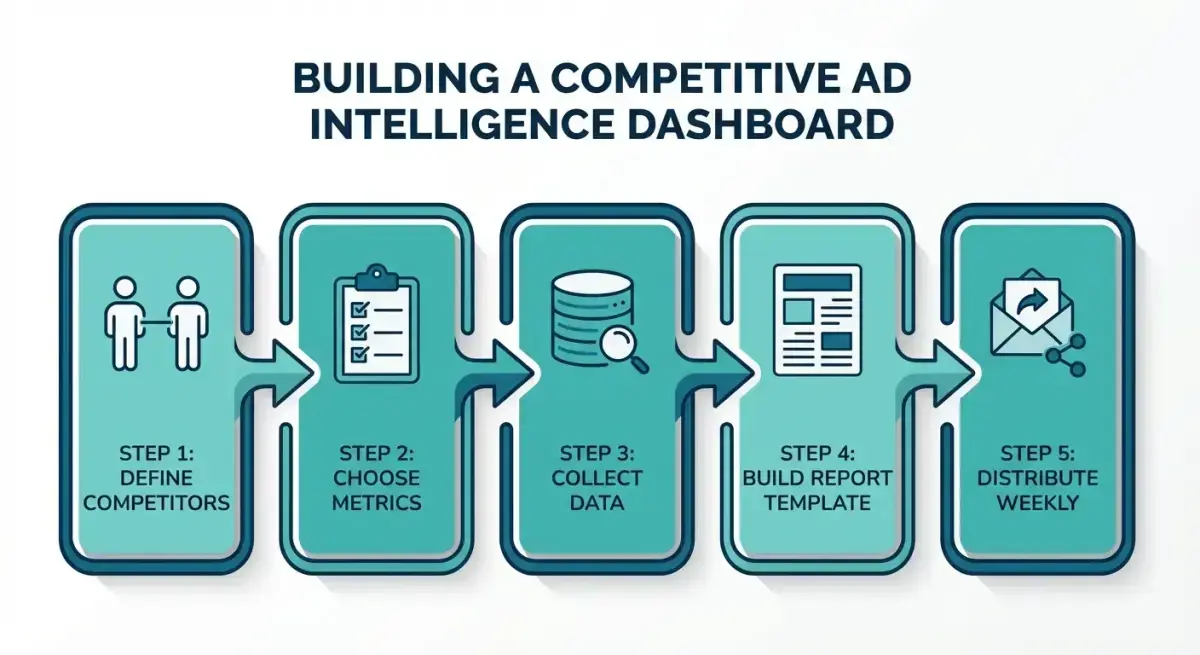 The complete workflow for building an automated competitive ad intelligence dashboard.
Step 4: Build the Reporting Template
Your weekly report should fit on one page and answer three questions:
- What changed? — New creatives, format shifts, messaging changes.
- What's working for competitors? — Longest-running ads, repeated patterns.
- What should we test? — Specific creative angles, formats, or CTAs inspired by competitive signals.
Structure the report as a table or bullet list — not a narrative essay. Media buyers scan, they don't read paragraphs.
Step 5: Distribute and Iterate
Share reports via a consistent channel: weekly Slack post, email digest, or Notion page update. Consistency matters more than format. If reports arrive at the same time every week, people will actually read them.
After four weeks, review which metrics are driving decisions and which are noise. Cut the noise. Double down on metrics that led to actual campaign changes.
Automating Weekly Competitor Reports
Manual dashboards work for the first month. Then they decay. Here's how to build automation that keeps reports flowing without constant effort.
Template-Based Reporting
Create a report template with fixed sections and variable data. Each week, you only update the data — the structure stays the same. This cuts report creation time from 60 minutes to 15 minutes.
Template sections:
- Header: Week number, date range, competitors monitored
- Creative velocity table: Competitor | New creatives | Δ vs last week
- Top performers: Top 3 longest-running ads across all competitors (with screenshots or links)
- Format trends: Any notable shifts in format distribution
- Action items: 2-3 specific tests or creative briefs inspired by findings
Alert-Based Monitoring
Instead of reviewing all competitor activity weekly, set up alerts for specific triggers:
- Competitor launches 10+ creatives in a single day (scaling signal)
- An ad crosses 30 days active (confirmed winner)
- New CTA button type appears (strategic shift)
Adligator's tracker system supports this pattern. Save searches with specific filters and check them for changes. When a tracker surfaces something new, it's worth investigating. When it's quiet, skip the deep dive.
Batch Processing
Dedicate a fixed time slot each week (Monday morning works well for most teams) to:
- Pull tracker data from Adligator
- Update your dashboard metrics
- Screenshot top-performing competitor creatives
- Write the 3 action items for your team
- Distribute the report
Block 30 minutes. With templates and saved trackers, this is realistic even for a solo media buyer.
How Adligator Simplifies Competitive Ad Reporting
Building a competitive ad intelligence dashboard from scratch requires solving two problems: data collection and data organization. Adligator handles the first problem completely, making the second dramatically easier.
Structured Search and Filtering
Instead of scrolling through Meta Ad Library hoping to find relevant ads, Adligator lets you filter by the exact dimensions that matter for dashboard reporting:
- GEO filtering — Monitor competitors in specific countries, not globally
- Days active — Instantly surface long-running (profitable) ads
- Format filtering — Track format mix changes without manual counting
- CTA button type — Monitor strategic CTA shifts automatically
- Creation date ranges — Pull weekly creative volume in seconds
 Adligator's filter system lets you narrow competitor ad searches by GEO, platform, format, and activity period.
Saved Trackers as Automated Monitors
The tracker feature is where Adligator transforms from a search tool into a dashboard backbone. Save a filtered search (e.g., competitor page ID + specific GEOs + video format only), and Adligator monitors it continuously.
On the Pro plan, you get 7 trackers. On Team, 14. Allocate one tracker per priority competitor, and you have a persistent monitoring system that catches new creatives, format changes, and scaling signals without any manual checking.
From Search Results to Report Data
Adligator's per-creative cards display exactly the data points your dashboard needs:
- Advertiser name and page link
- Days active (longevity signal)
- GEO count (market expansion indicator)
- Platform placement (Facebook, Instagram, etc.)
- Ad copy, headline, CTA button type
- Duplicate count (creative reuse signal)
This structured data maps directly to your dashboard metrics. Instead of manually extracting information from screenshots, you're reading pre-organized data cards that feed straight into your reporting template.
FAQ
What is an ad intelligence dashboard?
An ad intelligence dashboard is a centralized reporting interface that aggregates competitor ad data — creatives, copy, targeting signals, and performance proxies — into a single view for media buying teams to analyze trends and inform strategy.
How often should I update my competitive ad reports?
Weekly updates work for most teams. High-spend accounts or fast-moving verticals like e-commerce and gambling may benefit from daily snapshots of key competitors.
Can I build an ad intelligence dashboard without paid tools?
You can start with Meta Ad Library and manual spreadsheets, but this approach breaks down beyond 5-10 competitors. Tools like Adligator automate data collection, making dashboards scalable and accurate.
Conclusion
An effective ad intelligence dashboard isn't about fancy visualizations — it's about consistent, structured data that reaches your team every week. Start with the five core metrics (creative volume, format mix, copy themes, CTA patterns, and ad longevity), choose 5-10 competitors, and build a simple reporting template.
The manual approach works initially but creates a data collection bottleneck that kills consistency. Automated tools like Adligator eliminate that bottleneck by providing filtered, structured competitor ad data that maps directly to your dashboard metrics.
The teams that win in competitive media buying aren't the ones with the biggest budgets — they're the ones who systematically track what's working for everyone else and adapt faster.
Ready to build your ad intelligence dashboard? Start tracking competitor ads with Adligator — free account, no credit card required
Related Reading
- How to Use AI-Powered Ad Intelligence to Predict Winning Facebook Creatives Before You Spend
- Facebook Ads Campaign Anatomy: Breaking Down 5 Winning Campaign Structures Across Different Verticals
- How to Spy on Competitors' Facebook Ads: A Repeatable Weekly Workflow for Media Buyers
- How to Build a Weekly Competitor Ad Monitoring System That Actually Scales
- How to Build a Media Buying KPI Dashboard: Metrics, Templates, and Reporting Workflow
