
How to Estimate Competitor Facebook Ad Spend Using Spy Tools and Ad Library Data
Every media buyer has asked the same question: how much are my competitors actually spending on Facebook ads? Knowing — even approximately — how much a rival invests tells you whether you're in the same league, where the budget gaps are, and which competitors are scaling aggressively.
The problem is that Meta doesn't publish exact budgets. But between the Ad Library's EU transparency data, basic CPC math, spy tool signals, and traffic cross-referencing, you can build a surprisingly useful directional estimate. This guide walks you through four concrete methods to estimate competitor Facebook ad spend, complete with formulas you can apply today.
This framework is built for media buyers, performance agencies, and competitive analysts who need actionable budget intelligence — not theoretical guesswork.
Why Competitor Ad Spend Matters for Media Buyers
Understanding competitor ad budget levels isn't about curiosity. It's a strategic input that shapes three critical decisions:
- Budget benchmarking. If your top competitor runs 50 active creatives across 12 GEOs and you're running 8 in 2, that's a scale gap you need to either close or work around.
- Opportunity identification. A competitor suddenly doubling their ad volume signals a product launch, seasonal push, or new funnel test. Early detection lets you respond before their momentum builds.
- Efficiency assessment. If a competitor spends significantly more but doesn't outperform you on visible metrics (engagement, landing page traffic), their cost structure may be inefficient — an opportunity for you.
The key mindset shift: you're not trying to find an exact number. You're building a directional range that informs strategy. A ±30% estimate of a competitor's monthly spend is dramatically more useful than having no data at all.
What Facebook Actually Reveals (and Hides)
Before diving into estimation methods, it helps to understand what data is actually available — and where the gaps are.
What Meta Ad Library shows:
- All active ads for any page (globally)
- Ad creative, copy, CTA, and platform placement
- Start date for each ad
- For EU-targeted ads: spend ranges and impression ranges (mandated by the Digital Services Act)
What Meta does NOT show:
- Exact budgets or daily spend
- CPC, CPM, or ROAS metrics
- Audience targeting details
- Ad set or campaign structure
- Non-EU spend data of any kind
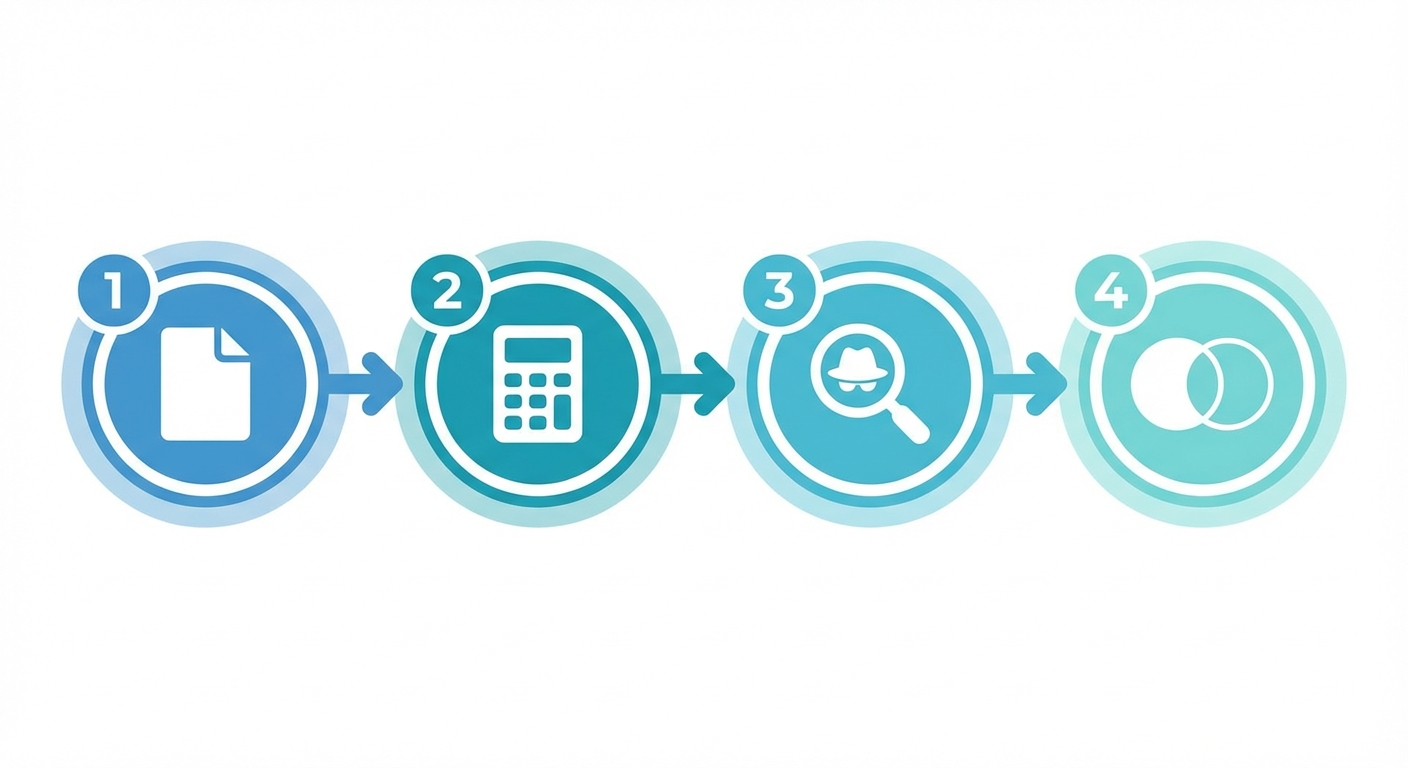 Four complementary methods for estimating competitor Facebook ad spend
This gap between what's visible and what matters is exactly why you need a multi-method approach. No single source gives you the full picture, but combining signals from different angles gets you close enough to act on.
Method 1: Meta Ad Library Spend Ranges
The most direct method — but limited to EU-targeted ads.
Since the EU Digital Services Act took effect, Meta is required to show spend and impression ranges for any ad that targets audiences in EU member states. Here's how to extract useful data:
Step 1: Navigate to the Ad Library Go to facebook.com/ads/library and search for your competitor's page name.
Step 2: Filter for EU-targeted ads Look for ads that include EU countries in their targeting. These ads will display a "See ad details" link that reveals spend and impression ranges.
Step 3: Record the spend ranges You'll see ranges like "€1,000–€4,999" or "€5,000–€9,999." Note the range midpoint as your baseline estimate for each ad.
Step 4: Aggregate across ads Sum the midpoints of all active ad spend ranges. This gives you a rough minimum monthly spend for EU-targeted campaigns.
Accuracy caveat: These ranges are broad, and they only cover EU-targeted portions of a campaign. If a competitor targets the US primarily but also runs EU ads, the EU spend range is a small fraction of total budget. Use this as a floor, not a ceiling.
Formula:
Estimated EU spend = Σ (midpoint of each ad's spend range) Estimated total spend = EU spend × (total active ads / EU-targeted ads)
This ratio-based extrapolation is rough but gives a useful multiplier when a competitor runs both EU and non-EU campaigns.
Method 2: Engagement-Based CPC/CPM Estimation
This method uses publicly visible engagement data to back-calculate spend.
The logic: If you can estimate an ad's impressions from its engagement metrics, and you know approximate industry CPMs, you can reverse-engineer a spend figure.
Step 1: Gather engagement data From the Ad Library or by viewing the ad directly, note visible metrics: likes, comments, shares, and video views (when available).
Step 2: Estimate impressions from engagement Average engagement rates on Facebook ads vary by industry, but a reasonable baseline:
- Average engagement rate: 0.5%–1.5% for feed ads
- For a post with 500 engagements at 1% engagement rate: ~50,000 impressions
Step 3: Apply industry CPM benchmarks Average Facebook CPMs in 2026 vary widely:
- E-commerce: $10–$18 CPM
- Finance/insurance: $15–$30 CPM
- Gaming: $5–$12 CPM
- SaaS/B2B: $12–$25 CPM
Validation needed: 2026 CPM benchmarks — use most recent available data
Step 4: Calculate estimated spend
Estimated spend per ad = (Estimated impressions / 1,000) × Industry CPM Example: 50,000 impressions × $14 CPM / 1,000 = $700
Step 5: Scale across active ads Multiply per-ad estimates by the number of active ads to get a monthly range.
Limitations:
- Engagement rates vary dramatically by creative quality and targeting
- CPM benchmarks are averages — actual rates depend on auction dynamics, targeting, and placement
- This works best as a sanity check against other methods, not a standalone estimate
Want to skip the manual counting? Track competitor ad volume and longevity signals with Adligator — start your free trial
Method 3: Spy Tool Volume and Longevity Signals
Ad spy tools can't tell you what a competitor spends, but they surface powerful proxy signals.
Key proxy signals:
- Active ad count. A page running 100+ active ads simultaneously almost certainly has a five-figure monthly budget. Pages with 5-10 ads are likely spending low four figures.
- Ad longevity. An ad running for 30+ days is almost certainly profitable — advertisers kill unprofitable ads within days. Long-running ads signal sustained budget allocation.
- Creative volume over time. A competitor publishing 20 new creatives per week is investing heavily in testing. Creative production costs + ad spend for testing = significant budget.
- GEO distribution. Ads running in 15+ countries require higher budgets than single-market campaigns due to broader audience reach and higher impression volume.
- Platform spread. Ads running across Facebook, Instagram, Messenger, and Audience Network simultaneously suggest a more sophisticated (and costly) distribution strategy.
Building a volume-based estimate:
Here's a practical framework:
| Signal | Low Spend (<$5K/mo) | Medium ($5K–$25K/mo) | High ($25K+/mo) |
|---|---|---|---|
| Active ads | 1–10 | 10–50 | 50+ |
| New creatives/week | 1–3 | 3–10 | 10+ |
| Avg ad longevity | <7 days | 7–30 days | 30+ days |
| GEOs targeted | 1–3 | 3–10 | 10+ |
| Platforms | 1 | 2–3 | 4+ |
This is a heuristic, not a formula — but it's remarkably consistent with real-world budgets when you cross-reference multiple signals.
Method 4: Cross-Referencing with SimilarWeb and SEMrush
Traffic analysis tools add another dimension to your spend estimation by revealing landing page traffic volume.
The approach:
- Identify competitor landing pages from their ad CTAs (visible in the Ad Library or spy tools).
- Check traffic volume on those specific URLs using SimilarWeb or SEMrush.
- Estimate paid traffic share. These tools often break down traffic by source — look at the "paid social" or "display advertising" channel.
- Back-calculate from traffic. If a landing page receives 50,000 monthly visits from paid social, and average CPC for that niche is $1.50:
Estimated monthly spend = Paid social visits × Average CPC Example: 50,000 visits × $1.50 = $75,000/month
Why this works: It provides an independent data point that doesn't rely on Meta's own transparency data. When this estimate roughly aligns with your Ad Library and spy tool estimates, you can have higher confidence in your range.
Limitations:
- SimilarWeb and SEMrush traffic estimates can be off by 30–50% for smaller sites
- Paid social attribution isn't always clean
- Best used for competitors with significant traffic volume (10K+ monthly visits)
Building a Competitor Spend Dashboard
The real power comes from combining all four methods into a single tracking system.
Recommended dashboard columns:
| Field | Source | Update Frequency |
|---|---|---|
| Competitor name | Manual | One-time |
| Active ad count | Spy tool / Ad Library | Weekly |
| New ads this month | Spy tool | Monthly |
| Avg ad longevity (days) | Spy tool | Monthly |
| EU spend range (midpoint) | Ad Library | Monthly |
| Estimated CPM spend | Engagement calculation | Monthly |
| Landing page traffic (paid) | SimilarWeb/SEMrush | Monthly |
| Traffic-based spend estimate | Calculation | Monthly |
| Composite estimate (range) | Average of methods | Monthly |
| Trend (↑↓→) | Month-over-month | Monthly |
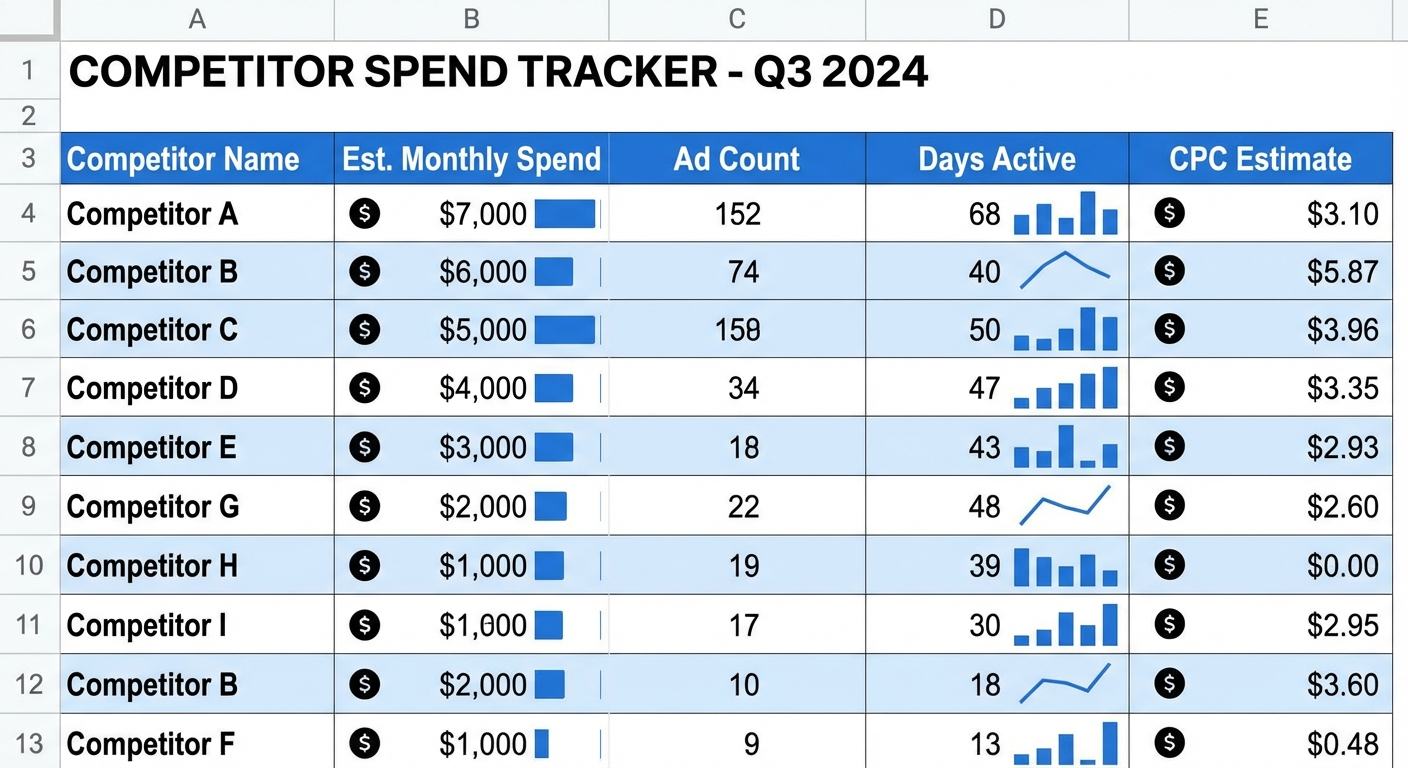 A sample competitor spend tracking dashboard combining multiple estimation signals
How to calculate the composite estimate:
- Take each method's estimate where available
- Discard obvious outliers (if one method gives $5K and three others give $50K–$70K, the $5K is likely wrong)
- Average the remaining estimates for a midpoint
- Use the lowest and highest as your range bounds
Track this monthly and you'll see trends: competitors ramping up spend before product launches, pulling back after Q4, or steadily scaling into new GEOs.
Practical tip: Start with your top 5 competitors. Trying to track 20+ manually is where this breaks down — the data collection alone takes hours per competitor per month.
How Adligator Surfaces Spend Signals at Scale
This is where manual methods hit their ceiling. Checking the Ad Library page by page, counting ads by hand, and logging longevity data in spreadsheets works for 3–5 competitors. But when you're monitoring 10+ competitors across multiple GEOs, manual tracking breaks down fast.
Adligator automates the proxy signals that matter most for spend estimation:
- Ad volume tracking. See how many active creatives any competitor runs, updated continuously. No manual counting.
- Longevity signals. Every ad card shows how long it's been running. Filter by "days active" to instantly surface long-running (likely profitable) ads — a direct budget signal.
- GEO distribution. Filter by country to see which markets a competitor targets. Ads running in 15+ GEOs indicate substantially higher budgets.
- Creative velocity. Track how frequently competitors publish new ads. High creative velocity = high testing budget.
- Historical data. Unlike the Ad Library, which only shows currently active ads, Adligator maintains a database so you can track changes over time.
 Ad longevity and volume signals serve as reliable proxies for competitor spend levels
The key advantage: instead of spending 2–3 hours per competitor per month on manual data collection, you can pull proxy signal data for your entire competitive set in minutes. That frees your time for the analysis and strategic decisions that actually move the needle.
Common Mistakes When Estimating Ad Budgets
Even with solid methods, these pitfalls can skew your estimates badly:
1. Treating estimates as exact numbers. Every method produces a range, not a point value. Present estimates to stakeholders as ranges (e.g., "$15K–$30K/month") and make decisions based on directional trends, not precise figures.
2. Ignoring seasonal variation. A competitor's February spend may be 40% of their November spend. Always compare month-over-month and year-over-year to avoid misleading snapshots.
3. Confusing ad count with spend. More ads doesn't always mean more spend. A competitor running 100 ads at $5/day each spends $15K/month. Another running 10 ads at $200/day spends $60K/month. Longevity and GEO distribution are more reliable budget signals than raw ad count alone.
4. Relying on a single method. Every method has blind spots. The Ad Library only shows EU spend. CPC estimation depends on benchmark accuracy. Traffic tools under-report smaller sites. Cross-reference always.
5. Forgetting creative production costs. A competitor publishing 30 new video ads per month has significant creative costs on top of media spend. Factor this into competitive budget analysis when planning your own resource allocation. At the extreme end, our teardown of Temu's Meta advertising shows a page with 162,143 lifetime creatives and a live rotation that turns over in days.
6. Ignoring retargeting and remarketing. Much of a competitor's spend may go to retargeting campaigns that don't show obvious engagement signals. These campaigns typically have higher CPMs but lower volume — easy to underestimate.
FAQ
Can you see how much a competitor spends on Facebook ads?
Not exactly. Meta doesn't disclose precise budgets. However, EU transparency rules now show spend ranges in the Ad Library for ads targeting European audiences, and you can combine multiple signals — ad volume, longevity, engagement, and traffic data — to build directional estimates.
How accurate are ad spend estimates from spy tools?
Spy tools provide proxy signals like ad count, days active, and creative volume — not actual spend data. Used individually, accuracy is low. Cross-referencing multiple methods (Ad Library ranges + CPC estimation + spy tool longevity) typically yields estimates within a 30–50% margin, which is useful for directional benchmarking.
Does Meta Ad Library show exact budgets?
Only for ads targeting EU audiences, and only as ranges (e.g., €1,000–€4,999). For non-EU targeted ads, the Ad Library shows active/inactive status and creative details but no spend data. This is governed by the EU Digital Services Act transparency requirements.
How to track competitor ad spend over time?
Build a monthly tracking spreadsheet that logs Ad Library spend ranges, active ad count, estimated CPCs, and traffic tool data for each competitor. Tools like Adligator can automate the ad volume and longevity tracking portion, giving you consistent month-over-month trend data.
Conclusion
You'll never know exactly how much a competitor spends on Facebook ads — and that's fine. What matters is building a reliable, repeatable framework for estimating competitor Facebook ad spend that gives you directional intelligence.
The four-method approach — Ad Library spend ranges, engagement-based CPC estimation, spy tool volume and longevity signals, and traffic cross-referencing — covers each other's blind spots. Start with your top 5 competitors, build a monthly tracking dashboard, and focus on trends rather than point estimates.
The manual version of this workflow works at small scale. When you need to monitor more competitors across more markets, automation becomes essential.
Ready to track competitor ad signals at scale? Track competitor ad volume and longevity signals with Adligator — start your free trial
Related Reading
- How Much Does Gymshark Spend on Facebook Ads? A Reverse-Engineered Estimate
- How to Build a Facebook Ad Creative Testing Framework Using Competitor Spy Data
- How to Use Ad Spy Data to Scale Facebook Campaigns: From Testing to Six-Figure Spend
- AI-Generated Ad Creatives on Facebook in 2026: How to Identify, Analyze, and Outperform Them Using Spy Tools
- Inside Temu's Facebook Ads Machine: A Media Buyer's Teardown
