
Facebook Ad Intelligence 101: A Complete Beginner Guide to Competitive Ad Research
Every successful ad campaign starts with a question: what's already working in my market? Facebook ad intelligence is the practice of systematically analyzing competitor ads to answer that question — and it's one of the highest-leverage skills a media buyer can develop.
Whether you're launching your first campaign or managing ads for a small business, understanding what competitors run, how long their ads survive, and which creatives they keep scaling gives you a massive head start. Instead of guessing what hooks, formats, or offers might work, you study what's already proven.
This guide walks you through everything from scratch: what ad intelligence actually means, how to do it manually for free, where manual methods break down, and how dedicated tools like Adligator turn hours of research into minutes. No jargon, no assumptions — just a practical path from zero to your first competitive ad research workflow.
What Is Ad Intelligence and Why It Matters
Ad intelligence means collecting, organizing, and analyzing publicly available advertising data to inform your own campaigns. For Facebook and Instagram ads specifically, this includes:
- Ad creatives — the images, videos, and carousels competitors use
- Ad copy — headlines, primary text, and descriptions
- CTA buttons — what action they're driving (Shop Now, Learn More, Sign Up)
- Targeting signals — which countries, platforms, and placements they use
- Longevity data — how long an ad has been running (longer = likely profitable)
- Landing pages — where the ad sends traffic
Why does this matter? Because advertising is expensive trial-and-error without data. The average marketer wastes roughly 30% of their ad budget on underperforming creatives. Competitive ad research reduces that waste by showing you what formats, angles, and offers already resonate with your target audience.
Think of it this way: you wouldn't open a restaurant without checking what's on the menu at successful places nearby. Ad intelligence is the same principle applied to paid media.
The Manual Approach: Meta Ad Library Walkthrough
The simplest way to start researching competitor ads is Meta's own Ad Library (facebook.com/ads/library). It's free, official, and requires no account to use.
Here's how to do a basic competitor research session manually:
- Go to Meta Ad Library — navigate to facebook.com/ads/library
- Search by advertiser name — type a competitor's brand or Facebook page name
- Browse active ads — you'll see all currently running ads for that page
- Filter by country — narrow results to specific markets
- Take screenshots — save interesting creatives for reference
- Log findings in a spreadsheet — track advertiser, creative type, copy angle, CTA, date spotted
 The manual ad research workflow — effective for a few competitors, but quickly unmanageable at scale.
This approach works well when you're monitoring 2-3 competitors occasionally. You get a real feel for what they're running, and the price is right — free.
What Meta Ad Library Shows You
- All active ads for any Facebook/Instagram page
- Ad creative (image, video, or carousel)
- Ad copy and CTA button
- Start date of the ad
- Platforms where it runs (Facebook, Instagram, Messenger, Audience Network)
- Country targeting (for political/social ads, more detailed data)
What Meta Ad Library Does Not Show
- Historical ads (only currently active)
- Engagement metrics or performance data
- How long inactive ads ran before stopping
- Keyword-based search across all advertisers
- Alerts when competitors launch new ads
- Advanced filtering by format, language, or ad longevity
Where Manual Research Breaks Down
Manual research with Meta Ad Library works until it doesn't. Here's where most beginners hit a wall:
Scaling beyond a few competitors. When you're tracking 10+ advertisers across multiple markets, manually checking each page becomes a part-time job. There's no way to search by keyword across all advertisers at once.
No historical context. Meta Ad Library only shows currently active ads. Once an ad is paused or stopped, it disappears. You can't see what a competitor tested last month, which creatives they killed, or how long a winning ad ran.
No engagement signals. You see the creative and copy, but not whether it's actually performing. An ad that's been running for 60 days is likely profitable — but Meta Ad Library doesn't show you longevity data for non-political ads in a filterable way.
No alerts or automation. You have to manually check each competitor page, every time. Miss a week, and you might miss a competitor's entire campaign cycle.
No cross-advertiser keyword search. Want to see every ad mentioning "free shipping" or "limited offer" across all advertisers? Impossible with Meta Ad Library.
These limitations don't mean Meta Ad Library is useless — it's a great starting point. But once you're serious about competitive ad research, you need tools built specifically for the job.
Ready to skip the manual grind? Start your free Adligator trial — no credit card required
Ad Spy Tools Explained: What They Do and How They Work
Ad spy tools (also called ad intelligence platforms) solve the problems above by:
- Crawling and indexing millions of ads across Facebook, Instagram, and other platforms
- Storing historical data so you can see ads that ran in the past
- Enabling keyword search across all advertisers simultaneously
- Providing advanced filters for geo, language, format, platform, CTA type, and more
- Tracking ad longevity so you can identify winning creatives by how long they run
- Offering alerts and monitoring for specific keywords or competitors
Popular options in the market include Meta Ad Library (free, limited), BigSpy (freemium), AdSpy (premium), and Adligator (freemium with advanced Meta-focused features).
The key difference between free and paid tools: free tools show you what's running right now. Paid tools show you what's been running, for how long, in which markets, and let you filter, sort, and monitor at scale.
Setting Up Your First Competitor Monitoring Workflow
Before you touch any tool, start with a plan. Here's a simple framework:
Step 1: Identify your competitors. List 5-10 advertisers in your niche. Include direct competitors and adjacent brands targeting similar audiences.
Step 2: Define what you're looking for. Are you researching creative formats? Copy angles? Offers? CTAs? Having a focus prevents aimless browsing.
Step 3: Set a research cadence. Weekly is ideal for most beginners. Pick one day per week for competitive research.
Step 4: Create a tracking system. A simple spreadsheet works:
- Advertiser name
- Creative type (image/video/carousel)
- Hook or angle used
- CTA type
- Date first spotted
- Still running? (Y/N)
- Notes
Step 5: Look for patterns, not individual ads. The goal isn't to copy one ad — it's to identify patterns. When three competitors all use video testimonials with "limited time" urgency, that's a signal worth testing.
How to Analyze Ad Creatives Like a Pro
Spotting a competitor's ad is step one. Extracting actionable insights is where the real value lives. Use this four-element framework for every ad you analyze:
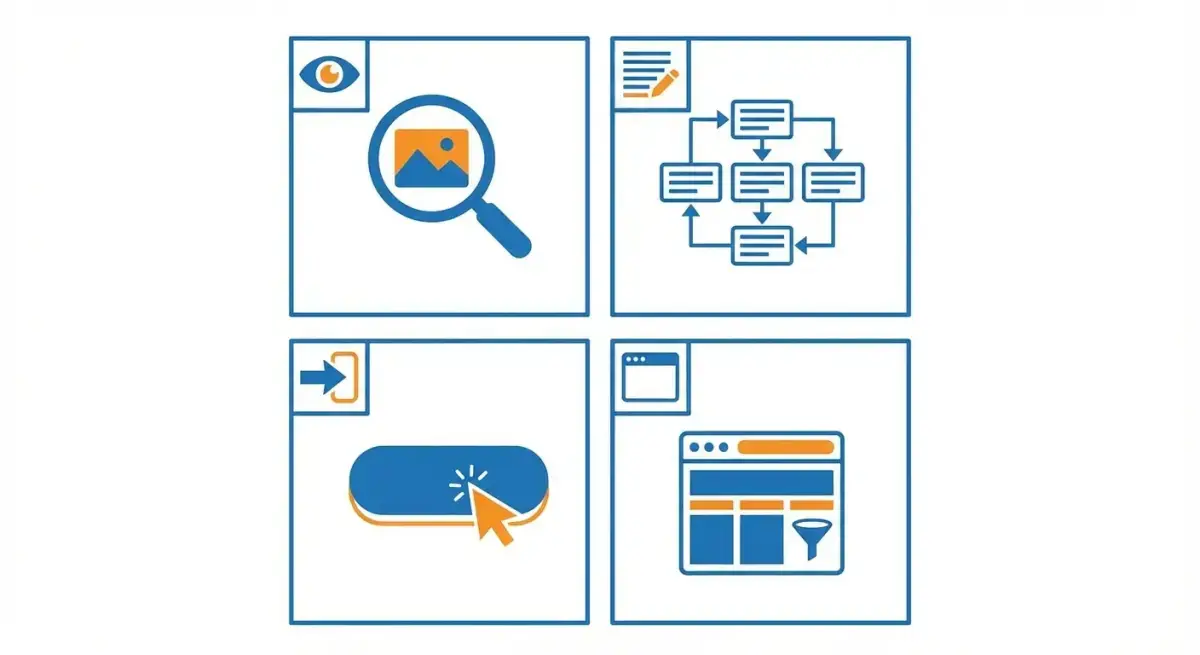 The four elements to analyze in every competitor ad creative.
Visual Hook
What grabs attention in the first second? Look for:
- Bold colors or contrast
- Human faces (especially with eye contact)
- Before/after comparisons
- Text overlays on images
- Motion in video ads (the first 3 seconds matter most)
Copy Structure
How is the ad text organized? Common patterns:
- Problem → agitation → solution
- Question hook → benefit → CTA
- Social proof lead → offer → urgency
- Story-based (personal narrative → lesson → product)
CTA Strategy
What button do they use and why? "Shop Now" signals direct-response. "Learn More" signals consideration-stage content. Track which CTAs appear most in long-running ads — those are battle-tested.
Landing Page Alignment
Where does the ad send traffic? Check if the landing page matches the ad's promise. Misalignment between ad and landing page is a common gap you can exploit in your own campaigns.
From Research to Action: Turning Spy Data into Campaign Ideas
Raw competitive intelligence is useless unless you turn it into action. Here's how to bridge the gap:
Identify winning patterns. If you see 4 out of 7 competitors using carousel ads with product-focused hooks, that format likely works in your niche.
Find gaps to exploit. Maybe every competitor uses polished studio images, but nobody's testing UGC-style content. That's an opportunity.
Build a swipe file. Save the best competitor ads (screenshots or bookmarks) organized by creative type, angle, and offer. This becomes your inspiration library for brainstorming sessions.
Test informed hypotheses. Instead of "let's try a video ad," you can say "competitors running video testimonials for 30+ days — let's test our own version with a different angle."
Track what works over time. Note which competitor ads keep running week after week. Longevity is the strongest signal of profitability in paid media.
Choosing the Right Ad Intelligence Tool for Your Budget
Here's a practical comparison to help you decide:
Meta Ad Library (Free): Best for occasional checks on specific competitors. No cost, limited features. Use it when you're just starting out or need a quick look at one advertiser's active campaigns.
BigSpy (Free tier available): Broader search capabilities than Meta Ad Library. Good entry-level tool with some historical data. Best for beginners who want more than Meta Ad Library but aren't ready to invest.
AdSpy ($149/month): Large database with deep historical data. Powerful but expensive. Best for experienced media buyers and agencies who need maximum coverage.
Adligator (Free — $65/month): Focused specifically on Meta ads (Facebook, Instagram, Messenger, Audience Network, Threads). Covers 234 countries with advanced filters for geo, language, format, CTA type, and ad longevity. Free tier offers 5 searches/day; Pro at $32/month includes 100 daily searches, live filter trackers, and collections. Best for media buyers who focus on Meta platforms and want strong filtering at a competitive price.
For beginners, the recommendation is straightforward: start with Meta Ad Library to learn the basics, then move to Adligator's free tier to experience what advanced filtering and keyword search unlock.
Getting Started with Adligator: Your First 30 Minutes
Here's a practical walkthrough to get you from zero to insights in half an hour:
Minutes 1-5: Sign up and explore. Create a free account at adligator.com/sign-up (no credit card required). Take a moment to explore the interface — you'll see tabs for Creatives, Facebook Pages, Heatmap, and Analytics.
Minutes 5-15: Run your first keyword search. Type a product keyword or niche term into the search bar. For example, if you sell skincare products, search "skincare" or "vitamin C serum." Browse the results and notice how each ad card shows the advertiser, platforms, age (days running), and geo count.
Minutes 15-20: Apply filters. Click the Filter button and experiment:
- Set a GEO to your target market
- Filter by platform (Facebook only, or Instagram only)
- Try filtering by days active to find ads running 10+ days (likely winners)
- Filter by display format to see only video ads, or only carousels
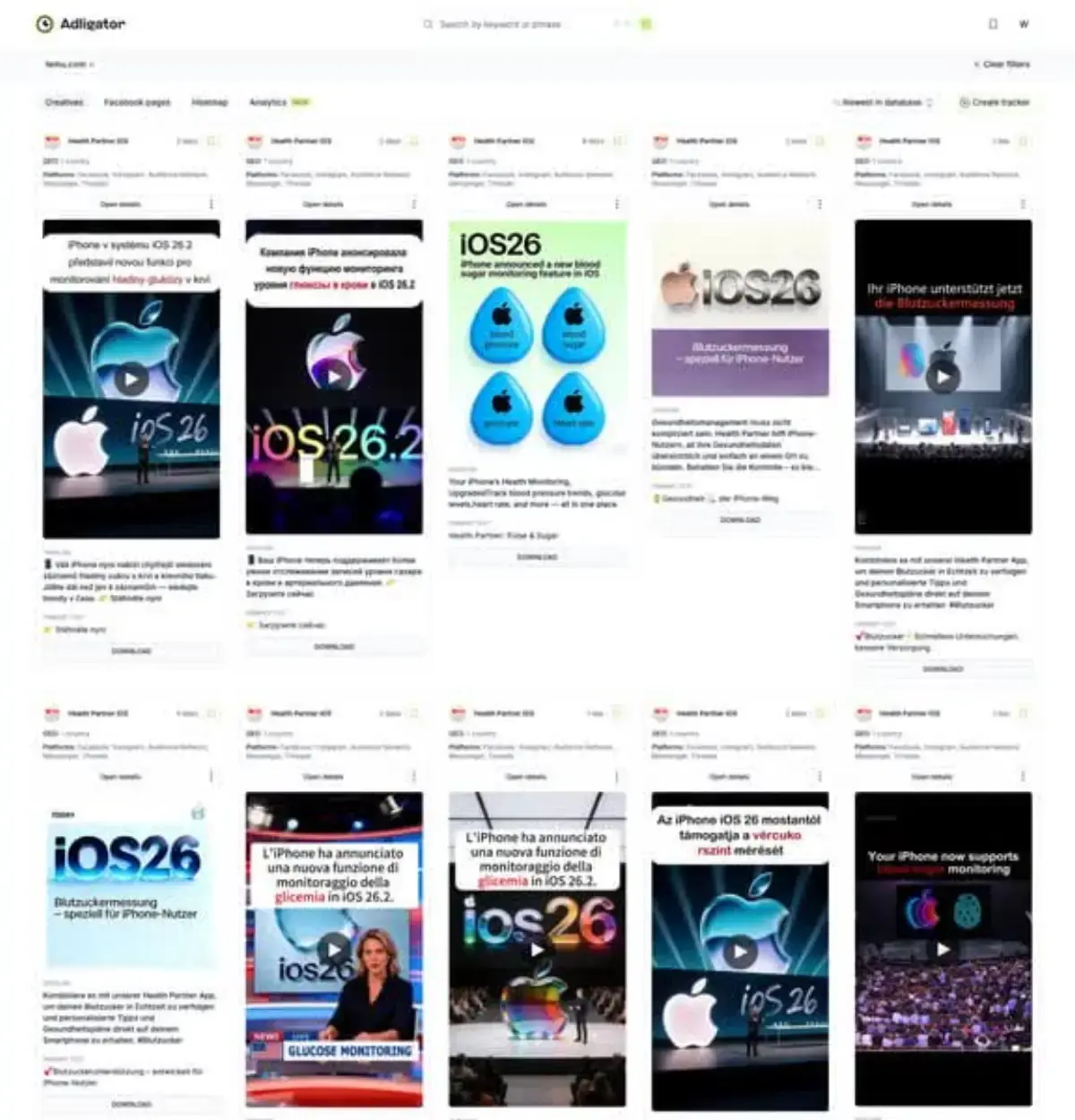 Adligator's creative search interface — search by keyword, filter by geo, platform, format, and more.
Minutes 20-25: Analyze top creatives. Click "Open details" on any ad that catches your eye. Study the creative, copy, CTA, and landing page. Save interesting finds to a Collection for later reference.
Minutes 25-30: Set up monitoring. If you're on a paid plan, create a tracker for your main keyword or competitor page. Adligator will notify you when new matching ads appear — no more manual checking.
In 30 minutes, you've done what would take hours with Meta Ad Library alone: keyword-searched across all advertisers, filtered by market and format, identified long-running winners, and saved your findings.
FAQ
Is ad spying legal?
Yes. Ad intelligence tools only access publicly available ad data. Meta Ad Library is an official public resource, and third-party tools aggregate publicly served ads. You are analyzing public marketing materials, not accessing private data.
How much do ad spy tools cost?
Prices range from free (Meta Ad Library, Adligator free tier with 5 searches/day) to $30-150/month for premium tools. Adligator Pro starts at $32/month with 100 daily searches and advanced filters.
Can I spy on competitor ads for free?
Yes. Meta Ad Library is completely free, and Adligator offers a free tier with 5 searches per day. Free options work for occasional research, but serious competitive monitoring requires paid tools for filtering, alerts, and historical data.
What data can ad intelligence tools show me?
Depending on the tool: ad creatives (images, videos, carousels), ad copy and headlines, CTA buttons, target geographies, platforms used, how long ads have been running, landing page URLs, and advertiser page information.
Conclusion
Facebook ad intelligence isn't a luxury for big agencies — it's a fundamental skill for anyone spending money on ads. The approach is simple: study what's already working, identify patterns and gaps, then test informed hypotheses instead of guessing.
Start with Meta Ad Library to build your research habits. When you're ready for keyword search, advanced filtering, historical data, and automated monitoring, move to a dedicated tool. The time you save on creative research directly translates to faster testing cycles and better ROAS.
Ready to start your competitive ad research? Start your free Adligator trial — no credit card required
Related Reading
- Adligator vs AdSpy: In-Depth Feature Comparison for Facebook Ad Intelligence (2026)
- Facebook Ad Spy for SaaS and B2B: How to Research Competitor Campaigns Beyond Ecommerce
- BigSpy vs AdSpy vs PowerAdSpy: Which Ad Intelligence Tool Fits Your Workflow?
- Facebook Ad Policy Compliance: How to Audit Competitor Ads and Protect Your Accounts
- Facebook Ads for Complete Beginners: How to Launch Your First Campaign in 30 Minutes (2026)
