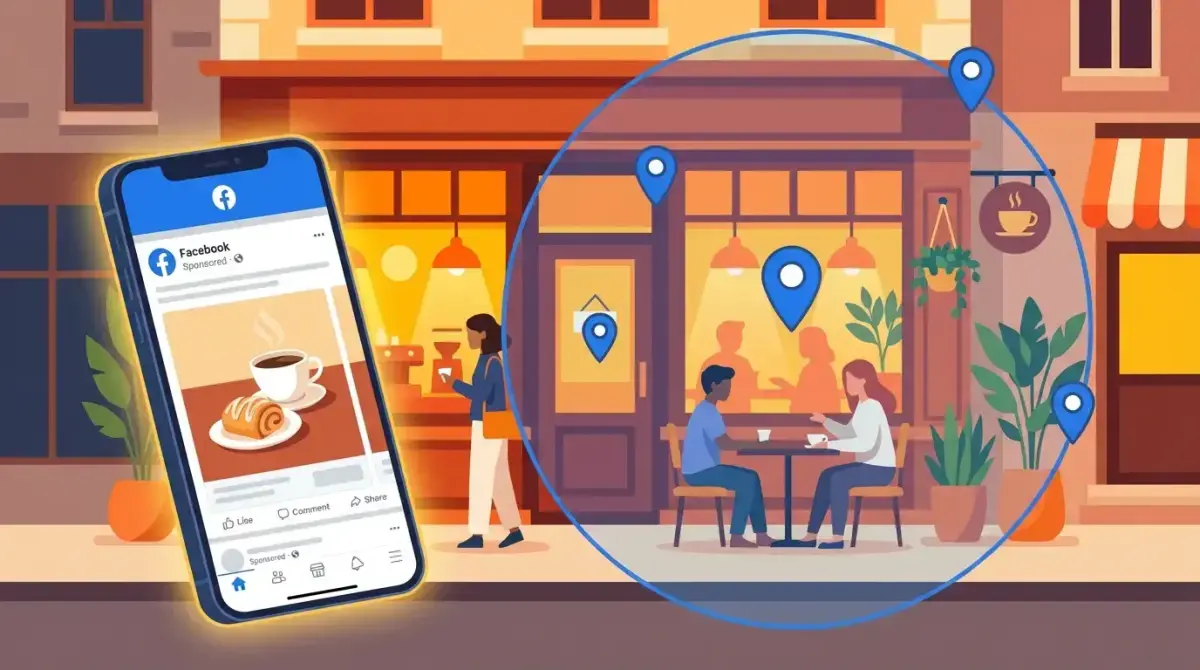
Facebook Ads for Local Businesses: Targeting, Creative Strategy, and Campaign Setup Guide
If you run a local business — a restaurant, gym, dental practice, salon, or service company — Facebook ads are one of the most cost-effective ways to reach customers in your area. Unlike Google Ads, where you wait for people to search, facebook ads local business campaigns let you proactively put your offer in front of the right people before they even think about searching.
The challenge is that most Facebook advertising advice is written for e-commerce brands or large companies. Local businesses have different needs: smaller budgets, geographic constraints, and success metrics tied to foot traffic and phone calls, not online purchases.
This guide covers everything a local business owner or local marketer needs to set up, optimize, and scale Facebook ad campaigns that drive real-world results. No enterprise-level budgets required — we're working with $10-50/day.
Why Facebook Ads Work for Local Businesses in 2026
Facebook (and Instagram, which runs on the same ad platform) remains the best paid social channel for local business facebook advertising for several reasons:
- Precision geographic targeting. You can target people within a specific radius of your business — down to 1 km in some markets.
- Visual storytelling. Local businesses thrive on visuals: your food, your space, your team, your results. Facebook and Instagram are built for this.
- Low minimum budgets. You can start with $5/day and get meaningful data. No other paid channel is this accessible.
- Multiple objectives. Whether you want phone calls, direction requests, form submissions, or store visits, Meta has a campaign objective for it.
- Massive local audience. Despite TikTok's growth, Facebook remains the dominant platform for adults 25-65 — the primary spending demographic for most local businesses.
Organic reach for business pages has dropped below 2% on average. If you're relying on organic posts to reach local customers, you're reaching almost nobody. Paid is no longer optional — it's the primary reach mechanism.
Setting Up Your First Local Facebook Ad Campaign
Here's a step-by-step walkthrough for launching your first local facebook ads strategy:
Step 1: Set Up Business Manager and Ad Account
If you haven't already:
- Go to business.facebook.com and create a Business Manager
- Add your Facebook Page
- Create an Ad Account within Business Manager
- Install the Meta Pixel on your website (if you have one)
Step 2: Choose Your Campaign Objective
For most local businesses starting out, the best objectives are:
- Store Traffic — if you want people to physically visit your location
- Leads — if you want contact information (appointments, quotes, consultations)
- Traffic — if you want people to visit your website or landing page
- Engagement — if you want to build social proof and community around your page
Don't choose "Sales" unless you have e-commerce. Don't choose "App Installs" unless you have an app. Keep it simple.
Step 3: Set Your Budget
For local businesses, start with:
- Testing phase: $10-20/day for 7-14 days
- Initial scaling: $20-50/day once you see positive results
- Established campaigns: $50-100+/day as you optimize
This means a testing budget of $140-280 for your first two weeks. That's enough to learn what works in your market.
Step 4: Create Your Ad Set (Targeting)
This is where local campaigns differ from standard Facebook ads. Set up:
- Location: Your business address with radius targeting (covered in detail below)
- Age and gender: Match your customer demographics
- Detailed targeting: Add interests relevant to your business (optional — sometimes broad local targeting works best)
- Placements: Start with Advantage+ placements (automatic)
Step 5: Create Your Ad
- Use high-quality photos or short videos of your actual business
- Write copy that includes your location and a clear offer
- Add a CTA button (Get Directions, Call Now, Learn More, or Send Message)
- Include a time-limited offer if possible ("This week only: 20% off first visit")
Radius and Location Targeting: Reaching Customers Near You
Location targeting is the most critical setting for local facebook ads. Get it right and you reach paying customers. Get it wrong and you waste budget on people who will never visit.
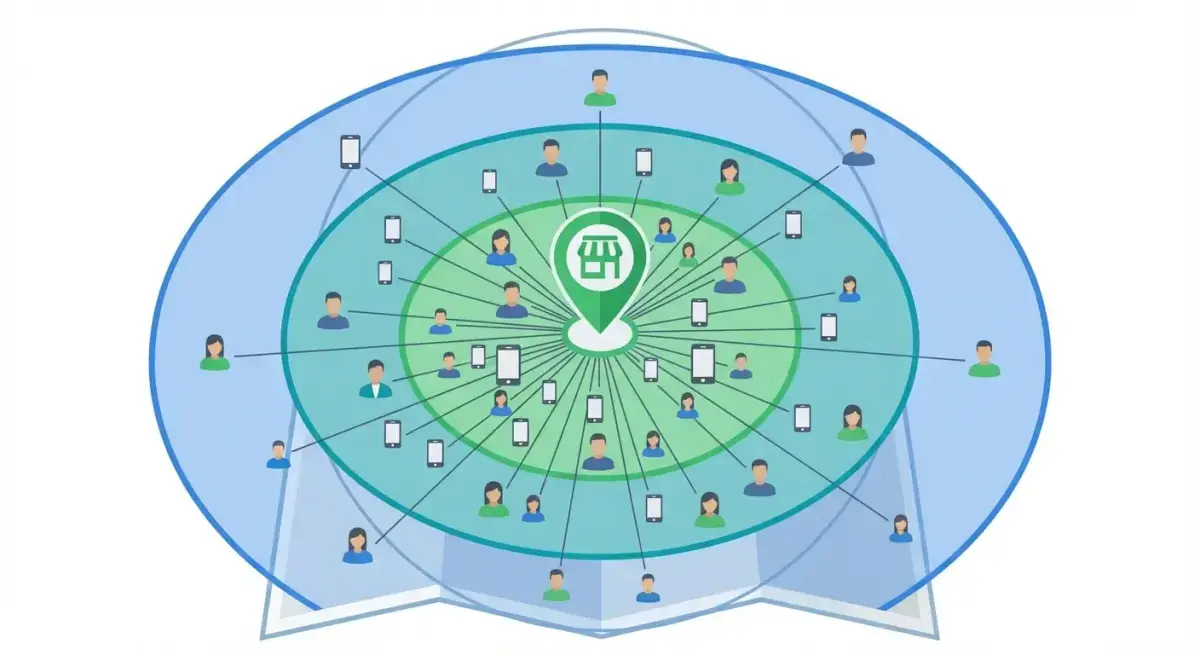 Radius targeting lets you reach customers within a specific distance from your business location
Setting Up Radius Targeting
- In the ad set, go to Locations
- Click "Drop Pin" or enter your business address
- Set a radius (default is often 40 km — reduce this)
- Choose the audience type
Choosing the Right Radius
The ideal radius depends on your business type:
| Business Type | Recommended Radius | Why |
|---|---|---|
| Restaurant/Café | 5-10 km | People don't drive far for casual dining |
| Gym/Fitness | 5-15 km | Members need convenient commute |
| Dental/Medical | 10-25 km | People travel further for healthcare |
| Home Services (plumber, etc.) | 15-40 km | Service area is typically larger |
| Specialty Retail | 15-30 km | Destination shopping has wider draw |
Location Targeting Options
Meta offers four options for location targeting:
- People living in this location — Best for most local businesses. These are residents.
- People recently in this location — Includes visitors and commuters. Good for tourist areas.
- People traveling in this location — Only people whose home location is far away. Good for hotels and tourist attractions.
- People living in or recently in this location — Default option. Usually too broad for local businesses.
Recommendation: Almost always use "People living in this location" unless you're in a tourist-heavy area.
Multiple Location Targeting
If you have multiple locations, you have two options:
- One campaign with multiple radius pins — each location gets its own pin. Simpler to manage.
- Separate campaigns per location — more control over budget per location. Better for different-performing locations.
Start with one campaign and multiple pins. Split into separate campaigns when you need per-location budget control.
Local Creative Strategy: Ad Formats That Drive Foot Traffic
Your ad creative needs to feel local, authentic, and specific. Generic stock photos don't work for local businesses.
What Works for Local Ads
- Real photos of your business — your storefront, interior, team, products
- Customer testimonials — especially video testimonials from recognizable locals
- Before/after content — perfect for salons, home services, fitness
- Menu items or service highlights — specific, not generic
- Behind-the-scenes content — builds trust and personality
- Local landmarks or references — "Just 2 minutes from Central Park" or "Proudly serving Neighborhood since 2015"
Best Ad Formats for Local Businesses
- Single Image — Clean, simple, effective. Best for time-limited offers.
- Video (15-30 seconds) — Tour of your space, customer experience, food preparation. Highest engagement.
- Carousel — Showcase multiple products, services, or locations in one ad.
- Collection — Good for businesses with a visual catalog (restaurants with menu items, salons with service options).
Local Creative Checklist
- Photo/video shows your actual business (not stock)
- Location is mentioned in the copy
- There's a specific offer or reason to visit
- CTA matches the desired action (Get Directions, Call, Book)
- Contact information is easy to find
- Time sensitivity is included ("This weekend," "Limited spots")
Budget Allocation for Local Campaigns
Budget management for facebook ads for small business is simpler than you might think. The key is starting small and scaling based on data.
Daily Budget Recommendations by Business Size
| Monthly Ad Budget | Daily Budget | What to Expect |
|---|---|---|
| $300-500 | $10-17 | Basic testing, 1-2 campaigns |
| $500-1,000 | $17-33 | Testing + initial scaling |
| $1,000-2,000 | $33-67 | Reliable lead flow, retargeting possible |
| $2,000-5,000 | $67-167 | Full funnel with prospecting + retargeting |
Budget Split for Local Campaigns
If you have $30/day, a practical split is:
- $20/day on your primary objective campaign (Store Traffic or Leads)
- $10/day on retargeting (people who visited your website or engaged with your page)
If you only have $10-15/day, skip retargeting initially and put everything into your primary campaign. Build your retargeting audience first.
When to Increase Budget
Scale your budget when:
- Cost per lead (CPL) is acceptable for your business economics
- You're generating leads or visits consistently for 7+ days
- Increasing by 20-30% increments (not doubling overnight)
Want to see what Facebook ads your local competitors are running? See what Facebook ads your local competitors are running — try Adligator free
Store Traffic vs Lead Gen vs Awareness: Choosing the Right Objective
Choosing the right campaign objective is crucial for local business results. Here's when to use each:
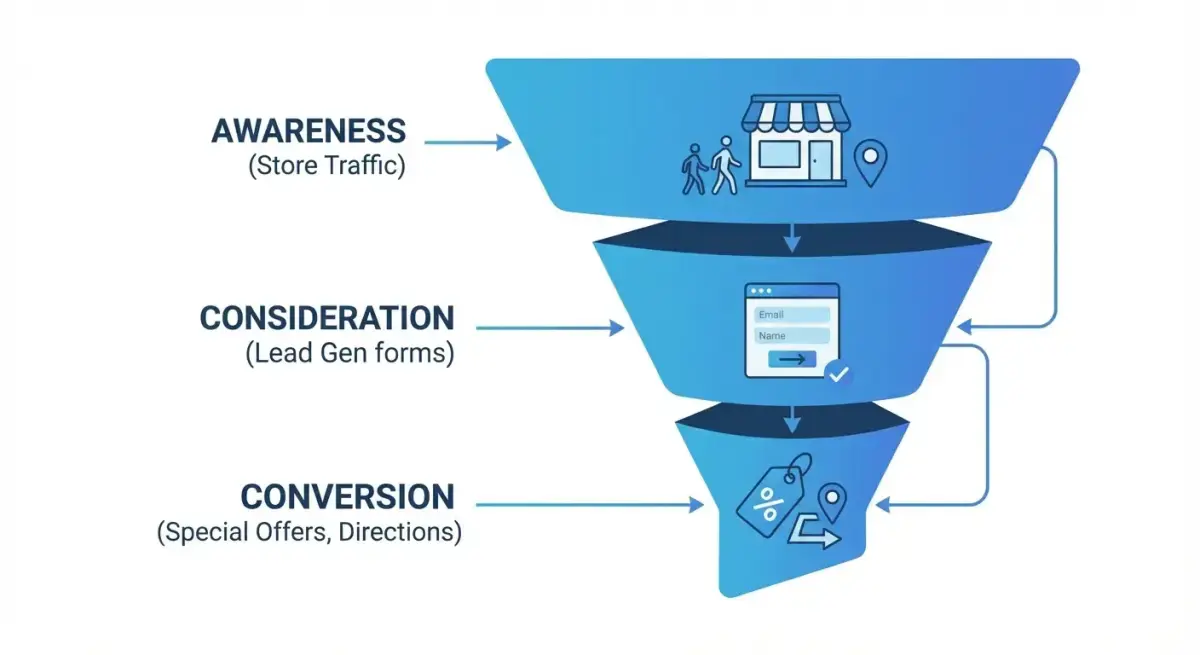 Match your Facebook ad objective to your local business funnel stage
Store Traffic
Best for: Restaurants, retail stores, gyms — any business where physical visits are the goal.
How it works: Meta optimizes delivery to people most likely to visit your location. Includes a "Get Directions" CTA and shows your business on a map card.
Requirements: You need a business location set up in your Facebook Page.
Lead Generation
Best for: Service businesses (dentists, lawyers, contractors, salons) where you need contact info before the customer visits.
How it works: Users fill out an instant form without leaving Facebook. You collect name, email, phone, and custom questions.
Tips:
- Keep forms short (3-5 fields max)
- Include a privacy disclaimer
- Set up automated follow-up (email or SMS) within 5 minutes
- Pre-fill fields where possible to reduce friction
Reach / Brand Awareness
Best for: New businesses establishing local presence, or businesses with high brand recall but low recent engagement.
How it works: Meta shows your ad to as many people as possible (Reach) or to people most likely to remember it (Brand Awareness).
When to use: The first 2-4 weeks of advertising, or when launching in a new area.
Engagement
Best for: Building social proof and community. Use when you need more followers, comments, and shares to establish credibility.
When to use: Alongside other objectives, not as your only campaign. Social proof makes your other ads more effective.
Retargeting Local Audiences for Repeat Business
Retargeting is where local businesses see the highest ROI. Someone who already visited your website or engaged with your page is 5-10x more likely to become a customer than a cold audience.
Local Retargeting Audiences to Build
- Website visitors (last 30 days) — people who visited your site
- Page engagers (last 90 days) — people who liked, commented, or shared your posts
- Instagram engagers — people who interacted with your Instagram profile
- Video viewers (50%+ watched) — people who watched at least half of your video ads
- Customer list — upload your email/phone list to create a custom audience
- Lookalike audiences — find new people similar to your existing customers
Retargeting Creative Strategy
Retargeting ads should be different from prospecting ads:
- Reference their previous interaction — "You were checking us out..."
- Offer an incentive — "Come back and get 15% off your first visit"
- Show social proof — Reviews, testimonials, customer count
- Create urgency — "Only 3 appointment slots left this week"
Frequency Caps for Local Retargeting
Local audiences are small by definition. Without frequency caps, you'll show the same ad to the same 500 people 30 times. Set frequency caps:
- Prospecting: 2-3 impressions per person per week
- Retargeting: 3-5 impressions per person per week
- Rotate creatives every 2-3 weeks to prevent fatigue
Measuring Local Ad Performance: Metrics That Matter
Local business metrics are different from e-commerce metrics. Here's what to track:
Primary KPIs for Local Businesses
| Metric | What It Measures | Good Benchmark |
|---|---|---|
| Cost per Lead (CPL) | How much each contact costs | $5-25 depending on industry |
| Cost per Direction Request | How much each map click costs | $1-5 |
| Cost per Call | How much each phone call costs | $5-15 |
| Cost per Message | How much each inquiry costs | $2-10 |
| Reach (local) | How many local people saw your ad | Track weekly growth |
| Frequency | How many times each person saw your ad | Keep under 4/week |
Offline Attribution Methods
Since local business conversions often happen offline, use these tracking methods:
- Unique promo codes — "Mention code FB20 for 20% off"
- Ask customers — "How did you hear about us?" (train staff to ask)
- Track direction requests as a proxy for store visits
- Compare ad spend periods with revenue — look for correlation
- Use Meta's Store Visit estimates (available for qualifying businesses)
What "Good" Looks Like
For most local businesses:
- A CPL under $20 is good
- A cost per store visit under $10 is excellent
- An ROAS of 3-5x is a strong benchmark (if you can track revenue)
- Break-even within the first month of optimization is realistic
Common Mistakes Local Businesses Make with Facebook Ads
1. Targeting Too Wide
Setting a 50 km radius when your customers come from 5 km away wastes most of your budget on people who'll never visit.
2. Using Stock Photos
Local customers can tell when a photo isn't your actual business. Authenticity builds trust — use real photos, even if they're not professional quality.
3. No Clear Offer
"Visit our restaurant" isn't compelling. "This Friday: Buy one entrée, get the second half off" gives people a reason to act now.
4. Ignoring Mobile
Over 95% of Facebook users access it on mobile. Your landing page, lead form, and website must be mobile-optimized.
5. Not Following Up on Leads
Generating leads with Facebook Ads means nothing if you don't follow up within hours (ideally minutes). Set up automated responses and train your team.
6. Boosting Posts Instead of Running Ads
The "Boost Post" button is Facebook's most profitable feature — for Facebook. It offers limited targeting and optimization compared to creating ads through Ads Manager. Always use Ads Manager for local campaigns.
7. Not Testing Creative
Running one ad forever leads to creative fatigue. Test at least 2-3 creative variants per campaign and rotate monthly.
8. Setting and Forgetting
Local campaigns need weekly attention. Check your metrics every Monday: review cost per lead, adjust budgets for top performers, pause underperforming ads, and refresh creative that's been running for more than three weeks. Even 15 minutes of weekly optimization can cut your cost per lead by 30-50% over a quarter.
9. Ignoring Seasonal Patterns
Local businesses are inherently seasonal. A gym sees spikes in January, a restaurant peaks in summer, a tax preparer needs leads in March. Plan your campaigns around these cycles — increase budget 2-4 weeks before peak seasons and reduce during known slow periods. Don't waste budget fighting natural demand patterns.
10. Not Using Google Maps Integration
Make sure your Facebook Page has your Google Maps listing linked and your address is accurate. When users click "Get Directions" from your ad, incorrect or missing location data means lost customers. Verify your address across Facebook, Google, and Apple Maps for consistency.
Scaling Local Campaigns to Multiple Locations
Once your local facebook ads strategy works for one location, here's how to scale:
Replication Framework
- Document what works — creative formats, audience settings, budget ratios
- Create a template campaign — standard settings you can duplicate per location
- Adjust per market — radius, budget, and offers may vary by location
- Centralize reporting — use a single dashboard for all locations
Budget Allocation Across Locations
Not all locations deserve equal budget. Allocate based on:
- Market size — larger populations get more budget
- Competition level — more competitive areas may need higher spend
- Store performance — higher-performing locations get priority
- Growth targets — new locations may need awareness budget
Using Competitive Intelligence for Local Markets
Understanding what competitors are running in each local market helps you differentiate your messaging and avoid creative overlap. Tools like Adligator let you search competitor ads by keyword and see what's active in your market — useful for spotting trends in local ad creative, offers, and messaging approaches that resonate.
FAQ
How much should a local business spend on Facebook Ads?
Most local businesses see results starting at $10-20 per day. A reasonable test budget is $300-600/month. Scale based on results — if you're getting leads at an acceptable cost, gradually increase to $50-100/day.
What is the best Facebook ad objective for local businesses?
For driving foot traffic, use Store Traffic. For collecting leads (appointments, quotes), use Lead Generation with instant forms. For general awareness in your area, use Reach or Brand Awareness with radius targeting.
How do I target people near my business on Facebook?
Use radius targeting in the ad set level. Set your business address as the center point and choose a radius (typically 5-25 km depending on your area). Select "People living in this location" to avoid targeting tourists or travelers.
Can Facebook Ads drive foot traffic to my store?
Yes. The Store Traffic objective is specifically designed for this. Combine it with radius targeting, store-specific offers, and a clear "Get Directions" CTA. Track results using foot traffic estimates in Ads Manager or unique in-store promo codes.
How do I measure local ad performance?
Track leads, direction requests, calls, and messages as primary KPIs. Use unique promo codes for in-store attribution. For Store Traffic campaigns, Meta provides estimated store visits. Also monitor cost per lead and return on ad spend over 30-day windows.
Conclusion
Facebook ads for local business aren't complicated — they're just different from e-commerce campaigns. The fundamentals are straightforward: target people near your location, show them authentic content about your business, give them a compelling reason to visit, and follow up when they respond.
Start with $10-20/day, use radius targeting, run real photos of your business, and include a specific offer. That's the formula. From there, add retargeting, test creative variants, and scale what works.
The local businesses winning with Facebook Ads in 2026 aren't the ones with the biggest budgets. They're the ones who understand their local market, create authentic content, and optimize consistently.
Ready to see what's working in your local market? See what Facebook ads your local competitors are running — try Adligator free
Related Reading
- Facebook Ads Campaign Anatomy: Breaking Down 5 Winning Campaign Structures Across Different Verticals
- Facebook Ads Frequency Benchmarks by Vertical: When Creative Fatigue Hits and What to Do (2026)
- How to A/B Test Facebook Ad Creatives: A Beginner Guide to Statistical Confidence and Faster Winners
- DTC Brand Facebook Ad Research: How to Spy on Competitors and Build a Winning Creative Launch Strategy
