Facebook Ads Retargeting 101: How to Build Your First Remarketing Funnel from Scratch
You are spending money to drive traffic to your website. People land, browse, maybe even add something to cart — and then leave. Without facebook ads retargeting, those visitors are gone. You paid to get them, and now you are paying again to find new ones.
Retargeting fixes this. It lets you show ads specifically to people who already interacted with your brand — website visitors, video viewers, page engagers. These audiences convert at 2-3x the rate of cold traffic because they already know who you are.
This guide walks you through building your first facebook remarketing funnel from scratch. No jargon, no theory-heavy fluff. Just the practical steps a beginner media buyer or solo advertiser needs to start converting warm traffic in 2026, including the post-iOS14 adjustments that most outdated guides skip.
What Is Retargeting and Why It Matters
Retargeting (also called remarketing) means showing ads to people who have already taken some action with your business. They visited your site, watched your video, clicked an ad, or engaged with your Facebook page. Instead of targeting strangers, you are targeting warm leads.
Why does this matter for your ad budget?
- Higher conversion rates. Warm audiences already know your brand. They need a nudge, not an introduction.
- Lower cost per acquisition. Because these audiences are smaller and more qualified, you typically pay less per conversion.
- Better ROAS. Retargeting campaigns regularly outperform prospecting campaigns on return on ad spend.
- Shorter sales cycles. Someone who abandoned their cart yesterday is closer to buying than someone who has never heard of you.
For beginner media buyers, retargeting is the single fastest way to improve campaign performance without increasing total budget. You are simply recycling the traffic you already paid for.
How Facebook Retargeting Works (Pixel, CAPI, Custom Audiences)
Facebook retargeting relies on three core components working together: the Meta Pixel, the Conversions API (CAPI), and Custom Audiences.
The Meta Pixel
The Pixel is a snippet of JavaScript code you install on your website. It tracks visitor behavior — page views, add-to-cart events, purchases, and any custom events you define. This data feeds back to Facebook so you can build audiences based on specific actions.
To install it:
- Go to Events Manager in your Meta Business Suite.
- Click Connect Data Sources → Web → Meta Pixel.
- Name your Pixel and add your website URL.
- Install the code manually in your site's
<head>tag, or use a partner integration (Shopify, WordPress, etc.).
Conversions API (CAPI)
After iOS 14.5, browser-based tracking became unreliable. Apple's App Tracking Transparency prompt means many users opt out of tracking, and the Pixel misses their events.
CAPI sends event data directly from your server to Facebook — bypassing the browser entirely. This is no longer optional. If you run retargeting in 2026 without CAPI, you are working with incomplete data and building audiences from a fraction of your actual visitors.
Most ecommerce platforms (Shopify, WooCommerce, BigCommerce) offer native CAPI integrations. Set it up alongside the Pixel for redundant tracking.
Custom Audiences
Custom Audiences are the targeting mechanism. You create them in Ads Manager based on the data your Pixel and CAPI collect. Common retargeting audiences include:
- All website visitors (last 30 days)
- Specific page visitors (product pages, pricing page)
- Add-to-cart but no purchase
- Video viewers (25%, 50%, 75%, 95% watched)
- Facebook/Instagram page engagers
These audiences update automatically as new people meet the criteria.
Setting Up Your First Retargeting Campaign Step-by-Step
Here is the exact retargeting setup process for beginners who have never run a remarketing campaign:
Step 1: Verify your tracking. Go to Events Manager and confirm your Pixel is firing correctly. Use the Meta Pixel Helper Chrome extension to verify events on your site. Check that CAPI events are also coming through (you will see both browser and server events in the event log).
Step 2: Create your first Custom Audience. Navigate to Audiences in Ads Manager. Click Create Audience → Custom Audience → Website. Start with "All website visitors — last 30 days." This is your broadest retargeting audience and the safest starting point.
Step 3: Build your campaign.
- Campaign objective: Choose Sales or Leads depending on your goal.
- Ad set level: Select your Custom Audience under targeting. Exclude purchasers (create a separate audience for people who completed a purchase in the last 30 days).
- Placements: Start with Advantage+ placements for broader reach, or manually select Facebook Feed and Instagram Feed if you want more control.
Step 4: Set your budget. Start with $10-20/day for retargeting. Your audience is smaller than prospecting, so you do not need a large budget. Facebook will tell you if your audience is too small for the budget.
Step 5: Launch and monitor. Let the campaign run for 3-5 days before making changes. Watch frequency (how many times each person sees your ad) — if it goes above 3-4 in the first week, your audience is too small or your budget is too high.
Audience Segments for Retargeting: Website Visitors, Cart Abandoners, Video Viewers
Not all retargeting audiences are equal. Different segments sit at different points in the buying journey and need different messaging.
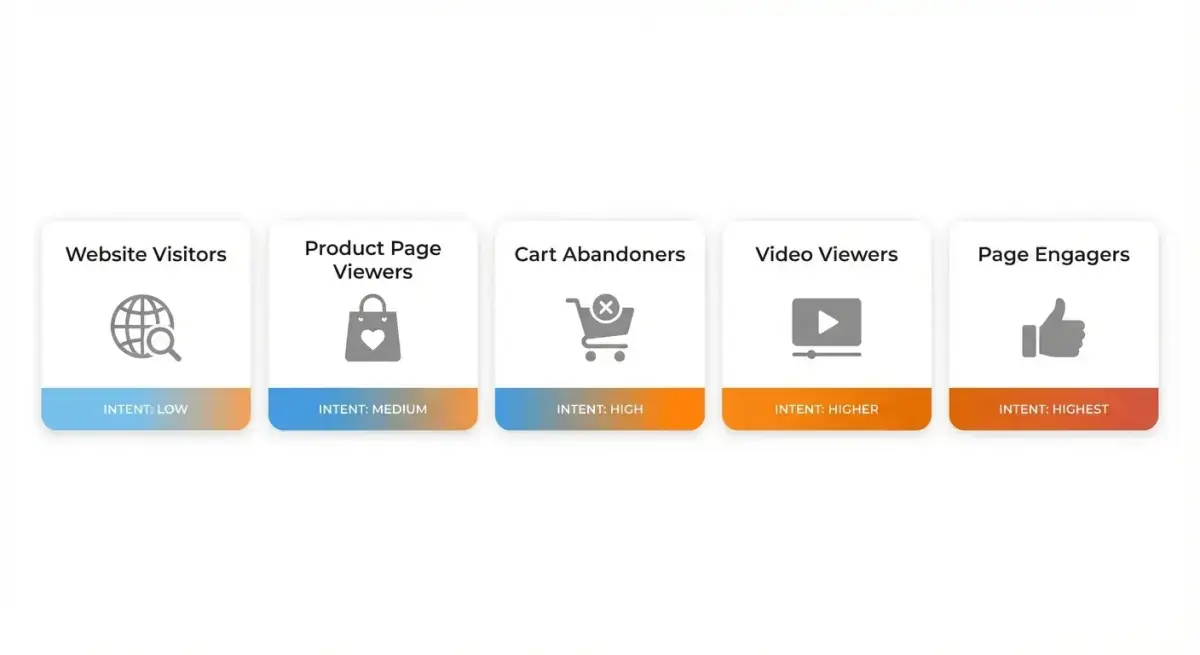 Different audience segments require different retargeting approaches and creative strategies
Website Visitors (All Pages)
- Window: 14-30 days
- Intent level: Low to medium
- Best creative approach: Brand reminder, social proof, value proposition recap
- Use when: You need a broad retargeting base to start
Product/Service Page Visitors
- Window: 7-14 days
- Intent level: Medium
- Best creative approach: Specific product benefits, comparison content, testimonials
- Use when: You have enough traffic to segment by page
Cart Abandoners
- Window: 3-7 days
- Intent level: High
- Best creative approach: Urgency, limited-time offers, free shipping, direct product image
- Use when: You run ecommerce and have add-to-cart event tracking
Video Viewers
- Window: 30-90 days
- Intent level: Low (but engaged)
- Best creative approach: Next-step content, lead magnets, product demos
- Use when: You run video ads for prospecting and want to capture engaged non-clickers
Facebook/Instagram Page Engagers
- Window: 30-90 days
- Intent level: Low to medium
- Best creative approach: Direct offers, testimonials, deeper content
- Use when: You have active social content generating engagement
The key principle: shorter windows = higher intent = more aggressive offers. A 3-day cart abandoner audience should see different creative than a 30-day general visitor.
Creating Retargeting Ad Creatives That Convert
Retargeting creative is fundamentally different from prospecting creative. Your audience already knows who you are. They do not need another brand introduction — they need a reason to come back.
Creative principles for retargeting:
Address the objection, not the awareness. The person already visited your site. Something stopped them from converting. Your retargeting ad should address that friction: price concern, trust, urgency, or simply reminding them of what they left behind.
Use dynamic product ads (DPA) for ecommerce. DPA automatically shows people the exact products they viewed or added to cart. This is the highest-performing retargeting format for ecommerce because it requires zero creative effort — Facebook pulls product images and prices from your catalog.
Rotate creative every 5-7 days. Retargeting audiences are small, which means frequency builds fast. Prepare 3-4 creative variations per ad set and rotate them to prevent ad fatigue.
Layer social proof. Testimonials, review counts, "X customers served" — these work exceptionally well in retargeting because the person is already considering you. Social proof reduces the perceived risk of conversion.
Research competitor retargeting strategies
One of the most effective ways to improve your retargeting creative is to study what competitors are running. Ads that have been active for 10+ days are likely performing — that longevity is a signal.
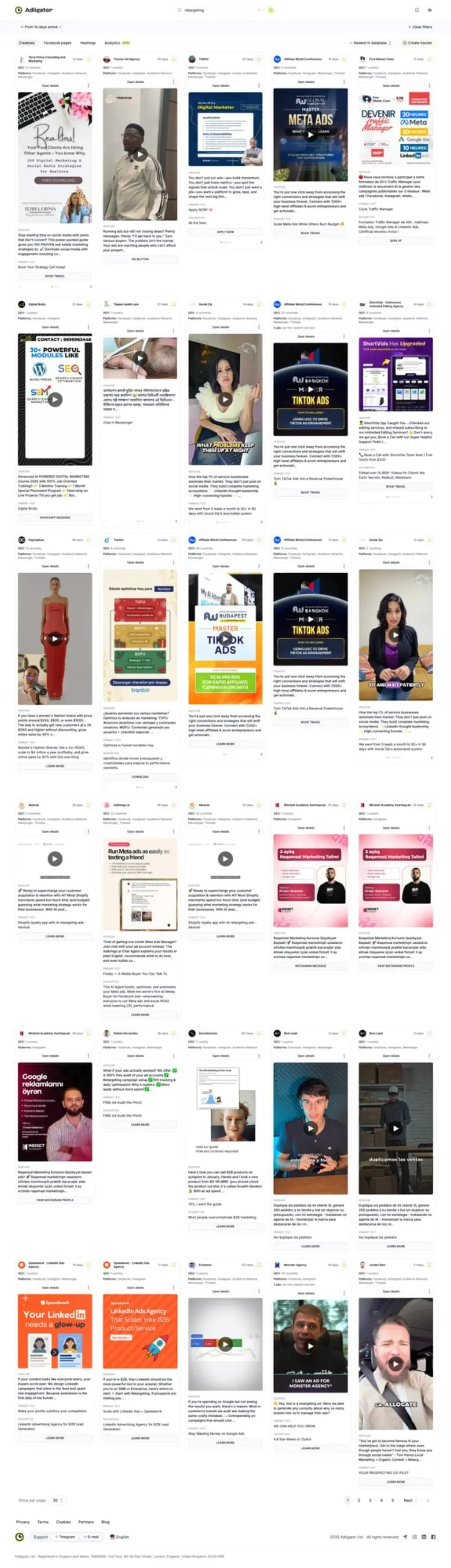 Filter competitor ads by days active in Adligator to identify retargeting creatives that run consistently
Manually browsing Meta Ad Library gives you a list of ads, but you cannot filter by how long an ad has been running, what format it uses, or which creatives persist over time. That makes it nearly impossible to distinguish retargeting-style creatives from prospecting ones.
With a tool like Adligator, you can filter competitor ads by days active, creative format, and platform placement to reverse-engineer which creatives are part of their retargeting sequences. Ads running for weeks with specific product imagery or testimonial-style creative are typically retargeting assets.
See how top advertisers structure their retargeting — explore competitor funnels with Adligator
Retargeting Funnel Architecture: Top → Mid → Bottom
A retargeting funnel is not a single campaign — it is a sequence of campaigns that move people through stages. Here is the standard three-tier architecture.
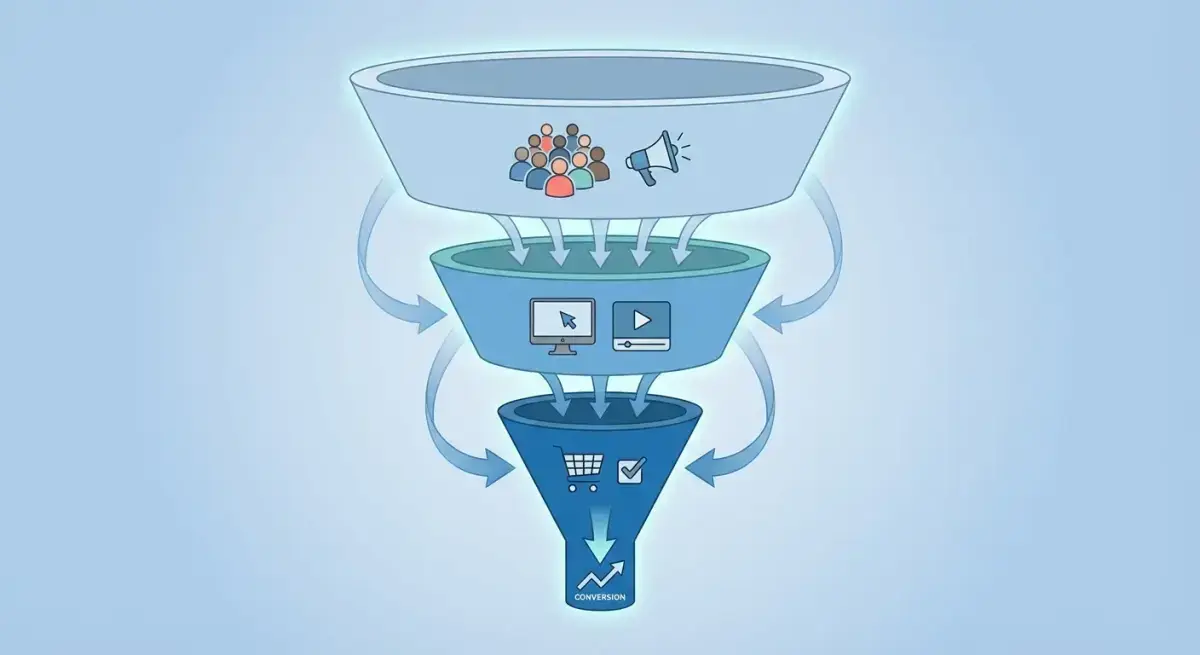 A well-structured retargeting funnel moves audiences from awareness through engagement to conversion
Top of Funnel (TOF) — Re-engage
- Audience: All website visitors, video viewers, page engagers (14-90 days)
- Goal: Bring them back, deepen engagement
- Creative: Educational content, blog posts, behind-the-scenes, brand story
- Exclusions: Remove anyone who already visited a product page or added to cart
Middle of Funnel (MOF) — Nurture
- Audience: Product page visitors, content engagers (7-30 days)
- Goal: Build consideration, address objections
- Creative: Testimonials, case studies, product comparisons, reviews
- Exclusions: Remove purchasers and cart abandoners
Bottom of Funnel (BOF) — Convert
- Audience: Cart abandoners, checkout initiators, pricing page visitors (1-7 days)
- Goal: Close the sale
- Creative: Urgency offers, limited-time discounts, free shipping, DPA
- Exclusions: Remove recent purchasers (7-14 days)
The critical rule: always exclude downstream audiences from upstream campaigns. If someone abandoned their cart, they should see BOF ads — not TOF brand awareness content. Use exclusion audiences at every level to prevent overlap.
Frequency Capping and Ad Fatigue Management
Frequency is the silent killer of retargeting campaigns. Because your audiences are small (often 1,000-50,000 people), each person sees your ad many times. When frequency climbs too high, performance drops and costs rise.
Warning signs of ad fatigue:
- Frequency above 4-5 per week
- CTR declining steadily over 5+ days
- CPM rising without audience size changes
- Negative comments or "hide ad" feedback increasing
How to manage it:
Set frequency caps. In Ads Manager, you can set reach and frequency limits at the campaign level (choose "Reach" objective) or monitor frequency at the ad set level and manually pause when it gets too high.
Rotate creative proactively. Do not wait for performance to drop. Schedule creative refreshes every 5-7 days for BOF audiences and every 10-14 days for TOF/MOF.
Expand audience windows. If your 7-day cart abandoner audience is too small and frequency spikes, try a 14-day window. You sacrifice some intent recency but gain more reach.
Use sequential messaging. Instead of showing the same ad repeatedly, show different messages in sequence. Day 1-3: product reminder. Day 4-7: testimonial. Day 8-14: discount offer. This keeps the experience fresh.
Budget Allocation for Retargeting vs Prospecting
A common mistake for remarketing beginners is either spending too much or too little on retargeting relative to prospecting.
The general framework:
| Campaign Type | Budget Share | When to Adjust |
|---|---|---|
| Prospecting (cold) | 70-80% | Increase if retargeting audiences are too small |
| Retargeting (warm) | 20-30% | Increase if conversion rates justify it |
Budget rules of thumb:
- Start at 15-20% for retargeting. This is safe for most beginners.
- Watch your audience-to-budget ratio. If your retargeting audience is 2,000 people and you are spending $50/day, frequency will spike fast. Scale budget to audience size.
- BOF gets the smallest budget but highest priority. Cart abandoners are your highest-intent audience. Even $5-10/day can drive meaningful conversions.
- TOF retargeting gets the largest retargeting budget. These are your broadest warm audiences and need more spend to reach effectively.
As your total traffic grows and retargeting audiences expand, gradually increase the retargeting budget share. Some mature advertisers run 30-40% retargeting when they have large, well-segmented warm audiences.
Measuring Retargeting Performance: Key Metrics
Retargeting metrics look different from prospecting metrics. Do not judge retargeting by the same benchmarks.
Primary metrics to track:
- ROAS (Return on Ad Spend). Your north star. Retargeting ROAS should be significantly higher than prospecting ROAS — often 3-10x depending on your industry.
- Cost per Purchase/Lead. Should be lower than prospecting campaigns by 30-60%.
- Frequency. Keep below 4-5 per week for most audiences. Monitor daily.
- CTR (Click-Through Rate). Retargeting CTR should be higher than prospecting (1.5-3%+ is common). If CTR drops below 1%, creative fatigue is likely.
- Conversion Rate. Landing page conversion rate from retargeting traffic should outperform cold traffic.
Secondary metrics:
- Reach vs. Audience Size. If reach is capped well below your audience size, increase budget or broaden placements.
- Overlap between ad sets. Use the Audience Overlap tool in Ads Manager to check if your retargeting segments share too many people.
- Attribution windows. Use 7-day click and 1-day view as your baseline attribution window. Longer windows inflate retargeting credit.
Reporting cadence:
Check retargeting performance every 2-3 days for the first two weeks. Once stable, weekly reviews are sufficient. Always compare retargeting performance alongside prospecting — they work as a system, not in isolation.
Common Retargeting Mistakes and How to Fix Them
After setting up hundreds of retargeting campaigns, these are the mistakes that sink beginners most often.
Mistake 1: No exclusion audiences. If you do not exclude purchasers from retargeting, you waste budget showing ads to people who already bought. Always create a "Purchasers — last 30 days" exclusion audience and apply it to every retargeting ad set.
Mistake 2: One retargeting audience for everything. Lumping all website visitors into a single audience means your messaging cannot be specific. A first-time homepage visitor and a cart abandoner need completely different ads. Segment from day one.
Mistake 3: Running the same creative for weeks. Retargeting audiences are small. They see your ads more often. If you run the same creative for 3+ weeks without refreshing, performance will degrade. Prepare multiple creative variations before launching.
Mistake 4: Retargeting without sufficient traffic. If your website gets fewer than 500 visitors per month, your retargeting audiences will be too small for Facebook to optimize. Focus on building traffic with prospecting campaigns first, then layer retargeting on top.
Mistake 5: Ignoring the Conversions API. Running retargeting with only Pixel tracking in 2026 means you are missing 30-40% of your data. CAPI is not optional — it is the foundation of accurate audience building in the post-iOS14 era.
Mistake 6: Setting and forgetting. Retargeting campaigns need active management. Creative rotation, frequency monitoring, audience window adjustments, and budget rebalancing are ongoing tasks, not one-time setup items.
FAQ
How much should I spend on retargeting?
Most advertisers allocate 10-30% of their total Facebook ads budget to retargeting. Start with 15-20% and adjust based on audience size and conversion rates. Smaller retargeting audiences need less budget because reach is naturally limited.
What is a good retargeting audience size?
A minimum of 1,000 people in your custom audience is recommended for Facebook to optimize delivery effectively. Ideal retargeting audiences range from 1,000 to 50,000 depending on your traffic volume and funnel stage.
How long should I retarget someone?
Standard retargeting windows are 7 days for cart abandoners, 14-30 days for website visitors, and up to 90 days for top-of-funnel engagement audiences. Shorter windows typically yield higher conversion rates but smaller reach.
Is retargeting still effective after iOS 14?
Yes, but it requires adaptation. Implementing Conversions API (CAPI) alongside the Pixel, using first-party data, and leveraging on-platform engagement audiences (video viewers, page engagers) helps maintain retargeting effectiveness in the post-iOS14 era.
Conclusion
Facebook ads retargeting is the most efficient way to convert traffic you have already paid for. The fundamentals are straightforward: install your tracking (Pixel + CAPI), build segmented custom audiences, structure a three-tier funnel, and create creative that addresses objections rather than introducing your brand.
Start simple. One campaign targeting all website visitors with 2-3 ad variations. Once that is profitable, expand into segmented audiences — cart abandoners, video viewers, page engagers. Layer exclusions, manage frequency, and rotate creative on a schedule.
The difference between media buyers who waste budget and those who scale profitably often comes down to how well they retarget. And understanding what top-performing retargeting creative looks like is half the battle.
Ready to see what your competitors' retargeting looks like? Explore competitor funnels with Adligator
Related Reading
- How to A/B Test Facebook Ad Creatives: A Beginner Guide to Statistical Confidence and Faster Winners
- Facebook Ad Account Structure and Naming Conventions: A Scaling Framework for Media Buyers
- How to Allocate Your Facebook Ads Budget for Testing: A Practical Framework for Solo Media Buyers
- Facebook Ads Campaign Anatomy: Breaking Down 5 Winning Campaign Structures Across Different Verticals
