Facebook Dynamic Product Ads (DPA) Guide: Catalog Setup, Optimization, and Scaling for eCommerce (2026)
If you run an eCommerce store and advertise on Meta, Dynamic Product Ads (DPA) should be the backbone of your paid social strategy. Facebook dynamic product ads automatically pull products from your catalog and serve them to people most likely to buy -- based on their browsing behavior, purchase history, and interest signals.
The payoff is significant: instead of manually creating ads for every SKU, you build one template and let Meta's algorithm match the right product to the right person at the right time. For stores with dozens or thousands of products, DPA eliminates the creative bottleneck that kills scaling.
This guide covers everything you need to set up, optimize, and scale DPA campaigns in 2026 -- from initial catalog creation through advanced feed optimization, creative customization, and bidding strategy. Whether you are launching your first dynamic ads or troubleshooting underperforming campaigns, you will find actionable steps here.
What Are Dynamic Product Ads and Why They Matter
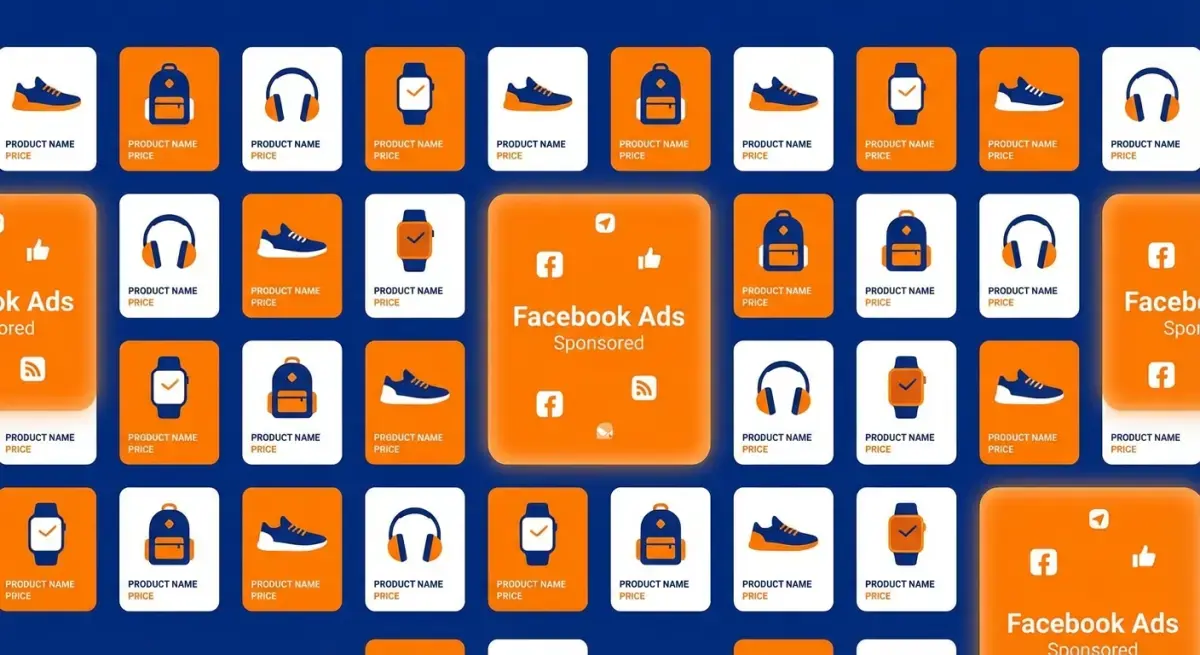
Dynamic Product Ads are Meta's automated ad format that pulls product information -- images, titles, prices, descriptions -- directly from your product catalog and serves personalized ads to users across Facebook, Instagram, Messenger, and the Audience Network.
Unlike standard ads where you design each creative manually, DPA campaigns generate ads dynamically. Meta's algorithm decides which products to show each user based on:
- Retargeting signals: Products the user viewed, added to cart, or purchased on your site
- Prospecting signals: Behavioral and interest data that predict purchase intent for users who have not visited your store
- Catalog data: Product attributes like price, availability, category, and custom labels
For eCommerce advertisers, DPA matters for three reasons:
- Scale without creative overhead. One campaign template can serve ads for your entire catalog. No need to create individual ads for each product.
- Personalization at the individual level. Each user sees products relevant to their behavior and interests, which drives higher click-through and conversion rates.
- Seamless integration with Advantage+ Shopping. Meta's Advantage+ Shopping Campaigns (ASC) are built on top of DPA infrastructure. Understanding DPA mechanics is essential for getting the most from ASC.
The relationship between DPA and Advantage+ is worth understanding. DPA is the underlying ad delivery mechanism -- it is how Meta pulls products from your catalog and serves them dynamically. Advantage+ Shopping is the campaign-level automation layer that handles audience targeting, placements, and budget allocation. You can run DPA within traditional campaign structures (with manual audience selection) or within the Advantage+ framework. Both rely on the same catalog and feed infrastructure.
Setting Up Your Product Catalog
Before you can launch any dynamic ads for eCommerce, you need a properly configured product catalog in Meta Commerce Manager. Here is the step-by-step process.
 The DPA setup flow: catalog creation, feed connection, pixel mapping, and campaign launch.
Step 1: Create Your Catalog
- Go to Commerce Manager (business.facebook.com/commerce).
- Click Add Catalog and select eCommerce as the catalog type.
- Choose your upload method:
- Partner platform: If you use Shopify, WooCommerce, BigCommerce, or Magento, use the native integration. This auto-syncs your products.
- Data feed: Upload a CSV, TSV, or XML file with your product data. Best for custom stores or when you need full control.
- Meta Pixel: Auto-populate catalog from pixel events (limited -- not recommended as primary method).
Step 2: Connect Your Product Feed
Your product feed is the data source that powers DPA. It needs to include:
Required fields:
id-- Unique product identifier (must match your pixel'scontent_ids)title-- Product name (max 150 characters)description-- Product descriptionavailability-- in stock, out of stock, or preordercondition-- new, refurbished, or usedprice-- Including currency code (e.g., "29.99 USD")link-- Product page URLimage_link-- Primary product image URL (minimum 600x600px)brand-- Brand name
Step 3: Map Your Pixel or Conversions API
This is where most DPA setups fail. Your Meta Pixel (or Conversions API) must fire events with content_ids that exactly match the id field in your product feed. If these do not match, Meta cannot connect user behavior to specific products.
Key events to verify:
- ViewContent -- fires on product pages
- AddToCart -- fires when a product is added to cart
- Purchase -- fires on order confirmation
Use the Events Manager > Test Events tool to verify each event fires with the correct content_ids parameter. A single mismatched ID will break retargeting for that product.
Step 4: Create Product Sets
Product sets are subsets of your catalog that you can target separately. Common product sets include:
- All products -- default, includes everything
- Category-based -- e.g., "Men's Shoes," "Electronics under $50"
- Margin-based -- high-margin products for aggressive bidding
- Seasonal -- holiday collections, clearance items
- Best sellers -- top-performing products by sales volume
Product sets give you granular control over which products appear in which campaigns and ad sets.
Product Feed Optimization Best Practices
Your feed quality directly determines DPA performance. A poorly optimized feed leads to low relevance scores, disapproved products, and wasted spend. Here is how to get it right.
 Essential and recommended product feed fields for high-performing DPA campaigns.
Title Optimization
Product titles are the single most impactful feed field for DPA performance. Follow this formula:
Brand + Product Name + Key Attribute + Size/Color/Variant
Examples:
- Bad: "Running Shoes"
- Good: "Nike Air Max 270 Running Shoes -- Men's Black/White, Size 10"
Keep titles under 150 characters. Front-load the most important information since Meta truncates long titles in ad placements.
Image Quality
- Minimum resolution: 600x600px (Meta requirement)
- Recommended: 1200x1200px for sharp rendering on high-DPI screens
- Use clean, white-background product shots as primary images
- Add
additional_image_linkfields for lifestyle shots -- Meta can use these in carousel and collection formats - Avoid text overlays on feed images (Meta may reject them under the 20% text rule)
Custom Labels (Custom Label 0-4)
Custom labels are your secret weapon for DPA optimization. Use them to segment products by business logic that does not exist in standard feed fields:
custom_label_0: Margin tier (high, medium, low)custom_label_1: Performance tier (best seller, average, underperformer)custom_label_2: Seasonal flag (spring_2026, evergreen)custom_label_3: Promotion status (on_sale, full_price)custom_label_4: Inventory level (high_stock, low_stock)
You can then create product sets based on these labels and assign different bidding strategies accordingly.
Feed Refresh Frequency
- Standard stores: Every 6-12 hours
- High-inventory or flash-sale stores: Every 1-4 hours
- Drop-shipping: Every 4-6 hours (to catch supplier stock changes)
Stale feeds cause two problems: ads showing out-of-stock products (wasted spend and poor user experience) and incorrect pricing (which can violate Meta's advertising policies).
DPA Campaign Structure and Bidding
Getting your campaign structure right is critical for DPA performance. Here is the framework that works for most eCommerce advertisers.
Recommended Campaign Structure
Run at least two separate DPA campaigns:
Campaign 1: Retargeting (Warm Audiences)
- Objective: Sales
- Audience: Website visitors (ViewContent, AddToCart) within 7-14 days, excluding purchasers
- Product set: All products or high-margin products
- Budget: 20-30% of total DPA spend
Campaign 2: Prospecting (Cold Audiences)
- Objective: Sales
- Audience: Broad targeting or lookalike audiences based on purchasers
- Product set: Best sellers or curated top-performers
- Budget: 70-80% of total DPA spend
Bidding Strategy
For retargeting DPA:
- Start with Lowest Cost (automatic bidding)
- Once you have 50+ conversions per week, test Cost Cap at your target CPA
- Retargeting audiences are small and warm, so avoid bid caps that are too aggressive
For prospecting DPA:
- Use Lowest Cost initially to let Meta find converting users
- Scale by increasing daily budget 15-20% every 3-4 days (avoid large budget jumps)
- If ROAS drops below your target, implement Minimum ROAS bidding
Audience Segmentation for Retargeting
Break your retargeting audiences by recency and intent:
| Audience | Window | Intent Level | Bid Priority |
|---|---|---|---|
| Cart abandoners | 0-3 days | Highest | Highest bid |
| Cart abandoners | 4-14 days | High | Medium bid |
| Product viewers | 0-7 days | Medium | Medium bid |
| Product viewers | 8-30 days | Lower | Lower bid |
| Past purchasers (cross-sell) | 30-180 days | Variable | Medium bid |
Exclude purchasers from your cart abandoner audiences (unless cross-selling) to avoid wasting impressions on completed sales.
Soft CTA: Research competitor DPA creatives with Adligator to find winning product ad formats
Creative Customization: Overlays, Frames, and Templates
Default DPA creatives -- a plain product image with auto-pulled title and price -- convert, but they do not stand out. Creative customization is where you gain an edge over competitors running vanilla catalog ads.
 Creative overlays transform generic catalog images into branded, high-converting product ads.
Native Meta Overlays
In Commerce Manager, you can add overlays to your catalog creative:
- Price overlay: Shows the product price as a badge
- Strikethrough price: Shows original price crossed out with sale price
- Percentage off: Displays discount percentage
- Free shipping: Adds a free shipping badge
- Custom frame: Brand-colored border around the product image
To set this up: Commerce Manager > Catalog > Creative Tools > Create Template.
Catalog-Level Creative Customization
Beyond overlays, you can customize the entire ad template:
- Background colors: Replace the default white with brand colors
- Crop and aspect ratio: Choose between square (1:1), landscape (1.91:1), or vertical (4:5)
- Text formatting: Customize how product title and price are displayed
- Card layout: Arrange image, title, price, and CTA button positioning
Advanced Creative with Third-Party Tools
For more sophisticated DPA creative, consider tools like:
- Hunch -- Dynamic creative automation with advanced template builder
- ROI Hunter -- Product-level performance tracking and creative templates
- Smartly.io -- Automated creative production at scale
These tools allow you to create branded templates that pull in catalog data dynamically while maintaining visual consistency across thousands of SKUs.
What to Look for in Competitor DPA Creative
Before designing your own overlays and templates, study what top-performing eCommerce brands are doing with their dynamic ads. Pay attention to:
- Which overlay styles they use (price badges, discount callouts, urgency timers)
- Whether they use lifestyle images or clean product shots
- How they handle carousel format (consistent styling vs. mixed)
- CTA button choices (Shop Now vs. Learn More vs. Buy Now)
This is where competitive intelligence saves time. Instead of testing every creative variation from scratch, you can see what formats are already working in your category and adapt from there.
Retargeting vs Broad Audience DPA
Understanding when to use retargeting DPA versus broad audience DPA is essential for efficient budget allocation.
Retargeting DPA
Best for: Stores with 1,000+ monthly website visitors and active pixel data.
Retargeting DPA shows products to people who have already interacted with your store. The algorithm uses pixel events to match users with the specific products they viewed or added to cart.
Key settings:
- Audience: Custom audience based on website activity
- Lookback window: 7-14 days for cart abandoners, 14-30 days for viewers
- Product set: Match the products relevant to the audience behavior
- Expected ROAS: Typically 3-10x (warm traffic converts at high rates)
Broad Audience DPA (Prospecting)
Best for: Stores ready to scale beyond their existing traffic.
Broad audience DPA uses Meta's algorithm to find new customers who are likely to be interested in your products, even though they have never visited your site. Meta analyzes behavioral signals, interest data, and lookalike patterns to serve relevant products.
Key settings:
- Audience: Broad targeting (age, gender, geo) or lookalike audiences
- Product set: Best sellers or highest-rated products (give the algorithm your strongest inventory)
- Expected ROAS: Typically 1.5-4x (cold traffic converts at lower rates, but volume is much higher)
Budget Split Framework
| Monthly Ad Spend | Retargeting % | Prospecting % | Notes |
|---|---|---|---|
| Under $3,000 | 40% | 60% | Build retargeting pool first |
| $3,000 - $10,000 | 30% | 70% | Shift toward prospecting as retargeting pool saturates |
| $10,000+ | 20% | 80% | Scale through prospecting; retargeting runs efficiently at lower spend |
The key principle: retargeting DPA has a ceiling determined by your website traffic volume. Once you have enough spend to reach your entire retargeting audience 2-3 times per week, additional budget must go to prospecting.
Troubleshooting Common DPA Issues
Even well-configured DPA campaigns run into problems. Here are the most common issues and their fixes.
Products Not Showing or Disapproved
Cause: Feed errors, policy violations, or missing required fields.
Fix checklist:
- Check Commerce Manager > Catalog > Diagnostics for specific errors
- Verify all required fields are populated (id, title, description, price, image_link, link, availability, condition, brand)
- Ensure images meet minimum 600x600px resolution
- Remove any products that violate Meta's commerce policies (prohibited categories, misleading claims)
- Confirm product availability status matches your actual inventory
Wrong Products Showing to Users
Cause: Content ID mismatch between pixel and feed.
Fix:
- Open Events Manager > Test Events
- Trigger a ViewContent event on your site
- Verify the
content_idsparameter matches theidfield in your catalog - If using Shopify, check whether your pixel sends
shopify_product_idvsvariant_id-- your feed must use the same format
Low Delivery or High CPM
Cause: Audience too small, bid too restrictive, or creative fatigue.
Fix:
- Expand retargeting window (e.g., 7 days to 14 days)
- Broaden geo or demographic targeting
- Switch from Cost Cap to Lowest Cost bidding temporarily
- Refresh creative overlays or templates
- Check for audience overlap between ad sets (Audience Overlap tool in Ads Manager)
Poor ROAS Despite Good Click-Through Rate
Cause: Landing page issues or product-page mismatch.
Fix:
- Verify DPA clicks land on the correct product page (not homepage or category page)
- Check mobile page speed (DPA traffic is heavily mobile)
- Ensure product pages show the same price and availability as the ad
- Review checkout flow for friction points
Scaling DPA Campaigns Profitably
Once your DPA campaigns are performing well, scaling requires a systematic approach to avoid breaking what works.
Horizontal Scaling
Horizontal scaling means launching new campaigns or ad sets to reach fresh audiences:
- New product sets: Launch separate campaigns for different product categories or price ranges
- New geos: Expand to additional countries or regions
- New placements: Test Instagram-only or Reels-specific DPA campaigns
- Lookalike expansion: Create lookalikes based on different seed audiences (purchasers, high-AOV customers, repeat buyers)
Vertical Scaling
Vertical scaling means increasing budget on winning campaigns:
- Increase daily budget by 15-20% every 3-4 days
- Never double a budget overnight -- this resets Meta's learning phase
- Monitor ROAS at each increment; if it drops below your floor, pause the increase for 5-7 days
- Use campaign budget optimization (CBO) to let Meta distribute budget across ad sets automatically
Advanced Scaling Tactics
Catalog segmentation by performance:
- Tag products in your feed based on ROAS or conversion rate (use custom labels)
- Create a "top performer" product set with your highest-converting products
- Allocate higher budgets and more aggressive bids to this set
- Create a "discovery" product set for newer or untested products with lower budgets
Seasonal scaling playbook:
- 4 weeks before peak season: Increase prospecting spend to build retargeting pools
- 2 weeks before: Launch retargeting campaigns with seasonal overlays and urgency messaging
- During peak: Shift budget heavily to retargeting; increase frequency caps
- Post-peak: Scale back to baseline, focus on cross-sell DPA to new customers acquired during the peak
Feed-level scaling:
- Add more product attributes (color, material, size, gender) to improve matching accuracy
- Include
sale_priceandsale_price_effective_datefor automatic promotion handling - Add
product_typefor Google-style category paths that help Meta understand your catalog taxonomy
FAQ
What is the difference between DPA and Advantage+ Shopping Campaigns?
DPA (Dynamic Product Ads) automatically shows products from your catalog to people who have expressed interest. Advantage+ Shopping Campaigns (ASC) is Meta's newer automated campaign type that uses machine learning to optimize the entire campaign structure, including audience targeting and placements. ASC builds on the DPA catalog infrastructure but removes most manual controls in favor of algorithmic optimization.
How many products do I need in my catalog for DPA to work effectively?
DPA can technically work with any catalog size, but performance improves significantly with at least 50-100 products. Larger catalogs give Meta's algorithm more options to match the right product to the right user. If you have fewer than 20 products, consider standard conversion campaigns with manual creative instead.
Why are my DPA ads showing the wrong products or low-quality images?
This usually stems from product feed issues. Check that your feed includes high-resolution images (minimum 600x600px, ideally 1200x1200px), accurate product titles, and correct availability status. Also verify that your pixel or Conversions API is firing correctly -- mismatched content IDs between your feed and pixel events will cause Meta to serve irrelevant products.
How often should I update my product feed for DPA campaigns?
For most eCommerce stores, schedule feed updates every 6-12 hours. If you run flash sales, have frequent inventory changes, or operate in fast-moving categories, update every 1-4 hours. Stale feeds lead to disapproved ads (showing out-of-stock items) and wasted spend on products with incorrect pricing.
Can I customize the look of Dynamic Product Ads or am I stuck with default templates?
You can customize DPA creatives significantly. Meta offers overlay templates where you can add price tags, discount percentages, free shipping badges, and brand frames. You can also use catalog-level creative customization to set background colors, crop styles, and text overlays. Third-party tools like Hunch, ROI Hunter, or Smartly.io offer even more advanced template builders for catalog ads.
Conclusion
Facebook dynamic product ads remain the most efficient way to advertise a large product catalog on Meta in 2026. The fundamentals have not changed: clean catalog setup, optimized product feeds, smart audience segmentation, and creative customization are what separate profitable DPA campaigns from wasted ad spend.
Start with the basics -- get your catalog connected, verify your pixel mapping, and launch retargeting DPA for your existing traffic. Then expand into prospecting with your best-selling products and scale methodically using the frameworks outlined above.
The biggest competitive advantage in DPA comes from understanding what creative formats, overlays, and product presentations actually convert in your category. Instead of testing blindly, study what top eCommerce advertisers are already running successfully.
Ready to get started? Research competitor DPA creatives with Adligator to find winning product ad formats
See how top eCommerce brands customize their dynamic ads
Related Reading
- Meta Advantage+ Shopping Campaigns: Complete Setup and Optimization Guide for eCommerce
- Facebook Ads for Health and Fitness: How to Promote Gyms, Supplements, and Wellness Brands (2026)
- Facebook Ad Account Structure and Naming Conventions: A Scaling Framework for Media Buyers
- How to Combine Facebook Ads and Email Marketing to Maximize Ecommerce Customer Lifetime Value in 2026
