
Facebook Ads Attribution in 2026: How to Measure True ROAS After iOS Privacy Changes
If you are relying solely on Facebook Ads Manager to tell you whether your campaigns are profitable, you are making decisions with incomplete data. Since Apple's iOS 14.5 App Tracking Transparency (ATT) framework rolled out, Facebook has consistently underreported conversions — typically by 15-30%, sometimes more.
This is not a bug. It is the structural reality of facebook ads attribution in 2026. Users who opt out of tracking (roughly 75-85% of iOS users) cannot be attributed back to specific ads by Meta's Pixel. The conversions still happen — they just are not counted.
The result: advertisers who trust only Ads Manager data often kill profitable campaigns, underinvest in working strategies, and make budget decisions based on artificially low ROAS numbers. This guide shows you how to measure true ROAS using a combination of Meta's tools, backend data, third-party attribution platforms, and incrementality testing.
The Attribution Gap: Why Facebook Underreports Conversions
Understanding the mechanics of the attribution gap is the first step to fixing it.
What Changed With iOS Privacy
When Apple introduced ATT in 2021, users gained the ability to opt out of cross-app tracking. The impact cascaded through advertising:
- Pixel tracking degraded — iOS users who opt out cannot be reliably tracked across sites
- Conversion data delayed — Meta now reports some conversions with a 1-3 day delay via statistical modeling
- Attribution windows shortened — The default window dropped from 28-day click / 1-day view to 7-day click / 1-day view
- Event data limited — iOS users are limited to 8 prioritized conversion events per domain via Aggregated Event Measurement
How Big Is the Gap?
The attribution gap varies by business type and audience composition:
| Business Type | iOS % of Audience | Typical Underreporting |
|---|---|---|
| US e-commerce | 50-60% | 20-35% |
| EU e-commerce | 30-45% | 15-25% |
| Global (mixed) | 40-50% | 15-30% |
| App advertisers | 60-70% | 30-50% |
| B2B SaaS | 45-55% | 20-30% |
Example: If your Shopify shows 100 purchases this week from all channels, and Facebook reports attributing 40 of them, the true Facebook-attributed number is likely 50-55. Your reported ROAS of 2.0x might actually be 2.5-2.8x.
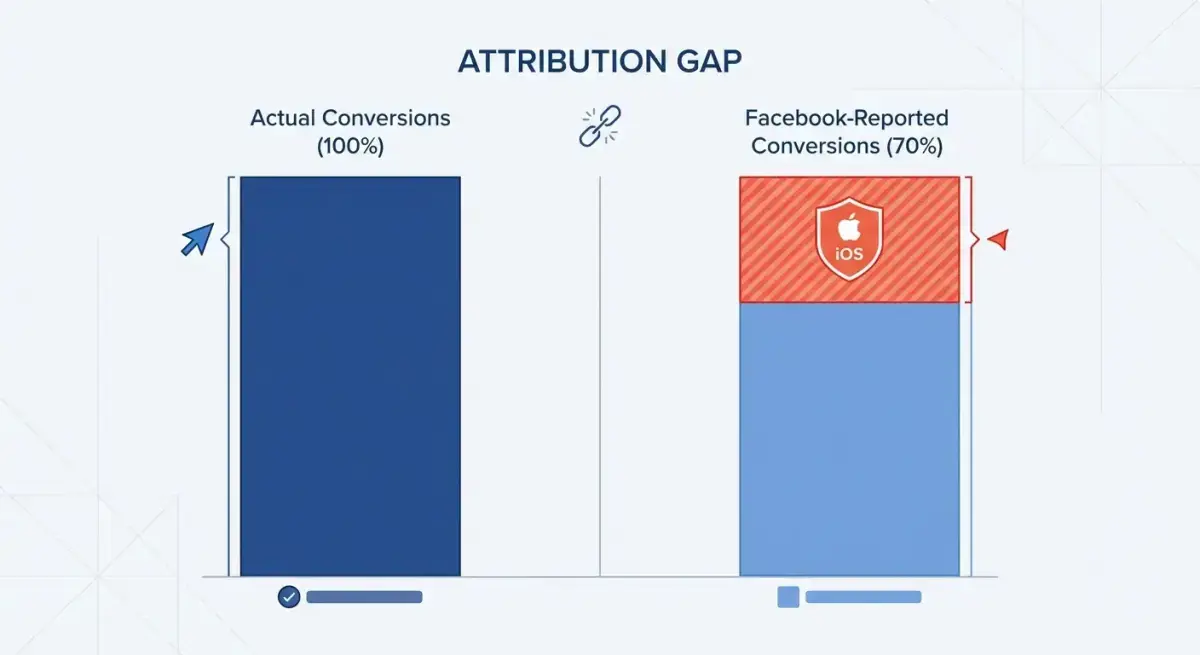 The attribution gap: Facebook typically underreports conversions by 15-30% due to iOS tracking restrictions
Meta's Modeled Conversions
Meta partially compensates for the gap using statistical modeling. When a conversion cannot be directly attributed (because the user opted out of tracking), Meta uses patterns from users who did not opt out to estimate conversions. These modeled conversions appear in Ads Manager with a note.
How reliable is modeling? Generally within 10-15% accuracy for campaigns with sufficient volume (50+ conversions per week). For low-volume campaigns, modeling is less reliable. Meta tends to be conservative with modeling — it still underreports rather than overreports.
Facebook Attribution Windows Explained
The attribution window determines how long after an ad interaction Facebook will credit a conversion.
Available Windows
| Window | What It Counts | Best For |
|---|---|---|
| 7-day click, 1-day view | Conversions within 7 days of clicking OR 1 day of viewing | Default. Most e-commerce with standard purchase cycles |
| 7-day click | Conversions within 7 days of clicking only | Conservative. Better for comparing to backend data |
| 1-day click | Conversions within 1 day of clicking only | Most conservative. Impulse products, app installs |
| 1-day click, 1-day view | Conversions within 1 day of clicking OR 1 day of viewing | Quick purchase cycles |
How to Choose
Use 7-day click, 1-day view when:
- You sell products with 1-7 day consideration periods
- You want the most complete picture of Facebook's impact
- You are comparing campaigns against each other (relative performance)
Use 7-day click only when:
- You want to compare Facebook ROAS against Google Ads or other platforms on equal footing
- You need a more conservative attribution picture for financial reporting
- View-through conversions are inflating your numbers unrealistically
Use 1-day click when:
- You sell impulse products (under $20)
- You need the most conservative measurement
- You want to minimize overlap with other attribution sources
The View-Through Attribution Debate
View-through conversions count users who saw (but did not click) your ad and later converted. This is controversial because:
- Pro: Facebook ads create awareness even without clicks, and view-through captures this
- Con: Users who would have converted anyway may see an ad and be attributed to Facebook, inflating ROAS
Practical guidance: Compare your ROAS with and without view-through. If the gap is more than 30%, view-through is likely inflating your numbers. Use click-only for decision-making and view-through as an upper-bound estimate.
 Different attribution windows tell different stories — choose based on your sales cycle
Building a True ROAS Measurement System
Relying on a single attribution source leads to bad decisions. Build a multi-source measurement system.
Layer 1: Facebook Ads Manager (Directional)
Use Ads Manager ROAS for:
- Comparing campaigns against each other
- Identifying top-performing creatives
- Monitoring trends (is ROAS improving or declining?)
Do NOT use Ads Manager for:
- Absolute ROAS calculations for financial reporting
- Total revenue attribution
- Channel-level budget allocation decisions
Layer 2: Backend Data (Source of Truth)
Your e-commerce platform (Shopify, WooCommerce) or CRM records every actual transaction. Compare this against Facebook's reported data weekly.
How to calculate true Facebook ROAS:
- Record total revenue from your backend for a given period
- Record Facebook-reported attributed revenue for the same period
- Calculate the "Facebook attribution ratio" = Backend revenue / Facebook-reported revenue
- Apply this ratio to get estimated true ROAS
Example:
- Backend total revenue (7 days): $50,000
- Facebook-reported attributed revenue: $35,000
- Other channels (Google, email, organic): $10,000
- Unattributed revenue: $50,000 - $35,000 - $10,000 = $5,000
- If Facebook is the only paid channel, much of that $5,000 is likely Facebook-attributed but unreported
- Estimated true Facebook revenue: ~$38,000-$40,000
- If Facebook ad spend was $15,000: True ROAS ≈ 2.6x (vs reported 2.3x)
Layer 3: UTM Parameters + Google Analytics
Tag all Facebook ads with UTM parameters:
utm_source=facebook
utm_medium=paid
utm_campaign={campaign_name}
utm_content={ad_name}
Google Analytics 4 tracks these UTM-tagged sessions and their conversions independently of Facebook's Pixel. This gives you a third-party view of Facebook traffic quality.
Caveat: GA4 uses last-click attribution by default, which undervalues awareness and engagement campaigns. Use GA4 as one input, not the sole source.
Layer 4: Third-Party Attribution Platforms
Tools like Triple Whale, Northbeam, and Rockerbox attempt to unify attribution across channels:
- First-party data collection — they place their own tracking on your site
- Multi-touch attribution — credit is distributed across all touchpoints
- Cross-channel comparison — see Facebook, Google, TikTok side by side
Worth the cost? For businesses spending $10K+/month on ads, yes. The improved attribution accuracy often pays for itself within the first month through better budget allocation.
Layer 5: Incrementality Testing (Gold Standard)
Incrementality testing answers the ultimate question: "If I turned off Facebook Ads, how much revenue would I actually lose?"
While measuring your own ROAS, benchmark against competitors. Ads that run 30+ days almost certainly have profitable ROAS behind them. Use this as a competitive signal. See which competitor ads have been running longest → Try Adligator free
How to Run Incrementality Tests
Incrementality testing is the most reliable way to measure true advertising impact. Here are three approaches ranked by complexity.
Method 1: Spend Pause Test (Simplest)
- Record your average daily revenue during a stable period (2+ weeks)
- Pause all Facebook Ads for 5-7 days
- Record average daily revenue during the pause
- Calculate the difference: (Active revenue - Pause revenue) = Facebook's incremental contribution
Pros: Simple, definitive Cons: You lose revenue during the pause. Not practical during peak periods.
Method 2: Geo-Based Holdout Test
- Choose two similar geographic regions (e.g., two states with similar demographics)
- Run Facebook Ads in Region A, no ads in Region B
- Compare total sales (all channels) between regions after 2-4 weeks
- The difference = Facebook's incremental contribution
Pros: Does not require pausing ads entirely Cons: Requires sufficient sales volume in each region. Geographic differences may introduce noise.
Method 3: Meta Conversion Lift Study
- Meta runs a randomized controlled experiment within your campaign
- A control group sees no ads. A test group sees ads.
- Meta compares conversion rates between groups
- The difference = true incremental lift
Pros: Most statistically rigorous Cons: Requires Meta partnership or enough spend volume. Takes 2-4 weeks.
How to Interpret Incrementality Results
Your incrementality multiplier tells you how much Facebook underreports:
- Multiplier < 1.0: Facebook is overreporting (rare, but check for attribution overlap with other channels)
- Multiplier 1.0-1.2: Facebook's reporting is fairly accurate
- Multiplier 1.2-1.5: Moderate underreporting — common for accounts with 40-60% iOS traffic
- Multiplier 1.5-2.0: Significant underreporting — common for US-focused accounts
- Multiplier > 2.0: Extreme underreporting — check if your tracking setup is correctly configured
Conversions API: Closing the Attribution Gap
The single most impactful action for improving attribution is implementing Meta's Conversions API (CAPI). This sends conversion data server-side, bypassing iOS tracking restrictions.
Impact on Attribution Accuracy
Advertisers who implement CAPI typically see:
- 15-25% more reported conversions
- Improved Event Match Quality (5-7 → 7-9)
- Better optimization signals for Meta's algorithm
- 10-20% reduction in CPA due to better signal quality
Key CAPI Parameters for Attribution
Send these with every CAPI event to maximize match rates:
| Parameter | Match Impact | How to Get |
|---|---|---|
| Email (hashed) | Highest | Form fills, account creation |
| Phone (hashed) | High | Checkout, account creation |
| fbp cookie | High | Read from browser cookie |
| fbc cookie | High | Read from URL parameter |
| IP address | Medium | Server-side capture |
| User agent | Medium | Server-side capture |
For a complete CAPI setup guide, see our Facebook Pixel and Conversions API Setup Guide.
Using Competitive Intelligence to Benchmark Performance
Attribution accuracy matters for internal decisions. But how do you know if your ROAS is good compared to competitors?
You cannot see competitors' ROAS directly. But you can see a strong proxy signal: ad longevity. Ads that run 30+ days almost certainly have positive ROAS — no advertiser keeps a losing ad running for a month.
With Adligator, filter competitor ads by days active to identify their proven winners. Study:
- Which creatives survive longest (they have the best ROAS)
- Which offers they sustain (indicates profitable unit economics)
- Which audiences they target (GEO and language filters reveal this)
- How frequently they refresh creatives (indicates their optimization cadence)
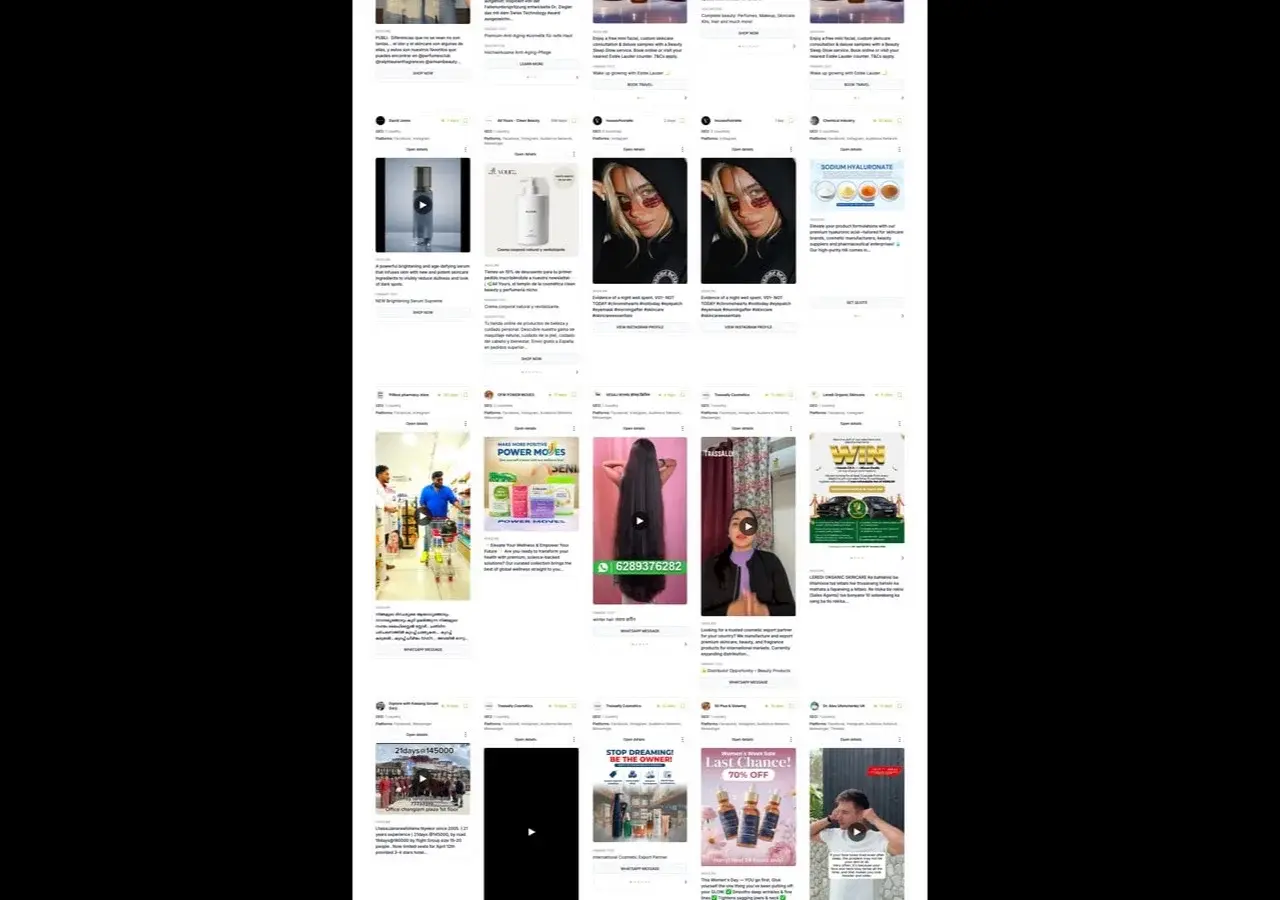 Ad longevity in Adligator serves as a proxy for ROAS — ads running 30+ days are likely profitable
Building a Weekly Attribution Review Ritual
Attribution accuracy requires ongoing monitoring, not one-time setup. Establish a weekly review process.
The Weekly Attribution Checklist
Every Monday (15 minutes):
- Compare backend revenue to Facebook-reported revenue for the past 7 days
- Calculate your attribution ratio (backend / Facebook)
- Track this ratio weekly — it should be relatively stable
- If the ratio changes dramatically, investigate (tracking issues, audience composition shift)
- Check Conversions API health
- Event Match Quality score (target 6+)
- Deduplication rate (target 80-95%)
- Event volume comparison (server events vs browser events should be roughly equal)
- Review attribution window impact
- Compare ROAS across 7-day click vs 1-day click
- If the gap is widening, your sales cycle may be changing
- Cross-reference with other channels
- Did Google branded search change? (correlates with Facebook awareness spend)
- Did email revenue spike? (may indicate Facebook-driven email signups)
- Did organic traffic change? (Facebook awareness can lift organic)
Setting Up Automated Reports
Create a simple spreadsheet that tracks weekly:
| Week | Facebook Reported Revenue | Backend Revenue | Attribution Ratio | ROAS (Reported) | ROAS (Estimated True) | Ad Spend |
|---|---|---|---|---|---|---|
| W1 | $35,000 | $50,000 | 1.43 | 2.3x | 3.3x | $15,000 |
| W2 | $38,000 | $52,000 | 1.37 | 2.5x | 3.4x | $15,200 |
Over time, this table reveals your consistent attribution multiplier. Apply this multiplier to Facebook-reported ROAS for more accurate decision-making.
When to Re-Run Incrementality Tests
Run a new incrementality test when:
- You significantly change your campaign structure
- You enter a new market or audience segment
- Your attribution ratio shifts by more than 20%
- You add or remove a major ad channel
- Quarterly at minimum for ongoing validation
Attribution for Different Business Models
E-Commerce Direct Purchase
Simplest attribution model. Purchase happens on your site, tracked by Pixel + CAPI.
- Use 7-day click, 1-day view as default
- Compare against Shopify/WooCommerce revenue weekly
- Attribution gap typically 15-25%
- CAPI implementation closes most of the gap
Subscription / SaaS
Multi-step attribution. Lead → trial → paid subscription spans days or weeks.
- Use 7-day click only (longer consideration period)
- Import offline conversions (CRM closed-won deals) into Meta Events Manager
- Track cost per qualified lead, not just cost per form fill
- Attribution gap can be 25-40% due to long conversion paths
Lead Generation (Services)
Offline conversion attribution. Lead form → phone call → sale happens outside of Meta's tracking.
- Use Facebook Lead Ads or website forms tracked by Pixel
- Import lead quality data (SQL/won/lost) back into Meta
- Match leads to revenue manually for true ROAS calculation
- Consider using a CRM integration (HubSpot, Salesforce → Meta)
App Install
Cross-platform attribution. Click on Facebook → install app → in-app purchase.
- Use Meta's SDK for in-app event tracking
- Implement SKAdNetwork for iOS attribution (limited but better than nothing)
- Consider Mobile Measurement Partners (Adjust, AppsFlyer, Branch)
- Attribution gap is highest here (30-50%) due to iOS App Tracking
Common Attribution Mistakes
Mistake 1: Trusting Only One Data Source
No single attribution source is complete. Ads Manager underreports. GA4 uses last-click. Backend data does not show which channel drove the sale. Use all four layers together.
Mistake 2: Comparing Facebook ROAS to Google ROAS at Face Value
Facebook and Google attribute conversions differently. Facebook counts view-through; Google counts search intent clicks. A 2.0x ROAS on Facebook and 4.0x on Google does not mean Google is 2x more effective — they measure different things.
Mistake 3: Ignoring the Halo Effect
Facebook Ads drive branded search, email signups, and word-of-mouth that are attributed to other channels. If you pause Facebook and see Google branded search drop 30%, Facebook was generating that branded demand.
Mistake 4: Over-Attributing Based on Incrementality
Incrementality tests show Facebook's total impact, not its marginal impact. The first $1,000/month in Facebook spend may be highly incremental. The next $10,000 has diminishing returns. Do not extrapolate early incrementality results to justify unlimited scaling.
Mistake 5: Not Setting Up CAPI Before Analyzing Attribution
If you are analyzing attribution accuracy without CAPI, you are measuring a broken system. Fix the data collection first (implement CAPI), then analyze attribution patterns.
Mistake 6: Using Different Attribution Windows for Different Campaigns
If you compare Campaign A (7-day click, 1-day view) to Campaign B (1-day click), the comparison is meaningless. Standardize your attribution window across all campaigns for valid performance comparisons. Only change windows when comparing against other platforms.
Mistake 7: Not Accounting for Seasonality in Attribution Analysis
Your attribution ratio changes with seasons. During Black Friday, consumers purchase faster (shorter attribution paths), so Facebook's reported ROAS may be more accurate. During slow periods, consideration times lengthen and attribution gaps widen. Track your attribution ratio by season for accurate adjustments.
FAQ
Why does Facebook Ads underreport conversions?
After Apple's iOS 14.5 App Tracking Transparency (ATT) framework, users who opt out of tracking cannot be attributed by Meta's Pixel. This creates a gap between actual conversions and reported conversions. On average, Facebook underreports conversions by 15-30%, with some accounts seeing gaps up to 50% depending on their iOS user percentage.
What attribution window should I use for Facebook Ads?
For most e-commerce businesses, 7-day click and 1-day view is the standard. For longer sales cycles (SaaS, high-consideration purchases), 7-day click only provides a more conservative but accurate picture. Always compare your Facebook-reported conversions against your actual backend data to quantify the gap.
Is Facebook ROAS accurate in 2026?
Facebook-reported ROAS is directionally accurate but not exact. Due to iOS privacy restrictions, it typically underreports by 15-30%. Use it for relative comparisons between campaigns and creatives, but do not rely on it as your absolute source of truth. Cross-reference with your Shopify/analytics backend data.
How do I set up incrementality testing for Facebook Ads?
The simplest approach is a geo-based holdout test: pick two similar geographic regions, run ads in one and not the other, then compare total sales. For larger budgets, use Meta's Conversion Lift tool which runs randomized controlled experiments. Start with a 2-week test period and ensure both groups are large enough for statistical significance.
Conclusion
Accurate facebook ads attribution in 2026 requires accepting that no single data source tells the full story. Meta's Ads Manager underreports by 15-30%. Google Analytics uses last-click. Your backend captures all transactions but cannot attribute them to channels.
The solution is a multi-layer approach: use Ads Manager for relative comparisons, backend data as your source of truth, CAPI to close the tracking gap, UTM parameters for cross-platform comparison, and incrementality testing to understand true impact.
The most practical first step: implement Conversions API if you have not already. It is the single biggest improvement you can make to attribution accuracy. Then establish a weekly ritual of comparing Ads Manager data against backend reality to quantify your specific attribution gap.
Ready to benchmark your performance against competitors? Try Adligator free
Research competitor ad performance signals with Adligator
Related Reading
- Facebook Ads Attribution in 2026: CAPI, Server-Side Tracking, and iOS Privacy Solutions
- Incrementality Testing and Media Mix Modeling for Facebook Ads (2026)
- Copying Competitor Facebook Ads Is Quietly Killing Your ROAS — Here's What to Do Instead
- TikTok Ads vs Facebook Ads: Platform Comparison for Performance Marketers
