How to spy on a competitor’s Facebook ads (any brand, in 4 clicks)
Pull every active Facebook ad a brand is running — creatives, copy, run time, country — in under a minute. Step-by-step inside Adligator.
Most "spy on competitor Facebook ads" workflows mean opening Facebook’s native Ad Library, typing the brand, scrolling through ads one card at a time, and screenshotting the ones you want to remember. Adligator collapses that into four clicks — and gives you data Facebook does not (parsed run time, downloadable video, country distribution at a glance).
Here is the exact path.
Click 1 — Search the brand
Open Ad Search and type the brand name in the search bar at the top. Use autocomplete when it offers your target — that scopes the result set to that specific advertiser, not "any ad mentioning the brand name."
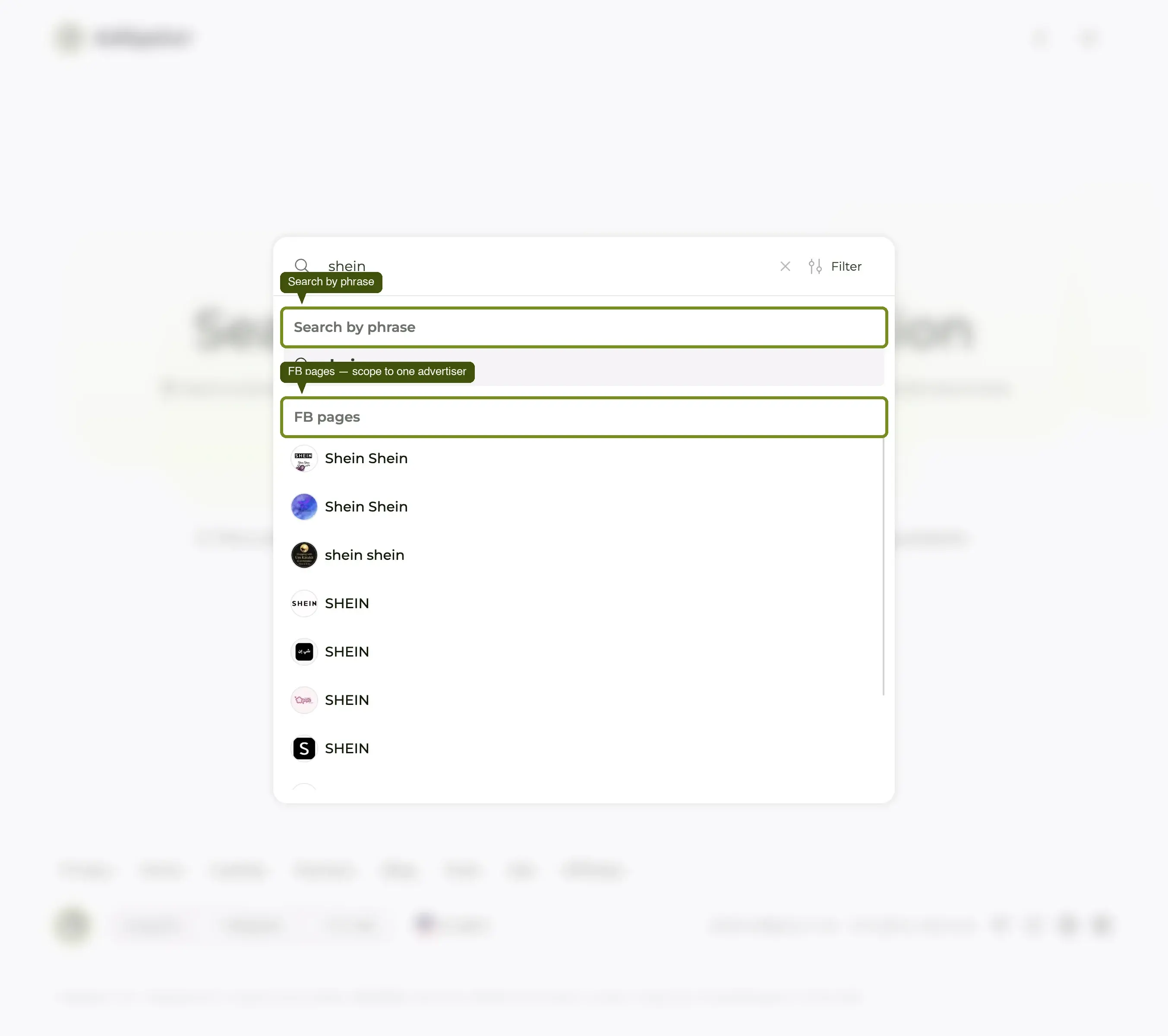
If autocomplete does not show them (smaller advertisers, lesser-known DTC brands), press Enter on the brand name and Adligator runs a keyword search across ad copy instead.
Click 2 — Sort by "Longest running"
The grid defaults to Newest in database — useful when you want to see what just launched, less useful when you want to see what is working. Open the sort dropdown (top-right of the grid) and pick Longest running.
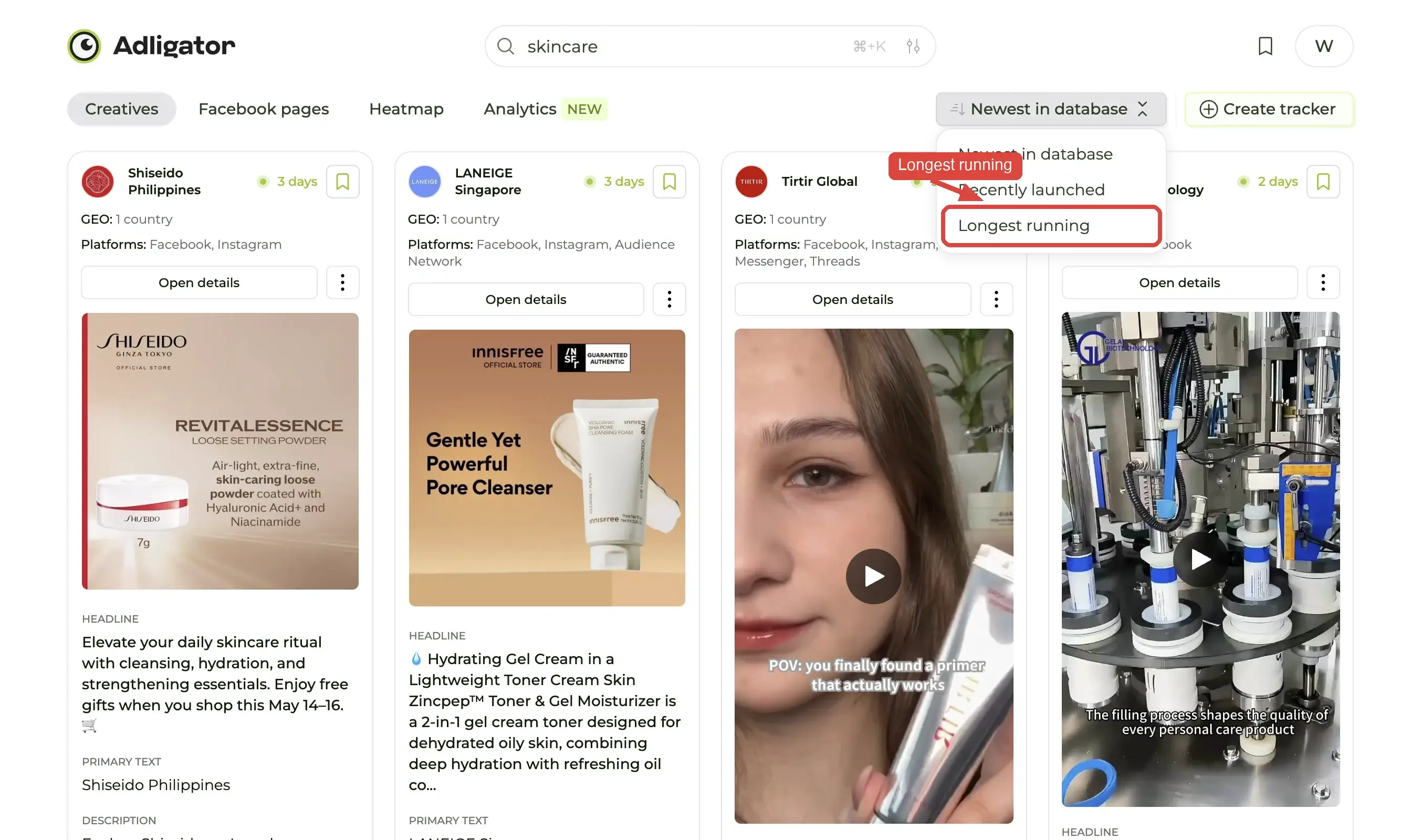
Adligator re-ranks every ad by how many continuous days it has been alive on Meta. The ads at the top are, with very high probability, the ones making the brand money — performance marketers do not pay to keep losers in market.
Click 3 — Optionally narrow by country
If you run ads in a single market, click Add filter, pick GEO, tick that country and press Apply filter. The result set shrinks to ads the brand is actually serving there — which means the creatives, copy, and angles are all the ones that pass that geo's cultural filter.
(You can skip this click. But for region-specific decisions, it is the highest-leverage filter in the app — see the filter-by-country recipe for the GEO + Geo-coverage combo that isolates single-market campaigns.)
Click 4 — Open the strongest card
The first card is the brand's longest-running ad — the one Meta has not stopped serving. That is, with very high probability, the ad making them money.
Open it. You will see:
- The full ad copy (primary text, headline, description)
- The landing URL — useful for funnel teardowns
- A download button for the creative (image or video)
- Country flags and run time inline
- An "Add to collection" button for saving
What Adligator gives you that Meta Ad Library does not
Meta’s native Ad Library is intentionally barebones. Adligator adds:
- Parsed run time — Meta shows "Started running on X". Adligator shows "Active for 73 days" with sortable filters.
- Downloadable creatives — one click. Meta makes you screen-record.
- Country distribution — Meta shows it card-by-card; Adligator shows it on the list view.
- Collections — save the strongest ads into a folder and revisit on Monday.
- Trackers — get only the new ads on your next visit instead of re-scrolling.
The four-click flow is the entry point. The compounding value comes from saving what you find and tracking the brands you care about over time. The next step in this Academy is the Trackers deep dive — it turns "I will check on them next week" into something that surfaces automatically.
