Every filter in Adligator, explained (the 11-filter reference)
Media format, Visual Content, Platform, GEO, URL/IP, Language, Days active, Last seen active, Domain zone, CTA button, OS — plus the date range and sort that sit outside the menu.
This is the complete reference for Adligator's filters — eleven of them behind one button, plus a date range and a sort that live in the toolbar beside it. If you have been using only GEO and sort, this article is the unlock. Most experienced users live in four to six filters; knowing what each one does is the difference between "I think I can answer that" and "give me 30 seconds."
How filtering works now
Everything starts with Add filter in the toolbar. Click it and a menu of the eleven filters drops down. Pick one and two things happen: a chip for it appears in the toolbar, and its value panel opens beside the menu.
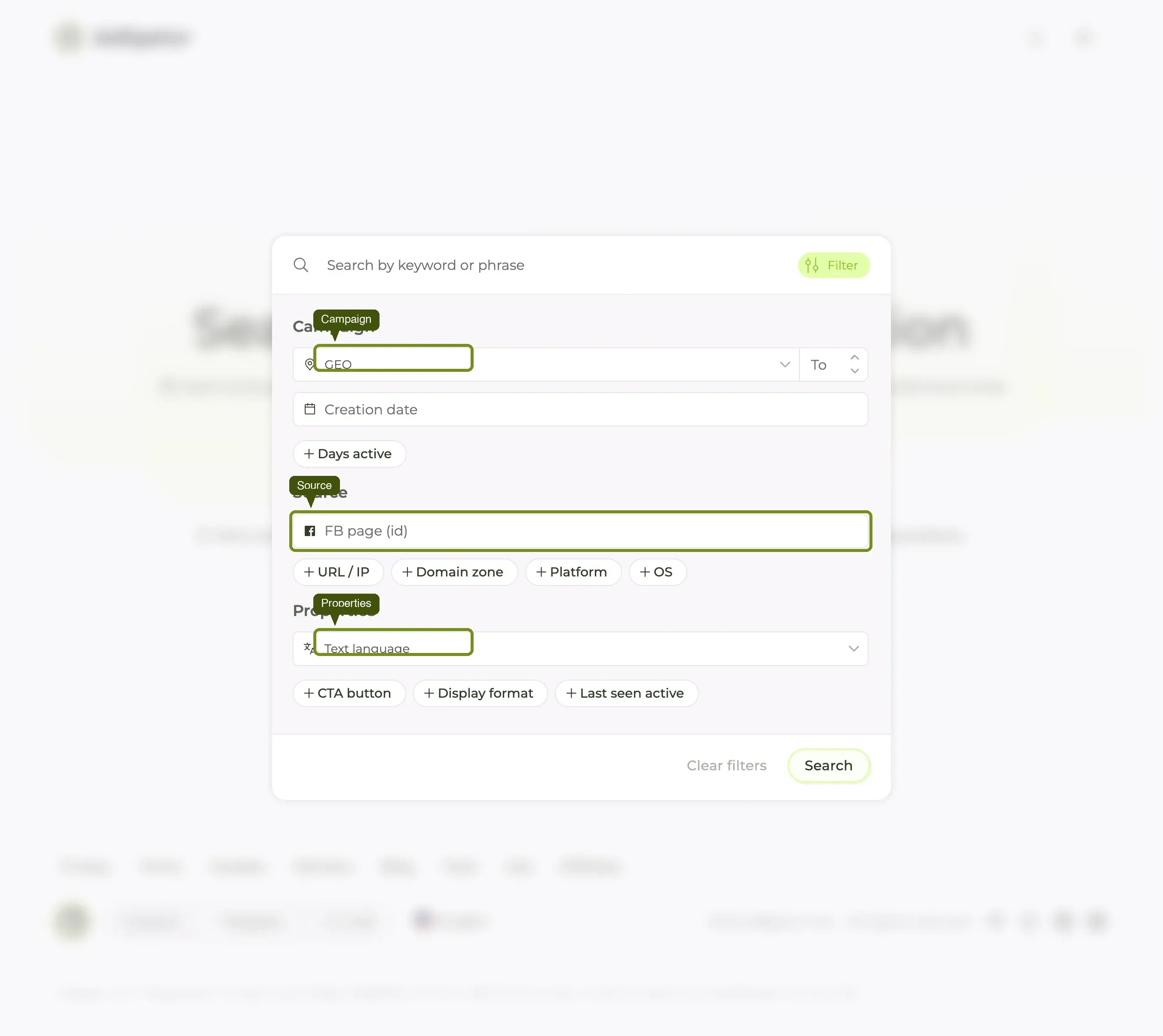
Set your values, then press the green Apply filter button that has appeared next to Add filter. Nothing touches the results until you do — you can stack four filters and commit them all at once.
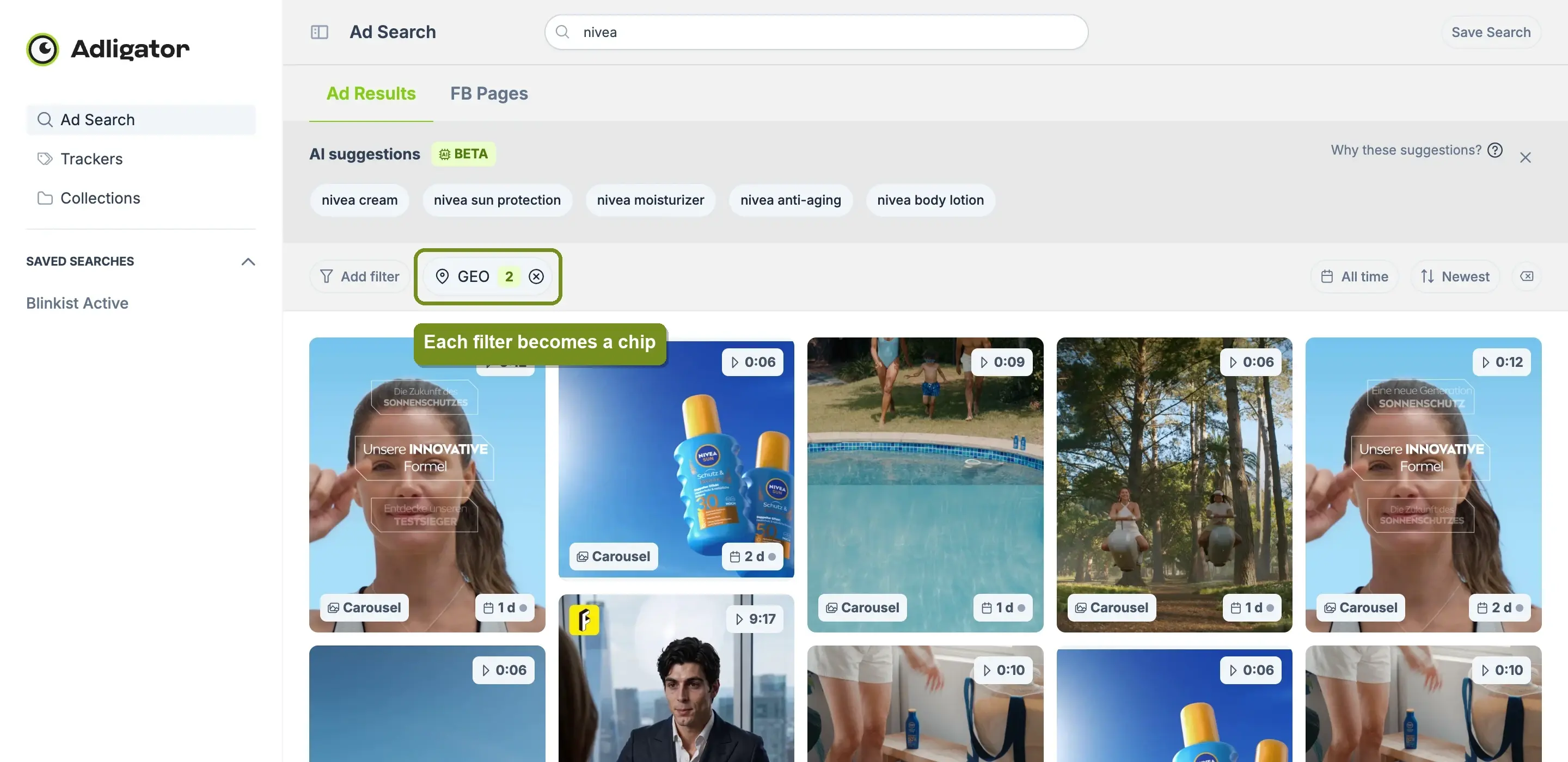
Each chip shows the filter name and how many values you picked, with an ⊗ to remove it. On the far right of the toolbar there is a clear-all button that wipes every filter at once.
One habit worth forming: do not press Escape between filters. It closes the whole menu, and you have to start the Add filter → pick a filter sequence again.
The eleven filters
Media format — single-select
The ad's visual format. Eleven options: Image, Video, DCO, Carousel, Event, DPA, Text, Page like, Multi images, Multi videos, Multi medias.
This one is a radio list, not checkboxes — you pick exactly one format at a time.
Use it for: format-specific competitor research. See find ads by format.
Visual Content — A.I content search
The newest filter, and the one with no equivalent anywhere else. Adligator runs image recognition across every creative and indexes the objects and elements it finds, so you can search for ads that literally contain something.
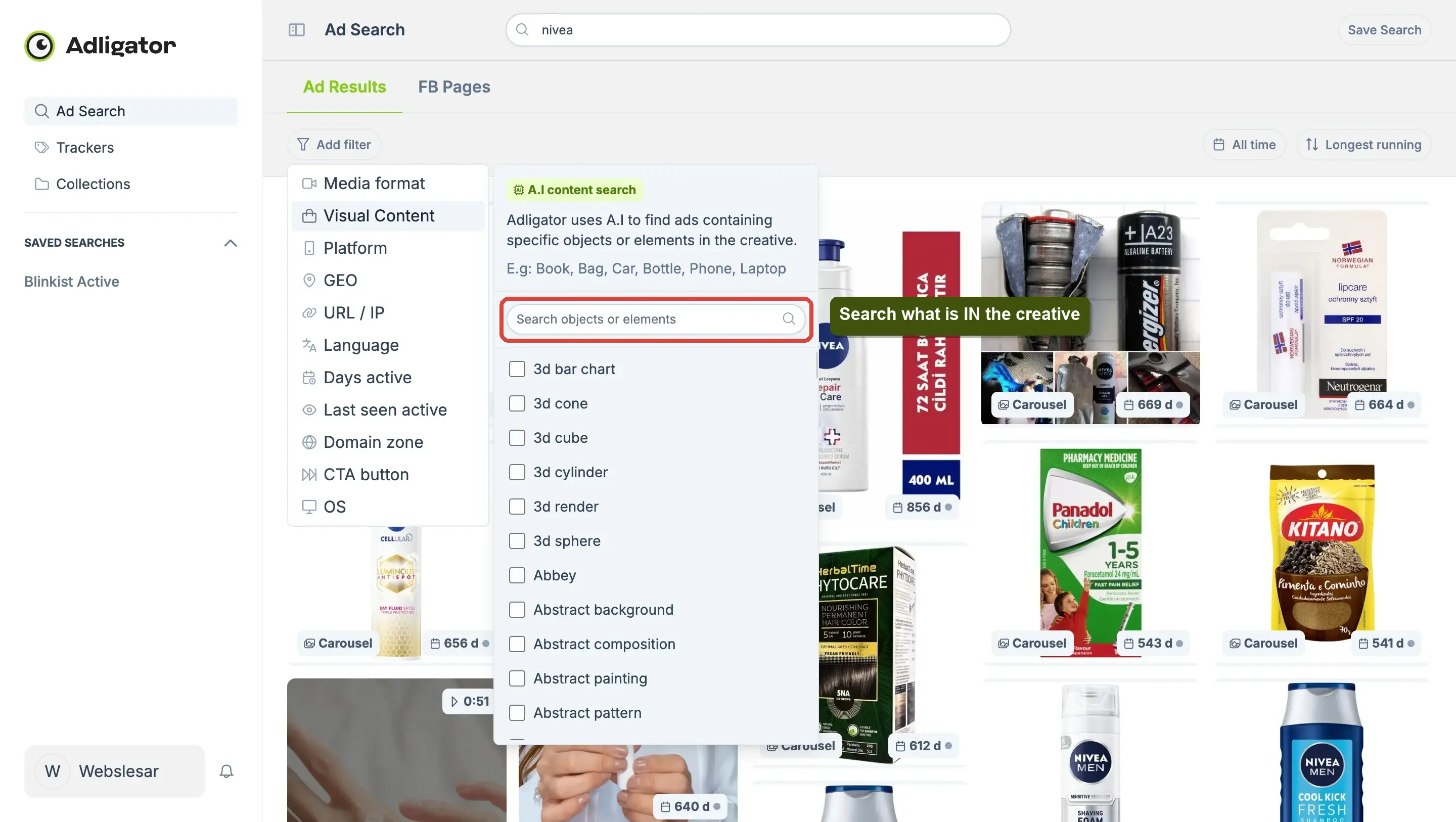
The panel explains it in-product: "Adligator uses A.I to find ads containing specific objects or elements in the creative. E.g: Book, Bag, Car, Bottle, Phone, Laptop." The tag list runs to thousands of entries — from Bottle and Actor through to Aerial view, Abstract background and 3d render — with its own search box on top.
Use it for: creative-direction research that filters cannot otherwise reach. "Show me skincare ads that feature a hand holding a bottle." "Which competitors use aerial drone footage?" "Are people or products the hero in this vertical?"
Platform — multi-select
Meta's placements: Facebook, Instagram, Audience network, Messenger, Threads. There is a Select all.
Use it for: placement-specific creative analysis. Instagram-only ads are usually Reels or Stories optimised for vertical mobile. Threads-running ads are a leading indicator that a brand is testing the newer surface.
GEO — multi-select, with continents and a coverage cap
The countries an ad is being served in, with three things stacked in one panel:
- Search countries — type to filter the list. Do this rather than scrolling; the list is virtualised.
- Geo coverage — a numeric cap, default 20, described in-product as "Narrow results by the maximum number of target countries an ad appears in."
- Continents — tick Europe, Asia, Africa, North America, South America or Australia to take a whole region at once, then the alphabetical country list below.
Use it for: market-specific pulls, regional comparisons, country-tailored creative analysis. Set Geo coverage = 1 with one country selected and you get ads that run only in that market — see the filter-by-country recipe.
URL / IP — free text
The ad's landing-page URL or destination IP. No autocomplete, no validation, single value.
Use it for: funnel teardowns, identifying which creative drives traffic to which landing page, affiliate-link analysis.
Language — multi-select
The language of the ad copy. English, Spanish, Portuguese, Russian, Vietnamese, French, Kazakh, German, Italian, Thai, Arabic, Chinese, Indonesian, Polish, Dutch, Japanese, Turkish, Korean, Romanian, Czech, Serbian, Hungarian, Hebrew and more, with a Select all.
Use it for: localisation audits and "how do brands talk to this audience?" research. Pair it with GEO to separate native from translated creative — GEO=Spain + Language=Spanish and GEO=Spain + Language=English are two very different creative strategies.
Days active — numeric range
How many consecutive days the ad has been running, as From and To inputs. The panel describes it as filtering "by their active lifespan, from newly launched to long-running campaigns."
From = 30keeps only ads alive for 30+ days. The single most useful filter for finding winners.From = 30, To = 60returns a survival cohort — tested, not yet evergreen.To = 7keeps only fresh launches.
Use it for: filtering out tests and surfacing proven winners. See find long-running winners.
Last seen active — single-select
Five relative presets: 1, 3, 7, 15 or 30 days ago. Like Media format, this is a radio list.
Setting "7 days ago" keeps only ads Meta has served within the last week. Useful when you want a genuinely-live view that excludes ads that quietly stopped.
Domain zone — free text
A top-level domain (com, io, co.uk, ua, de…).
Use it for: ccTLD filtering, often paired with GEO for cross-validation — a .de domain plus GEO=Germany is a stronger market signal than either alone.
CTA button — multi-select, with search
The call-to-action button on the ad. Twenty-three options, with their own search box and a Select all: Learn more, Shop now, Message page, View Instagram profile, Sign up, Like page, Install mobile app, Book travel, Event RSVP, Apply now, WhatsApp message, Get offer, Get directions, Watch more, Get quote, Download, Contact us, Play game, No button, Instagram message, Buy tickets, Call now, Subscribe.
Use it for: funnel-stage filtering. Lead-gen verticals skew toward Sign up / Apply now / Install. Ecom skews toward Shop now. Brand-building skews toward Like page / View Instagram profile. The CTA distribution alone tells you what a brand is optimising for.
OS — multi-select
iOS and Android.
Use it for: mobile-platform creative analysis. App-install campaigns often segment iOS and Android creative; consumer ads less so, but worth checking when you target one specifically.
Two controls that are not in the menu
Date range
The button on the right of the toolbar, labelled with whatever range is currently applied (All time by default). It opens a preset column — Today, Yesterday, Last week, This month, Last month, 3 months ago, 6 months ago, Last year, All time — alongside a calendar for a custom range, with Cancel and Apply.
This replaced the old "Creation date" filter, which is why you will not find it in the Add filter menu.
Sort
Also in the toolbar, labelled with the current sort. Three options:
| Option | Sorts by |
|---|---|
| Newest in database (default) | when Adligator indexed the ad |
| Recently launched | Meta's start date |
| Longest running | days continuously active |
Sort affects ordering, not filtering. You almost always want both: filters narrow the universe, sort orders what is left.
Patterns by job
| Job | Filters |
|---|---|
| This brand's proven winners | FB page from autocomplete + Sort=Longest running + Days active From=30 |
| Single-market creative analysis | GEO=country + Geo coverage=1 + Sort=Longest running |
| Video winners only | Media format=Video + Sort=Longest running |
| Currently-live ads only | Last seen active=7 days |
| Newly-launched ads | Date range=Last week |
| Lead-gen vertical sweep | Phrase search + CTA button=Sign up / Apply now |
| Ecom carousel patterns | Phrase search + Media format=Carousel |
| "Who uses this visual device?" | Phrase search + Visual Content=object |
Most strong searches use two to four filters. Beyond four, results usually start to empty out.
When the search returns nothing
Three usual suspects:
- Geo coverage too tight. GEO=Germany with coverage=1 on a brand that never runs Germany-only campaigns returns nothing. Raise the coverage number first.
- Date range too narrow. A one-week window on a brand that launched nothing that week returns zero. Widen to Last month or All time.
- Too many multi-selects at once. Platform=Instagram AND OS=iOS AND Media format=Video is a genuinely narrow slice.
Loosen the most restrictive filter and re-check before concluding the brand has no matching ads.
Saving a filter combination
Once you have built a query that produces a clean result, press Save Search in the top-right and name it. It gets pinned to the sidebar under Saved searches, filters and all, and one click reloads the whole view. This is how filter discipline compounds — the five minutes you spent finding the right combination becomes a five-second weekly check.
(Do not reach for a Tracker here. Trackers monitor a specific advertiser, not a query — see Trackers.)
What's next
The filter reference is the floor. The how-to recipes are the ceiling:
- Filter by country — GEO + Geo coverage.
- Find long-running winners — sort + Days active.
- Find ads by format — Media format slicing.
- Compare two competitors — Trackers + Analytics side by side.
If you are new to the app, the first search walkthrough is the right entry point. If a term here was unfamiliar, the glossary has the lookups.
